Every SEO professional, marketer, and researcher has faced the same tedious task: manually copying search results into a spreadsheet.You search a keyword, tab to your spreadsheet, paste the title, go back for the URL, paste again, repeat 100 times.After an hour, you have 30 rows and a sore wrist.
This manual process breaks down the moment you need to track rankings across 50 keywords, monitor competitor visibility, or build a content database from search results.The data exists right there on the screen, but getting it into a usable format feels unnecessarily painful.
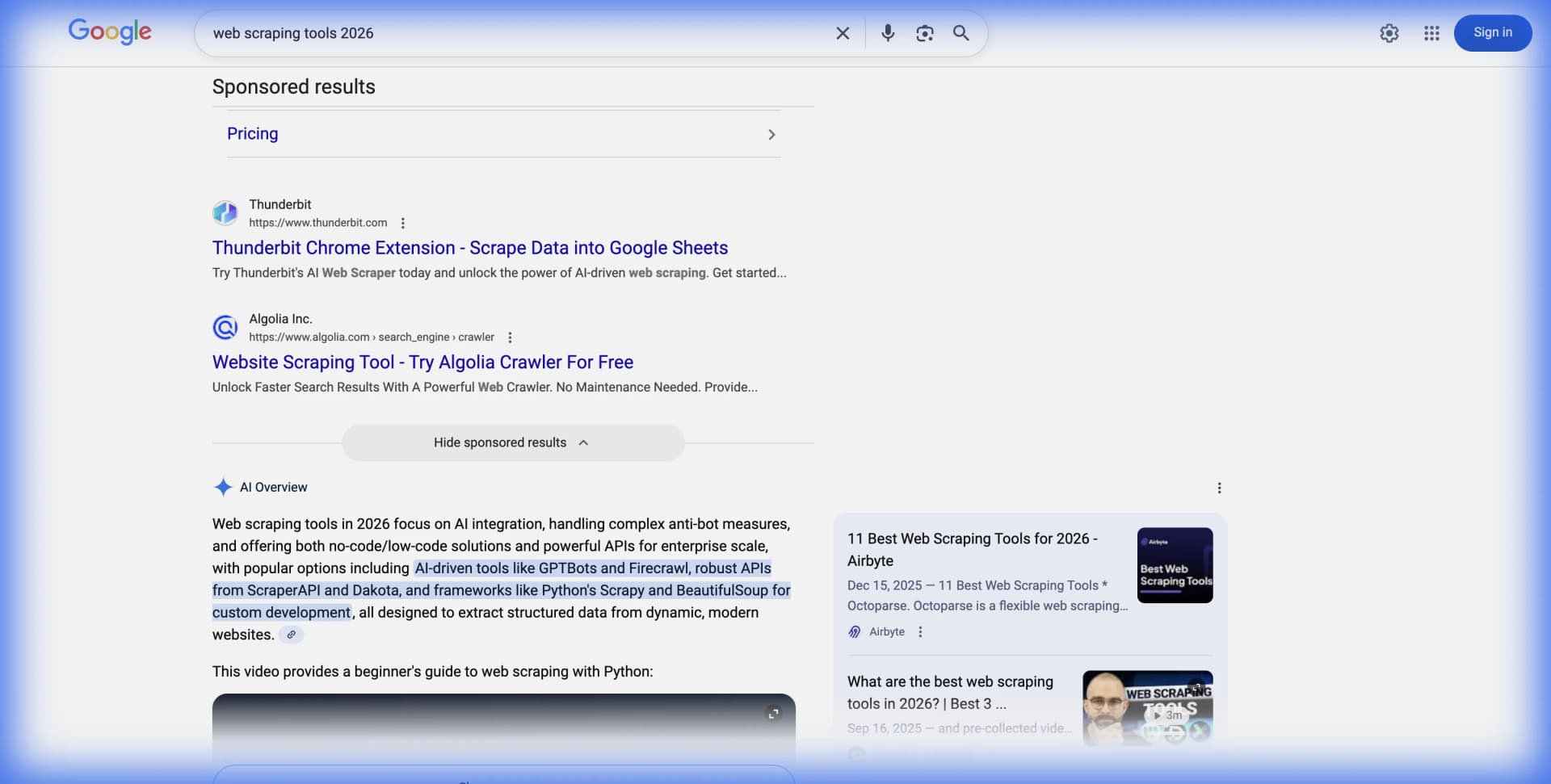
This guide shows you how to extract Google search results into spreadsheets automatically.We cover both API - based approaches and no - code scraping tools likeLection, so you can choose the method that matches your technical comfort and budget.
Why Scrape Google Search Results ?
Before diving into methods, it helps to understand the common use cases that drive SERP data collection.
** Keyword research and content planning.** Writers and content strategists scrape search results to understand what currently ranks for target keywords.Analyzing the top 10 results reveals content formats, word counts, and topics that Google rewards.
** Competitor monitoring.** Tracking which domains appear for your target keywords over time shows competitive movement.If a competitor suddenly appears in positions you used to own, you want to know quickly.
** Lead generation from search.** B2B teams scrape business listings from local search results.A query like "accounting firms in Chicago" returns potential clients that can be exported and enriched with contact information.
** Academic research.** Researchers studying search bias, information access, or algorithmic fairness need structured SERP data at scale.Manual collection is impractical for studies involving thousands of queries.
** SEO auditing.** Agencies track client rankings across keyword portfolios.Rather than checking positions manually, automated scraping feeds ranking data into dashboards and reports.
The Two Approaches: APIs vs Scraping
Extracting Google search data falls into two categories, each with tradeoffs worth understanding.
SERP APIs
Dedicated SERP API providers maintain infrastructure to query Google and return structured JSON data.You send a keyword, they return titles, URLs, snippets, and metadata.
** Advantages of APIs:**
- ** Structured output.** Clean JSON with consistent field names.No HTML parsing required.
- ** Proxy management handled.** The provider rotates IP addresses and handles blocks so you don't have to.
- ** Legal clarity.** Providers often operate under terms that assume commercial responsibility.
- ** Reliability.** Infrastructure designed for high - volume queries with uptime guarantees.
** Disadvantages of APIs:**
- ** Cost per query.** Prices range from $0.001 to $0.01 + per search depending on provider and volume.
- ** API limits.** Free tiers are restrictive(25 - 100 queries per day).Serious usage requires paid plans.
- ** Data lag possible.** Some providers cache results, meaning you may not get real - time SERPs.
Popular SERP API providers include SerpAPI, DataForSEO, ScraperAPI, Oxylabs, and Bright Data.Each offers Google search endpoints with varying pricing models.
No - Code Scraping Tools
Browser - based scraping tools extract SERP data visually.You navigate to Google, select the data you want, and the tool handles extraction across multiple queries.
** Advantages of scraping tools:**
- ** Visual setup.** Point and click rather than writing code or constructing API calls.
- ** Real - time data.** You scrape exactly what's on the live page.
- ** Broader flexibility.** The same tool works on Google, Bing, DuckDuckGo, and any other search engine.
- ** Cost predictability.** Subscription pricing rather than per - query fees.
** Disadvantages of scraping tools:**
- ** Google actively blocks scrapers.** Without proper proxy rotation, you'll hit CAPTCHAs and IP blocks.
- ** Layout changes break scrapers.** When Google updates its SERP design, traditional selector - based scrapers fail.
- ** Requires browser session.** Unlike APIs, you need a browser(or cloud execution) to run scrapes.
Tools likeLection use AI - powered recognition to adapt when layouts change, reducing the maintenance burden of traditional scrapers.
Method 1: Using SERP APIs
If you're comfortable with code or have developer support, SERP APIs offer the most reliable approach for high-volume extraction.
Step 1: Choose a Provider
Select a SERP API based on your volume and budget.Here's a quick comparison:
| Provider | Free Tier | Paid Starting Price | Best For |
|---|---|---|---|
| SerpAPI | 100 searches / month | $75 / month | Small projects |
| DataForSEO | Pay - as - you - go | $0.0007 / search | High - volume SEO tools |
| ScraperAPI | 1,000 credits | $29 / month | General scraping |
| Serper | 2, 500 free queries | $50 / month | Speed and pricing |
Step 2: Get Your API Key
Register with your chosen provider and obtain an API key.Most offer instant signup with free trial credits.
Step 3: Query the API
Here's a minimal example using SerpAPI with Python:
import requests
import json

api_key = "your_api_key"
query = "best web scraping tools 2026"

url = f"https://serpapi.com/search?q={query}&api_key={api_key}"
response = requests.get(url)
data = response.json()

# Extract organic results
for result in data.get("organic_results", []):
    print(f"Title: {result['title']}")
    print(f"URL: {result['link']}")
    print(f"Snippet: {result['snippet']}")
    print("---")
Step 4: Export to Spreadsheet
Add CSV export to save results:
import csv

with open("serp_results.csv", "w", newline="") as file:
    writer = csv.writer(file)
    writer.writerow(["Position", "Title", "URL", "Snippet"])

    for i, result in enumerate(data.get("organic_results", []), 1):
        writer.writerow([
            i,
            result.get("title", ""),
            result.get("link", ""),
            result.get("snippet", "")
        ])
This approach works well for developers building SEO tools or researchers running large-scale studies. For business users who want results without code, the next method is more practical.
Method 2: No-Code Scraping with Lection
If APIs feel like overkill for your needs, browser-based tools extract the same data without code.
Step 1: Install the Extension
Add the Lection Chrome extension to your browser. The setup takes less than a minute.
Step 2: Navigate to Google
Open Google and search for your target keyword. Wait for results to fully load from any ads to organic listings to People Also Ask sections.
Step 3: Start Extraction
Click the Lection icon. The AI identifies extractable data patterns on the page. Select the data types you want: titles, URLs, snippets, or all of them.
Step 4: Handle Pagination
For deeper results, enable pagination. Lection automatically navigates through multiple pages of results, extracting data as it goes. This is particularly useful when you need positions 1-100 rather than just page one.
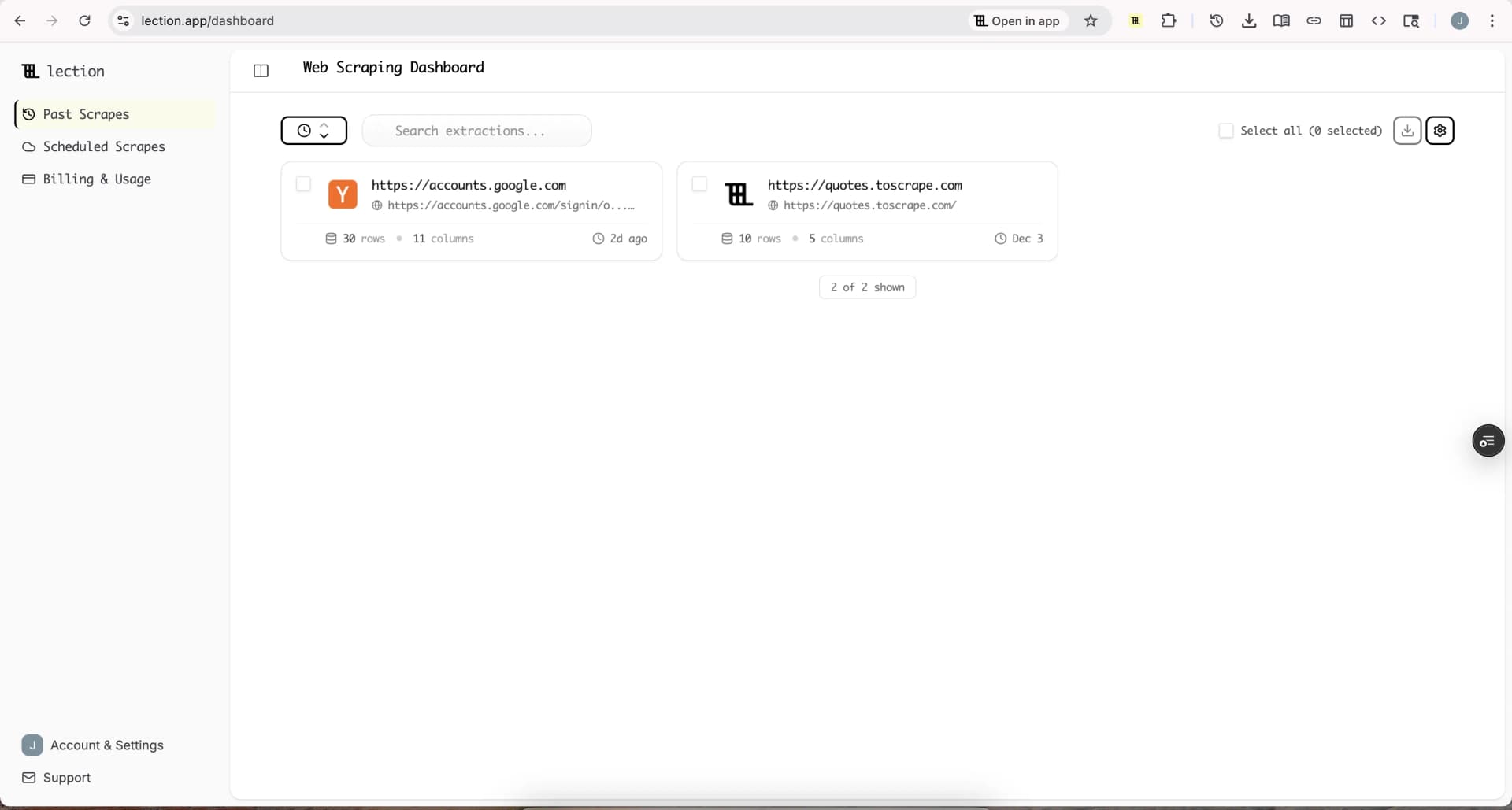
Step 5: Export to Google Sheets
Once extraction completes, export directly to Google Sheets. The structured data lands in your spreadsheet ready for analysis: keyword, position, title, URL, and snippet in organized columns.
What SERP Data Can You Extract?
Modern search results pages contain far more than the traditional ten blue links. Here's what you can pull:
Organic results: The standard ranked listings with title, URL, and meta description snippet.
Paid ads: Sponsored listings that appear above or below organic results. Useful for competitive ad research.
Featured snippets: The boxed answer that appears at position zero for certain queries.
People Also Ask: Expandable question boxes that reveal related queries and their answers.
Local pack: The map and business listings that appear for location-based queries.
Shopping results: Product cards with prices, images, and merchant information.
Image pack: Thumbnail images that appear inline with search results.
Video results: YouTube and other video content embedded in results.
Knowledge panel: The sidebar box with entity information for branded or factual queries.
AI Overviews: Google's new AI-generated summaries that appear for certain queries.
Different extraction methods capture different subsets. APIs typically provide all structured elements. Visual scrapers may need configuration for each element type.
Getting Around Google's Anti-Bot Measures
Google actively discourages automated access. If you're scraping without an API provider's infrastructure, expect these obstacles:
CAPTCHA challenges. After too many queries from one IP, Google presents CAPTCHA verification.
IP blocking. Sustained scraping from a single IP leads to temporary or permanent blocks.
Rate limiting. Queries return errors or incomplete results when sent too quickly.
Layout changes. Google frequently updates SERP design, breaking CSS selectors.
Mitigation Strategies
Rotate IP addresses. Use residential proxies that rotate IPs between requests. This distributes queries across thousands of addresses.
Implement delays. Space requests 3-10 seconds apart minimum. Bursty scraping triggers detection faster.
Vary user agents. Rotate browser fingerprints to appear as different users.
Use headless browsers. Puppeteer or Playwright render JavaScript and handle cookies like real browsers.
Choose AI-powered tools. Tools like Lection use visual recognition rather than brittle CSS selectors, reducing breakage when layouts change.
For most users, the simplest approach is using a SERP API or a cloud scraping tool that handles anti-bot measures internally. Building and maintaining your own proxy infrastructure is expensive and time-consuming unless scraping is core to your business.
Practical Example: Building a Keyword Tracking Sheet
Here's a real workflow for tracking keyword rankings over time.
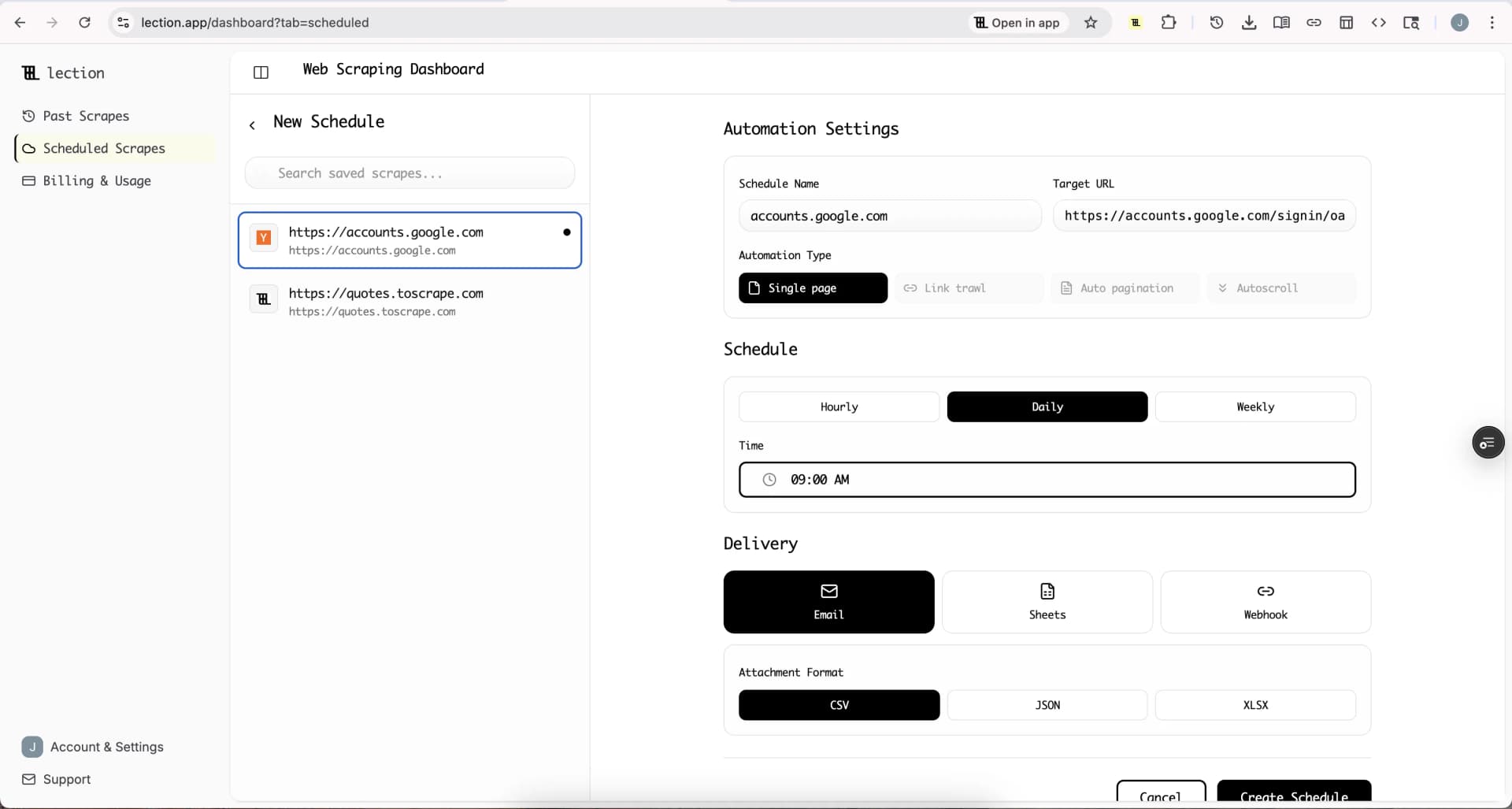
Goal: Monitor daily rankings for 20 keywords and log position changes.
Setup:
- Create a Google Sheet with columns: Date, Keyword, Position, URL, Title
- Connect Lection to a scheduled cloud scrape
- Configure extraction for position and URL from organic results
- Set schedule to run daily at 6 AM
Output:
Each morning, fresh ranking data appends to your sheet. You now have a historical record showing:
- Which keywords improved or declined
- Which URLs rank for each keyword
- Trends over weeks and months
This same setup scales to 100+ keywords without additional manual effort.
Legal and Ethical Considerations
Scraping search engines operates in a gray area. Here's what you should know:
Google's Terms of Service. Google explicitly prohibits automated access in their ToS. Violating terms can lead to IP blocks, account suspension, or (rarely) legal action.
Public data distinction. Courts have generally held that scraping publicly visible data is not illegal per se. However, using that data in ways that harm the source (overloading servers, violating copyright) can create liability.
Rate limiting as respect. Even if legal, hammering any service with aggressive scraping strains infrastructure. Responsible scraping includes reasonable delays and respecting robots.txt guidance.
SERP API protections. Using established SERP APIs shifts some legal risk to the provider. They've built their business on this model and structure terms accordingly.
For most business users, the practical advice is: use reputable tools and APIs, keep query volumes reasonable, and don't republish copyrighted content at scale. For deeper legal context, see our guide on web scraping legality by country.
Common Mistakes to Avoid
Scraping too fast. Sending 100 queries per minute will get you blocked immediately. Start slow and scale up cautiously.
Ignoring CAPTCHA signals. When CAPTCHAs appear, pause and reassess. Continuing to hammer the endpoint leads to longer blocks.
Relying on fragile selectors. CSS selectors like div.g > div > a break with every layout update. AI-powered tools or APIs avoid this entirely.
Not validating data. SERP results vary by location, device, and personalization. Verify your extracted data matches expected patterns.
Underestimating volume costs. That "cheap" API at $0.01 per query costs $500 for 50,000 searches. Plan your budget for actual usage, not the free tier.
When to Choose Each Approach
Choose SERP APIs when:
- You need high-volume, consistent data (10,000+ queries)
- You're building tools or products around SERP data
- Legal clarity matters for your use case
- You have developer resources for integration
Choose no-code scraping when:
- You need occasional SERP data (hundreds of queries)
- You want to scrape multiple search engines with one tool
- You prefer visual setup over code
- Your workflow already uses browser-based tools
Combine both when:
- APIs cover your high-volume core keywords
- Scraping handles edge cases and new sources
- You want backup data collection methods
Conclusion
Getting Google search results into a spreadsheet shouldn't require manual copy-paste marathons. Whether you choose dedicated SERP APIs for developer-friendly integration or no-code tools like Lection for visual extraction, automated approaches save hours of tedious work while delivering more comprehensive data.
For SEO professionals tracking rankings, content teams researching competitors, or researchers studying search patterns, structured SERP data unlocks insights that manual collection cannot match at scale.
Ready to stop copying and pasting? Install Lection and extract your first search results in minutes.