Web scraping has its own vocabulary. When you first encounter terms like "XPath," "headless browser," or "rate limiting," the jargon can feel overwhelming. Even experienced developers sometimes struggle to keep up with the evolving terminology as new techniques and tools emerge.
This glossary exists to demystify web scraping vocabulary. Whether you are evaluating scraping tools, troubleshooting extraction issues, or just trying to understand what your technical team is talking about, this reference will help you speak the language fluently.
We have organized these 50 + terms into logical categories, starting with foundational concepts and progressing to more advanced techniques.Bookmark this page and return whenever you encounter an unfamiliar term.
Foundational Concepts
These are the building blocks.Understanding these terms is essential before diving into more advanced scraping topics.
API(Application Programming Interface)
An API is a structured way for software applications to communicate with each other.Many websites offer APIs that provide direct access to their data in a clean, organized format.When available, APIs are often preferable to scraping because they are stable, documented, and intended for programmatic access.
For example, Twitter's API lets you retrieve tweets directly rather than scraping them from web pages. However, APIs may have usage limits, require authentication, or exclude certain data, which is why scraping remains necessary for many use cases.
Bot
A bot is an automated software program that performs tasks without human intervention.In web scraping, a bot is typically the program that automatically visits web pages and extracts data.Search engines use bots(often called "crawlers" or "spiders") to index the web.
Not all bots are used for scraping.Some bots handle customer service, automate social media posting, or perform price comparisons.The term carries neutral connotation in technical contexts, though it is sometimes used pejoratively when referring to malicious automated activity.
Crawler
A crawler(also called a "spider" or "web crawler") is a bot that systematically browses the internet, following links from page to page.Search engines like Google use crawlers(Googlebot) to discover and index web content.
The key distinction between a crawler and a scraper is scope: crawlers focus on discovery and navigation across many pages, while scrapers focus on extracting specific data from pages.In practice, most scraping projects combine both functions, crawling a site's structure while scraping data from each page.
DOM(Document Object Model)
The DOM is a programming interface that represents a web page's structure as a tree of objects. When your browser loads a page, it parses the HTML and creates this tree structure, where each element (paragraphs, links, images, divs) becomes a "node" that can be accessed and manipulated.
Understanding the DOM is crucial for web scraping because scrapers navigate this tree structure to locate and extract data.When you select an element using XPath or CSS selectors, you are navigating the DOM tree.
HTML (HyperText Markup Language)
HTML is the standard markup language for creating web pages.It defines the structure and content of a page using elements like <div>, <p>, <a>, and <table>. Every web page you visit is built with HTML at its foundation.
Web scrapers parse HTML to find and extract data. The cleaner and more semantic the HTML structure, the easier it is to scrape. Modern websites often use complex, nested HTML structures that require careful navigation.
HTTP (HyperText Transfer Protocol)
HTTP is the protocol used for transmitting data over the web. When you visit a website, your browser sends an HTTP request to the server, which responds with the page content. Understanding HTTP is essential for web scraping because scrapers must send proper requests and handle responses correctly.
Key HTTP concepts include request methods (GET, POST), status codes (200 for success, 404 for not found, 429 for rate limited), and headers (metadata about the request).
JSON (JavaScript Object Notation)
JSON is a lightweight data format commonly used to transmit data between servers and web applications. Many APIs return data in JSON format, and some websites load content dynamically using JSON.
JSON is easy to parse programmatically, making it a preferred format for data extraction. When a website's API returns JSON, extracting structured data becomes straightforward compared to parsing HTML.
Parsing
Parsing is the process of analyzing text (like HTML or JSON) and converting it into a structured format that programs can work with. In web scraping, parsing typically involves taking raw HTML and extracting specific data based on the document structure.
DOM parsing specifically refers to analyzing the DOM tree structure to locate and extract elements. Libraries like BeautifulSoup, lxml, and Cheerio are popular parsing tools.
Scraper
A scraper (or web scraper) is software that automatically extracts data from websites. Unlike APIs, which provide structured data access, scrapers work by reading and interpreting the content that websites display to users.
Scrapers range from simple scripts that extract data from a single page to sophisticated tools like Lection that use AI to understand page structures and handle complex extraction patterns automatically.
Spider
Spider is another term for crawler. The name comes from the visual metaphor of a spider traversing a web of interconnected pages. Spiders typically start from one or more seed URLs and follow links to discover new pages.
URL (Uniform Resource Locator)
A URL is the address of a web page or resource on the internet. URLs follow a specific format: protocol (http/https), domain (example.com), path (/page/subpage), and optional query parameters (?id=123).
Understanding URL structure is important for scraping because patterns in URLs often reveal site organization. For example, e-commerce sites might use URLs like /products?category=electronics&page=2 to organize their catalog.
Web Page
A web page is a single document on the internet, typically written in HTML and accessible via a URL. Web pages can be static (content fixed in HTML) or dynamic (content loaded or generated by JavaScript).
Website
A website is a collection of related web pages under a common domain name. Understanding website structure helps scrapers navigate efficiently, following links between pages to extract comprehensive datasets.
Selection and Navigation
These terms relate to how scrapers find and identify specific elements within a page's structure.
Attribute
An attribute provides additional information about an HTML element. Common attributes include id, class, href (for links), and src (for images). Attributes are crucial for selecting specific elements during scraping.
For example, in <a href="https://example.com" class="product-link">Product</a>, both href and class are attributes that scrapers can use to identify and extract data.
CSS Selector
CSS selectors are patterns used to select HTML elements based on their properties. Originally designed for styling web pages, CSS selectors provide a clean, readable syntax for identifying elements during scraping.
Common CSS selector patterns:
#idselects elements by ID.classnameselects elements by classdiv > pselects paragraph elements that are direct children of divsa[href*="example"]selects links containing "example" in their URL
CSS selectors are generally easier to write than XPath but offer less flexibility for complex selections.
Element
An element is a component of an HTML document, defined by a start tag, content, and end tag. For example, <p>This is a paragraph.</p> is a paragraph element. Elements can be nested within other elements, creating the tree structure of the DOM.
Node
In the DOM, a node is any single point in the document tree. Elements are nodes, but so are text content, comments, and attributes. The DOM tree consists of various node types connected in parent-child relationships.
Selector
A selector is a pattern or query that identifies specific elements in a document. The term encompasses both CSS selectors and XPath expressions. Choosing the right selector is often the most important part of building a reliable scraper.
Good selectors are specific enough to target only the desired elements but general enough to work across similar pages.
XPath (XML Path Language)
XPath is a powerful query language for navigating and selecting nodes in XML and HTML documents. XPath expressions use path-like syntax to traverse the DOM tree, similar to file system paths.
XPath example: //div[@class="product"]/h2/text() selects the text content of h2 elements inside divs with class "product."
Advantages of XPath over CSS selectors:
- Can traverse upward in the DOM (find parent elements)
- Can select elements based on text content
- Supports complex logical conditions
- More powerful functions and predicates
The tradeoff is that XPath syntax is more complex and can be harder to read.
Dynamic Content and JavaScript
Modern websites rely heavily on JavaScript to load and display content. These terms explain the challenges and solutions for scraping dynamic pages.
AJAX (Asynchronous JavaScript and XML)
AJAX is a technique for loading data from a server without refreshing the entire page. When you scroll through a social media feed and new posts appear automatically, that is AJAX in action.
For scrapers, AJAX presents a challenge: the data is not present in the initial HTML. Scrapers must either wait for JavaScript to load the content or intercept the AJAX requests directly.
Client-Side Rendering
Client-side rendering (CSR) is when a web page's content is generated by JavaScript running in the browser rather than being served directly in the HTML. Single-page applications (SPAs) often use CSR extensively.
Traditional HTTP scrapers cannot handle client-side rendered content because they only see the initial HTML, which may be nearly empty. Headless browsers solve this by executing JavaScript.
Dynamic Content
Dynamic content is page content that changes based on user interaction, time, or data from external sources. Examples include personalized recommendations, real-time stock prices, and infinite scroll feeds.
Scraping dynamic content requires either executing JavaScript (using headless browsers) or understanding how the content is loaded (intercepting API calls).
Headless Browser
A headless browser is a web browser without a graphical user interface. It can navigate to pages, execute JavaScript, and render content just like a regular browser, but operates programmatically without displaying anything on screen.
Popular headless browser tools include Puppeteer (Chrome/Chromium), Playwright (multi-browser), and Selenium WebDriver. Headless browsers are essential for scraping JavaScript-heavy websites because they execute client-side code that generates content.
Tools like Lection operate within real browser environments, handling JavaScript rendering automatically so you can extract dynamic content without technical configuration.
JavaScript Rendering
JavaScript rendering is the process of executing JavaScript code to generate or modify page content. Many modern websites rely heavily on JavaScript rendering, meaning the HTML returned by the server is just a skeleton that JavaScript fills in.
To scrape JavaScript-rendered content, scrapers must either use headless browsers to execute the JavaScript or reverse-engineer the API calls that JavaScript makes to fetch data.
Playwright
Playwright is a modern browser automation library developed by Microsoft, created by many of the same engineers who built Puppeteer. It supports Chrome, Firefox, and Safari, offering cross-browser testing and scraping capabilities.
Playwright is known for its reliable waiting mechanisms and ability to handle complex JavaScript applications. It is often preferred for projects requiring multi-browser support.
Puppeteer
Puppeteer is a Node.js library maintained by Google's Chrome DevTools team that provides a high-level API for controlling Chrome and Chromium browsers. It is widely used for web scraping because it handles JavaScript rendering automatically.
Puppeteer excels at scraping single-page applications and sites that heavily rely on JavaScript. Its direct connection to Chrome's DevTools Protocol makes it fast and efficient.
Selenium
Selenium is a mature, open-source framework for automating web browsers. Unlike Puppeteer, Selenium supports multiple browsers (Chrome, Firefox, Edge, Safari) and programming languages (Python, Java, JavaScript, C#).
While Selenium is slower than Puppeteer for some tasks, its broad compatibility makes it a popular choice for cross-browser testing and scraping projects using languages other than JavaScript.
Server-Side Rendering
Server-side rendering (SSR) is when web pages are generated on the server and sent to the browser as complete HTML. Traditional websites use SSR, and many modern frameworks support it as an alternative to client-side rendering.
SSR pages are easier to scrape because the content is present in the initial HTML response. No JavaScript execution is needed.
Single-Page Application (SPA)
A single-page application is a web app that loads a single HTML page and dynamically updates content as users interact with it. React, Angular, and Vue are popular frameworks for building SPAs.
SPAs present significant scraping challenges because most content is loaded via JavaScript after the initial page load. Headless browsers or API interception are typically required.
Anti-Scraping and Countermeasures
Websites employ various techniques to prevent automated access. Understanding these mechanisms helps you design respectful, effective scrapers.
Bot Detection
Bot detection systems analyze incoming requests to distinguish between human users and automated scripts. These systems examine factors like request patterns, mouse movements, browser fingerprints, and behavioral signals.
When bot detection triggers, the website might block requests, serve CAPTCHAs, or return different content. Ethical scraping involves respecting reasonable anti-bot measures rather than attempting to defeat all protections.
Browser Fingerprinting
Browser fingerprinting is a technique for identifying users based on their browser and device characteristics. Collected data points include screen resolution, installed fonts, plugins, timezone, language settings, and hardware capabilities.
This fingerprint is often unique enough to identify specific users across sessions. Websites use fingerprinting to detect scrapers running in automated environments because their fingerprints often differ from typical browser configurations.
CAPTCHA (Completely Automated Public Turing test to tell Computers and Humans Apart)
CAPTCHAs are challenge-response tests designed to distinguish humans from bots. Common types include distorted text recognition, image selection ("click all traffic lights"), and reCAPTCHA v3's invisible behavioral analysis.
CAPTCHAs are a clear signal that a website wants to limit automated access. Attempting to bypass CAPTCHAs raises ethical and sometimes legal concerns.
Honeypot
A honeypot is a hidden link or element designed to trap scrapers. These elements are invisible to human users (hidden with CSS) but visible to scrapers that parse HTML. When a scraper follows a honeypot link, the website knows it is dealing with automated access.
Legitimate scrapers are rarely caught by honeypots because they typically ignore hidden elements.
IP Blocking
IP blocking is when a website refuses connections from specific IP addresses. Websites block IPs that make suspicious requests, exceed rate limits, or violate terms of service.
Once blocked, requests from that IP receive error responses or no response at all. IP blocking is one of the most common anti-scraping measures.
Rate Limiting
Rate limiting restricts the number of requests a client can make within a specified time period. For example, an API might allow 100 requests per minute. Exceeding this limit typically results in HTTP 429 ("Too Many Requests") responses.
Respectful scrapers implement their own rate limiting to avoid overwhelming servers. Even when websites do not enforce limits, making requests too quickly can degrade service for other users.
robots.txt
The robots.txt file is a text file at a website's root (example.com/robots.txt) that communicates crawling preferences to bots. It specifies which paths should not be crawled and may include crawl delay recommendations.
While robots.txt is not legally binding, respecting it is considered an ethical best practice. Many websites use robots.txt to prevent scrapers from accessing sensitive areas or overloading certain endpoints.
Terms of Service (ToS)
Terms of Service are legal agreements that govern how you may use a website. Many ToS documents explicitly prohibit automated access or scraping. Violating ToS can have legal consequences, though enforcement varies.
Always review a site's Terms of Service before scraping. Some sites explicitly permit scraping, others prohibit it entirely, and many fall somewhere in between.
User Agent
A user agent is a string that identifies the client making an HTTP request. Browsers send user agent strings that identify the browser version and operating system. Scrapers often send their own user agent strings.
Websites analyze user agent strings to identify automated access. Ethical scrapers typically use descriptive user agents that identify themselves and provide contact information, rather than impersonating regular browsers.
Data Handling and Output
These terms relate to what happens after data is extracted from web pages.
CSV (Comma-Separated Values)
CSV is a simple file format for storing tabular data. Each line represents a row, and values are separated by commas. CSV files are universally supported and can be opened in Excel, Google Sheets, and virtually any data tool.
CSV is the most common export format for scraped data due to its simplicity and compatibility.
Data Cleaning
Data cleaning is the process of fixing or removing incorrect, corrupted, or improperly formatted data. Web scraped data often requires cleaning: trimming whitespace, standardizing date formats, removing HTML entities, handling missing values.
Clean data is essential for meaningful analysis. A scraping project is not complete until the data is properly cleaned and validated.
Data Validation
Data validation checks that extracted data meets expected criteria: correct data types, reasonable value ranges, proper formatting. Validation catches extraction errors before bad data pollutes your database or analysis.
Deduplication
Deduplication is removing duplicate records from a dataset. When scraping the same site multiple times or crawling sites with duplicate content, deduplication ensures each unique item appears only once.
ETL (Extract, Transform, Load)
ETL is a data integration pattern where data is extracted from sources, transformed into a suitable format, and loaded into a destination system. Web scraping typically handles the "Extract" phase, with additional tools handling transformation and loading.
Export
Export refers to saving scraped data in a usable format (CSV, JSON, Excel) or sending it to an external system (Google Sheets, database, API). The export phase is where raw extraction becomes usable data.
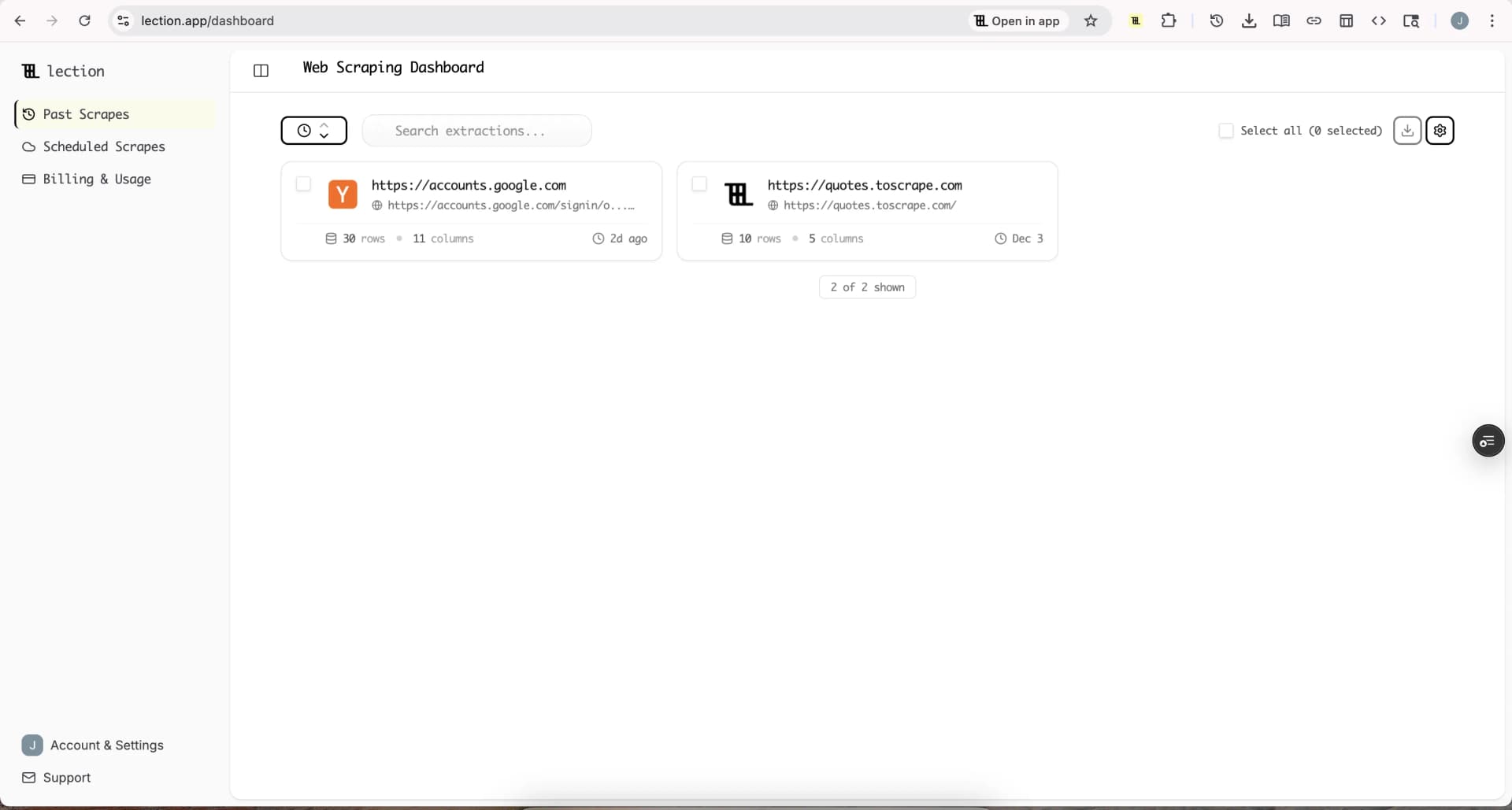
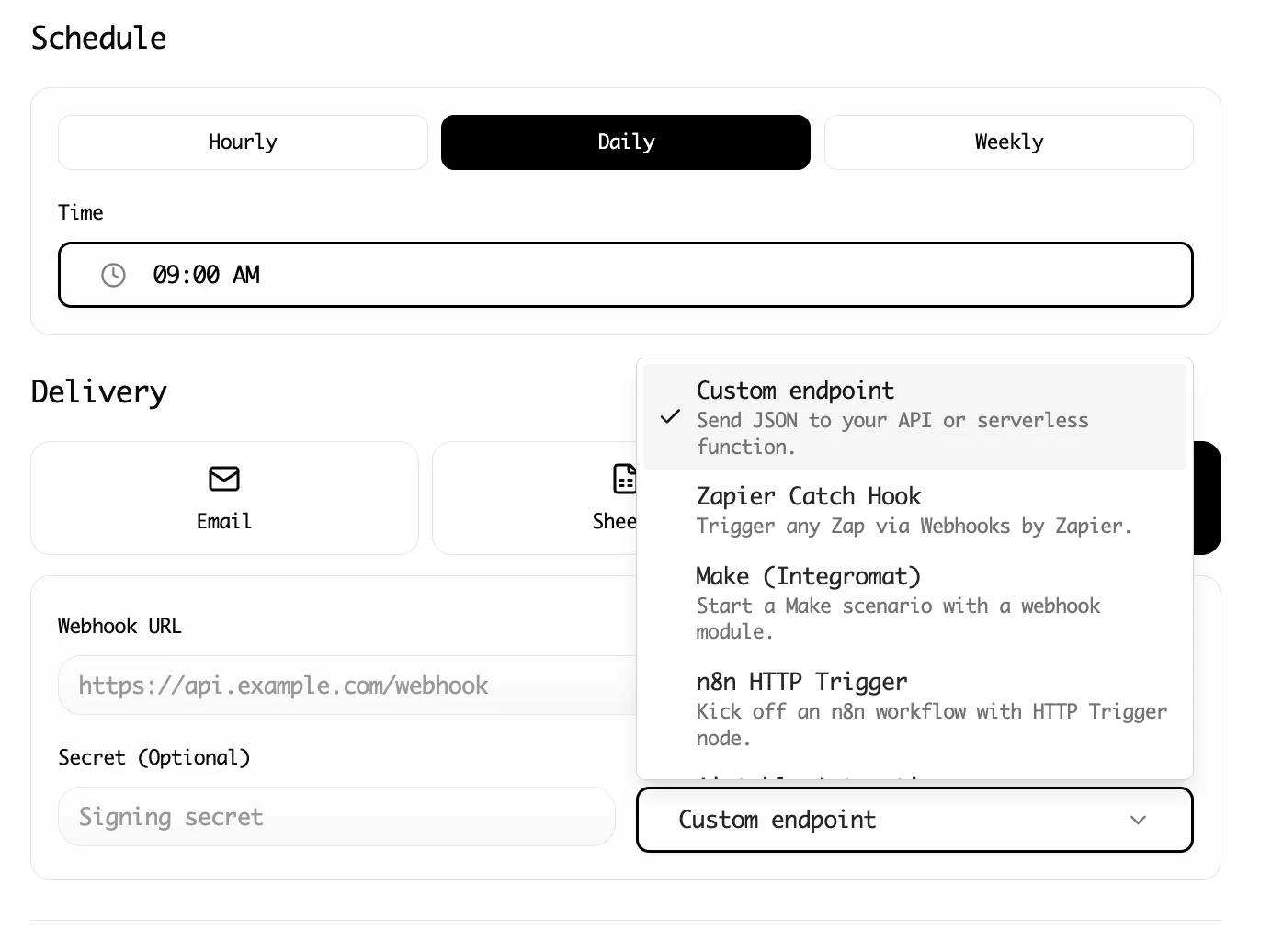
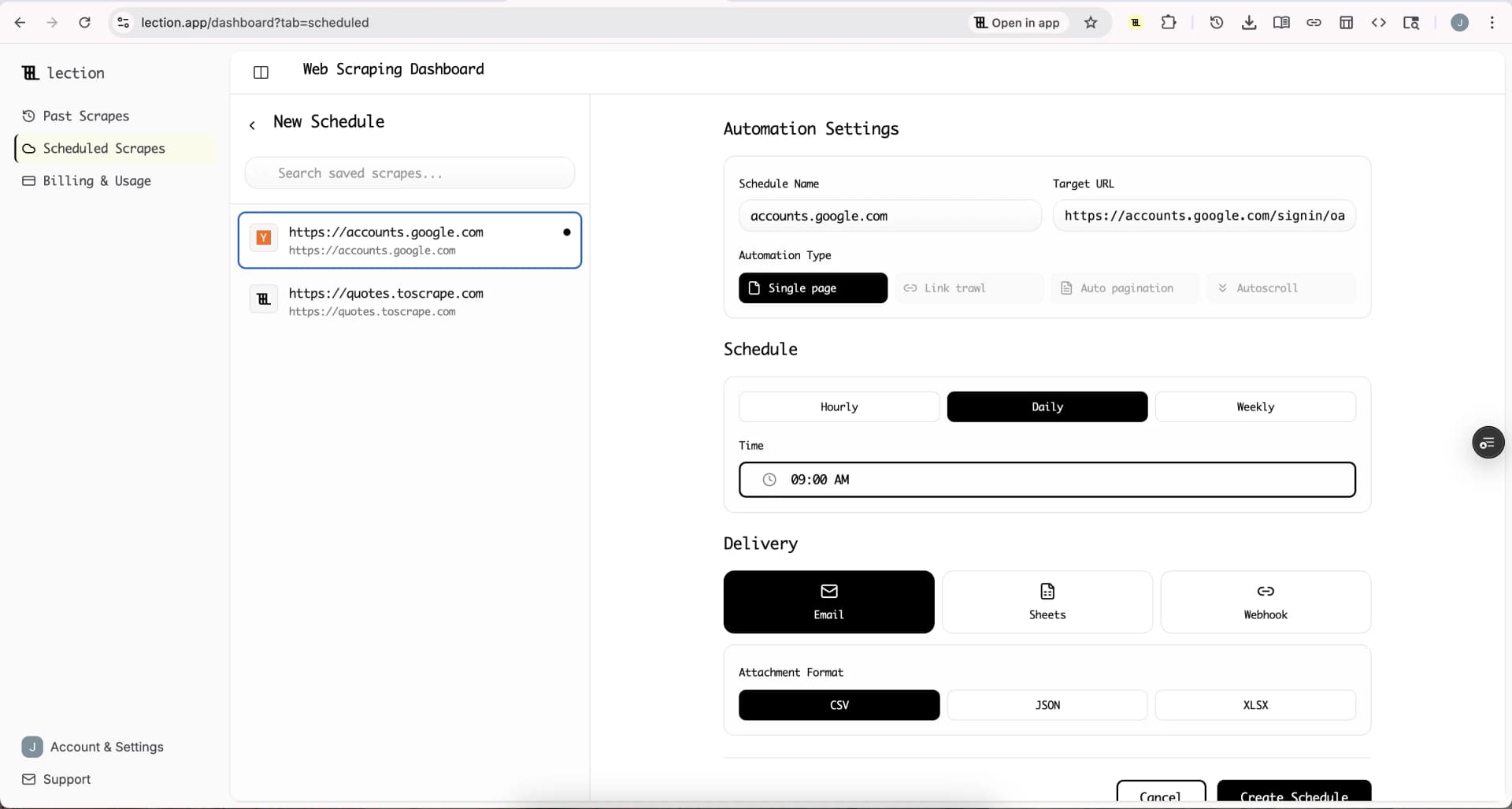
Tools like Lection support multiple export destinations, including direct integration with Google Sheets, CSV download, JSON export, and webhook delivery to automation platforms.
Structured Data
Structured data is information organized in a predictable, formatted way. Tables, databases, and JSON files contain structured data. The goal of web scraping is typically to transform unstructured web content into structured data.
Webhook
A webhook is a mechanism for one system to send data to another when an event occurs. In scraping, webhooks allow scraped data to flow automatically to other tools (like Zapier or Make) without manual export.
Infrastructure and Operations
These terms relate to running scrapers at scale and managing the technical infrastructure.
Cloud Scraping
Cloud scraping runs scrapers on cloud infrastructure rather than your local computer. This allows scraping to continue 24/7, handle large volumes, and operate from different geographic locations.
Lection's cloud scraping lets you schedule and run scrapes automatically without keeping your browser open, perfect for recurring data collection tasks.
Concurrency
Concurrency is running multiple scraping operations simultaneously. A scraper with high concurrency might fetch 10 pages at once rather than one at a time. This dramatically speeds up large scraping projects.
However, high concurrency can trigger rate limits and put strain on target servers. Balance speed with responsible resource usage.
Distributed Scraping
Distributed scraping spreads scraping work across multiple machines or processes. This approach handles very large websites, provides redundancy, and can circumvent rate limits by spreading requests across IP addresses.
Proxy
A proxy is an intermediary server that forwards requests on behalf of a client. In web scraping, proxies mask the scraper's real IP address and can make requests appear to come from different locations.
Proxy types include datacenter proxies (fast but easily detected), residential proxies (appear as regular home internet connections), and mobile proxies (appear as mobile network connections).
Proxy Rotation
Proxy rotation cycles through multiple proxy IP addresses for different requests. This technique prevents any single IP from triggering rate limits and makes scraping patterns harder to detect.
Scheduling
Scheduling automates when scrapes run. Instead of manually triggering extraction, scheduled scrapes run at specified times (hourly, daily, weekly) without intervention.
Scheduling is essential for monitoring use cases where you need fresh data regularly, like price tracking or competitor monitoring.
Session Management
Session management handles cookies, authentication tokens, and other state information across multiple requests. Maintaining proper sessions is essential for scraping content behind logins or accessing personalized content.
Legal and Ethical Terms
Understanding the legal landscape helps you scrape responsibly.
CFAA (Computer Fraud and Abuse Act)
The CFAA is a U.S. federal law that prohibits unauthorized access to computers. Its application to web scraping is contested, with courts reaching different conclusions about whether scraping violates the law.
The hiQ Labs v. LinkedIn case established important precedents suggesting that scraping publicly available data does not necessarily violate the CFAA.
CCPA (California Consumer Privacy Act)
The CCPA is a California privacy law that gives consumers rights over their personal data. While focused on consumer rights rather than scraping specifically, CCPA affects how scraped personal data can be used and stored.
Ethical Scraping
Ethical scraping refers to responsible data extraction practices that respect website resources, legal boundaries, and user privacy. Key principles include respecting robots.txt, implementing reasonable rate limits, avoiding personal data collection, and not circumventing access controls.
GDPR (General Data Protection Regulation)
GDPR is a European Union privacy regulation that governs personal data collection and processing. If your scraping involves EU residents' personal data, GDPR compliance is mandatory, requiring legal justification, data minimization, and clear policies.
hiQ Labs v. LinkedIn
This landmark legal case established that scraping publicly available data from websites does not necessarily violate the Computer Fraud and Abuse Act. The case is frequently cited in discussions of web scraping legality.
Personal Data
Personal data is information that identifies or could identify a specific individual: names, email addresses, phone numbers, IP addresses, and more. Scraping personal data carries significant legal and ethical responsibilities.
Public Data
Public data is information that is freely accessible without authentication or special permissions. The legality of scraping often distinguishes between public data and data behind access controls.
Technical Operations
These terms describe common scraping patterns and operations.
Infinite Scroll
Infinite scroll is a design pattern where new content loads automatically as users scroll down a page. Social media feeds commonly use infinite scroll instead of pagination.
Scraping infinite scroll pages requires JavaScript execution to trigger content loading, making headless browsers essential.
Pagination
Pagination divides content across multiple pages, with navigation links to move between pages. Most e-commerce sites, search results, and listing pages use pagination.
Handling pagination is a fundamental scraping challenge. Scrapers must identify the pagination pattern and systematically visit all pages to extract complete data.
Request
A request is a call from a client (browser or scraper) to a server asking for a resource. HTTP requests specify a method (GET, POST, etc.), URL, headers, and sometimes a body.
Response
A response is what a server sends back after receiving a request. HTTP responses include a status code (200 for success, 404 for not found, etc.), headers, and typically the requested content.
Scraping Pattern
A scraping pattern is a repeatable approach for extracting data from a type of page. Once you define a pattern (which selectors to use, how to handle pagination), it can be applied across similar pages.
Lection's AI-powered approach automatically identifies patterns from your examples, reducing the manual work of defining selectors.
Throttling
Throttling intentionally slows down request rates to avoid overwhelming target servers or triggering rate limits. Ethical scrapers implement throttling even when not strictly required.
Why Terminology Matters
Knowing the vocabulary of web scraping does more than help you understand documentation. It enables clearer communication with technical teams, better evaluation of scraping tools, and more effective troubleshooting when things go wrong.
When you understand that a website uses "client-side rendering" and your scraper only does "HTTP requests" without "JavaScript rendering," you immediately know why data is missing and what solution you need.
This glossary covered 50+ terms, but the field continues evolving. AI-powered tools, new anti-bot measures, and changing legal frameworks mean new vocabulary emerges regularly. The foundations here will serve you well as you continue learning.
Ready to put this knowledge into practice? Install Lection and experience how modern scraping tools handle many of these technical concepts automatically, letting you focus on the data rather than the infrastructure.