B2B prospecting has a dirty secret: most sales teams are working with stale data.
That carefully curated list you bought from a data vendor ? By the time it reaches your CRM, 20-30 % of the contacts have changed roles, companies have been acquired, or email addresses have bounced.According to industry research, B2B contact data decays at a rate of 30 % annually.For high-growth industries like tech, that number is even higher.
The result is predictable but painful.Your SDRs spend mornings sending emails to people who left their jobs six months ago.Your marketing team wonders why their carefully segmented campaigns have abysmal open rates.And somewhere, a promising deal stalls because the "decision maker" in your CRM is now in a completely different department.
There is a better way.Instead of buying pre-packaged lists and hoping they are current, you can build your own prospect datasets from live web sources.This guide shows you how to useLection to create fresh, targeted B2B prospecting data without writing code or managing complex scraping infrastructure.
Why Quality B2B Data Matters More in 2025
The shift toward quality over quantity in B2B sales is not new, but 2025 has accelerated it dramatically.
The Intent Data Revolution
Modern B2B buyers complete 70 % of their research before ever talking to a salesperson.This means the old spray-and-pray outreach model is not just ineffective; it actively damages your brand.When you email someone with the wrong job title or pitch a solution they evaluated and rejected last quarter, you signal that you have not done your homework.
Intent data has emerged as the solution.Knowing that a prospect is actively researching solutions in your category multiplies conversion rates by 3-5x compared to cold outreach.But intent data is only valuable when combined with accurate contact information.
The Cost of Bad Data
Consider the hidden costs of poor prospecting data:
- ** Wasted SDR time : If 25 % of your list is invalid, one out of every four personalization efforts is thrown away - Email deliverability damage : High bounce rates hurt your sender reputation, reducing deliverability for all future campaigns - Opportunity cost : Every hour spent chasing bad leads is an hour not spent with qualified prospects - CRM pollution **: Bad data compounds over time, making your entire database less trustworthy
A sales manager at a mid-sized SaaS company shared that cleaning up their CRM after two years of purchased lists took three full weeks.They found duplicate records, companies that no longer existed, and contacts who had retired.The cleanup revealed that 40 % of their "active pipeline" was actually dead.
The Traditional Approaches(and Why They Fall Short)
Before diving into the Lection workflow, let us acknowledge how B2B prospecting data is typically gathered.
Purchased Lead Lists
Services like ZoomInfo, Apollo, and Lusha compile massive databases of business contacts.They are convenient and provide immediate access to millions of records.However, the challenges are real:
- ** Data freshness **: Even the best providers struggle with decay rates.The contact you see today may have changed roles last week.
- ** Cost **: Enterprise subscriptions run $10,000-50,000 + annually.For startups and small teams, this is prohibitive.
- ** Over-saturation **: Your competitors are buying the same lists.Prospects receive dozens of cold emails weekly from people who all pulled the same ZoomInfo data.
Manual Research
The opposite extreme is having your team manually research each prospect.This produces high-quality, fresh data but does not scale.An SDR spending 15 minutes researching each prospect can only build 30-40 leads per day.For high-volume outreach, this math does not work.
DIY Scraping with Python
Technical teams sometimes build custom scrapers using Python libraries like BeautifulSoup or Scrapy.This approach provides maximum control but requires:
- Developers who understand web scraping -Ongoing maintenance as target sites change their structure -Infrastructure for running scrapers reliably -Handling anti-bot measures, proxies, and rate limiting
For non-technical sales and marketing teams, this is not a realistic option.
A Better Approach: Building Live Prospect Datasets
What if you could combine the freshness of manual research with the scale of purchased lists, without needing developers ?
Lection makes this possible.As an AI-native browser extension, it transforms any website that loads in Chrome into a structured data source.You point at the data you want, and the AI handles the extraction logic.
Here is why this approach works for B2B prospecting:
- ** Data is always current : You are scraping live websites, not static databases - Access niche sources : Industry directories, association member lists, event sponsor pages, and professional networks all become data sources - No code required : Sales ops, marketing, and RevOps teams can build datasets without developer involvement - Immediate results **: Set up a new scrape in minutes, not days
Five High-Value B2B Data Sources to Scrape
Let us look at specific sources where Lection excels for B2B prospecting.
1. Industry Directories and Association Member Lists
Every vertical has its own directories.Real estate has Zillow agent listings.Legal has Martindale-Hubbell.Manufacturing has ThomasNet.These directories contain pre-qualified leads who have self-identified as being in your target market.
** What to extract:** -Company name -Contact name and title -Location -Specialty or practice area -Website and LinkedIn URL
** Why it works:** Directory listings are maintained by the businesses themselves, so the data tends to be current.A listing that appears means someone actively maintains their presence there.
2. LinkedIn Search Results
LinkedIn remains the gold standard for B2B contact discovery.While LinkedIn restricts API access and charges premium prices for Sales Navigator data, the visual information is accessible through your browser.
** What to extract:** -Name and current title -Company name -Location -Profile URL -Mutual connections(for warm intro paths)
** Why it works:** LinkedIn profiles are self-maintained by professionals who have every incentive to keep their information current.Someone changing jobs updates their LinkedIn profile long before data vendors catch the change.
[!TIP] Combine LinkedIn scraping with personalized outreach.Knowing someone's recent activity (posts, comments, job changes) gives you natural conversation starters that generic purchased data cannot provide.
3. Trade Show and Conference Attendee / Exhibitor Lists
Companies that exhibit at trade shows are pre-qualified in multiple ways: they have budget(booth fees run $5,000-50,000 +), they are actively seeking visibility, and they operate in your target industry.Many conferences publish exhibitor directories with company details months before the event.
** What to extract:** -Company name -Booth number(indicates budget tier) -Website URL -Product / service category -Contact information when available
** Why it works:** Trade show presence signals active buying intent.A company investing in conference visibility is more likely to be evaluating new tools and solutions.
4. Technographic and Tool Usage Data
Platforms like BuiltWith and Wappalyzer reveal which technologies a company uses.If you sell a CRM, knowing that a prospect uses a competing product is valuable qualification data.If you sell integrations, knowing their tech stack tells you if your solution fits.
Scraping job postings also reveals technographic signals.A company hiring for "Salesforce administrators" uses Salesforce.A company posting for "HubSpot marketing specialists" is invested in that platform.
** What to extract:** -Company name -Technologies detected -Website URL -Company size indicators(from hiring volume)
** Why it works:** Technographic data adds qualification depth that basic company data lacks.
5. Review Sites and Comparison Platforms
G2, Capterra, and TrustRadius contain rich company data in the form of reviewer profiles.Someone who reviewed a competing product has demonstrated both the need for solutions in your category and the willingness to evaluate options.
** What to extract:** -Reviewer name and title -Company name -Review date(recency signals active evaluation) -Competitor product reviewed -Sentiment indicators
** Why it works:** These are prospects who have already identified a problem space you solve.Their review text often reveals specific pain points you can address in outreach.
Step-by-Step: Building a Prospect List with Lection
Let us walk through a concrete example: building a list of marketing directors at e-commerce companies from a professional directory.
Step 1: Install the Lection Chrome Extension
Visit theChrome Web Store and add Lection to your browser. Pin it to your toolbar for quick access.
Step 2: Navigate to Your Target Source
Open your browser and navigate to the directory, search results page, or listing you want to extract.For this example, let's say you have searched an industry directory for e-commerce marketing leaders.
Step 3: Activate Lection
Click the Lection icon in your toolbar.The sidebar opens, and Lection's AI begins analyzing the page structure. Within seconds, it identifies the repeating patterns (in this case, individual profile cards) and suggests fields for extraction.
Step 4: Define Your Data Fields
Click on the elements you want to capture:
- ** Name : Click on a name, and Lection identifies all names in the list - Title : Click on a job title, and the AI recognizes the pattern - Company : Same process for company names - Email or LinkedIn URL **: Click on available contact information
The AI understands the page layout, so it knows which fields belong to which record.You do not need to worry about the underlying HTML structure.
Step 5: Enable Pagination
Most directories span multiple pages.Toggle on the "Pagination" option in the Lection sidebar.The agent automatically finds the "Next" button and queues up multiple pages, stacking all records into a single clean table.
Step 6: Run the Extraction
Click "Start Scraping." Lection navigates through the pages, extracting each record into your dataset.A progress indicator shows how many records have been collected.
Step 7: Export to Your CRM or Spreadsheet
When the extraction completes, export your data:
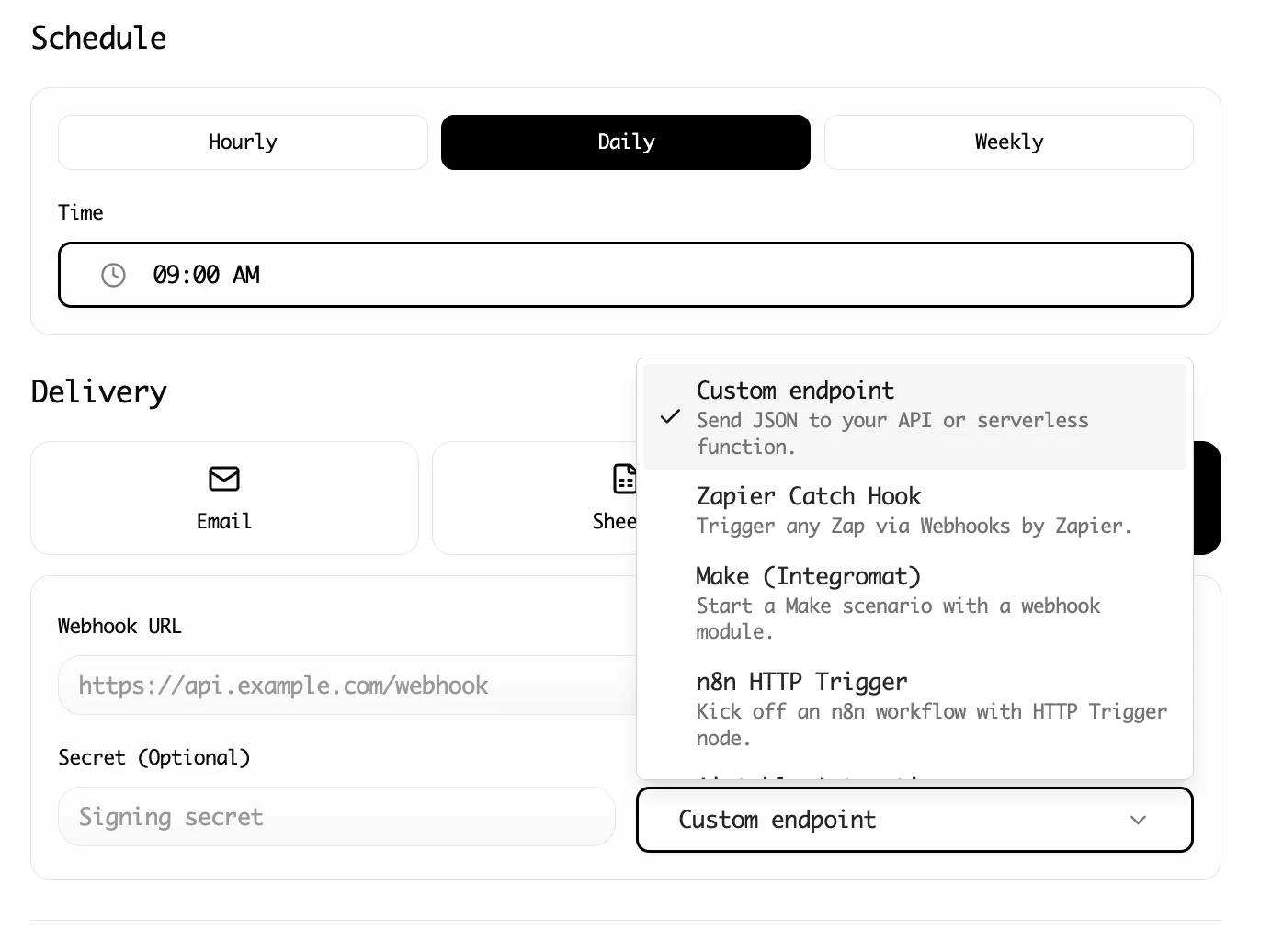
- ** Google Sheets : Direct integration syncs records immediately - CSV / Excel : Download for import into HubSpot, Salesforce, or other CRMs - Webhooks **: Send data to Zapier or Make for automated workflows
Advanced Workflow: Enriching and Validating Data
Raw scraped data is a starting point, not a finished product.Here is how to transform it into sales-ready leads.
Combine Multiple Sources
A single source rarely provides everything you need.Build a workflow that combines:
- ** Directory scrape **: Company names, websites, industry
- ** LinkedIn scrape **: Decision-maker names, titles, profile URLs
- ** Technographic lookup **: Tech stack, hiring signals
Lection's multiple scrape types and automation integrations let you chain these together.
Validate Email Addresses
Before loading leads into your outreach platform, run emails through a verification service like NeverBounce, ZeroBounce, or Hunter.This prevents bounce damage to your domain reputation.
Add Personalization Signals
The real power of fresh data is the ability to personalize.As you review your scraped records, note:
- Recent company news(funding rounds, product launches) -LinkedIn activity(posts, comments, shares) -Job tenure(someone 3 months into a role is more likely to be evaluating tools)
These signals transform cold outreach into relevant, timely communication.
Common Mistakes to Avoid
Scraping Without a Clear ICP
Before you scrape anything, define your Ideal Customer Profile precisely.What company sizes, industries, job titles, and geographies convert best for your solution ? Scraping broadly and filtering later wastes time and creates CRM clutter.
Ignoring Data Freshness Over Time
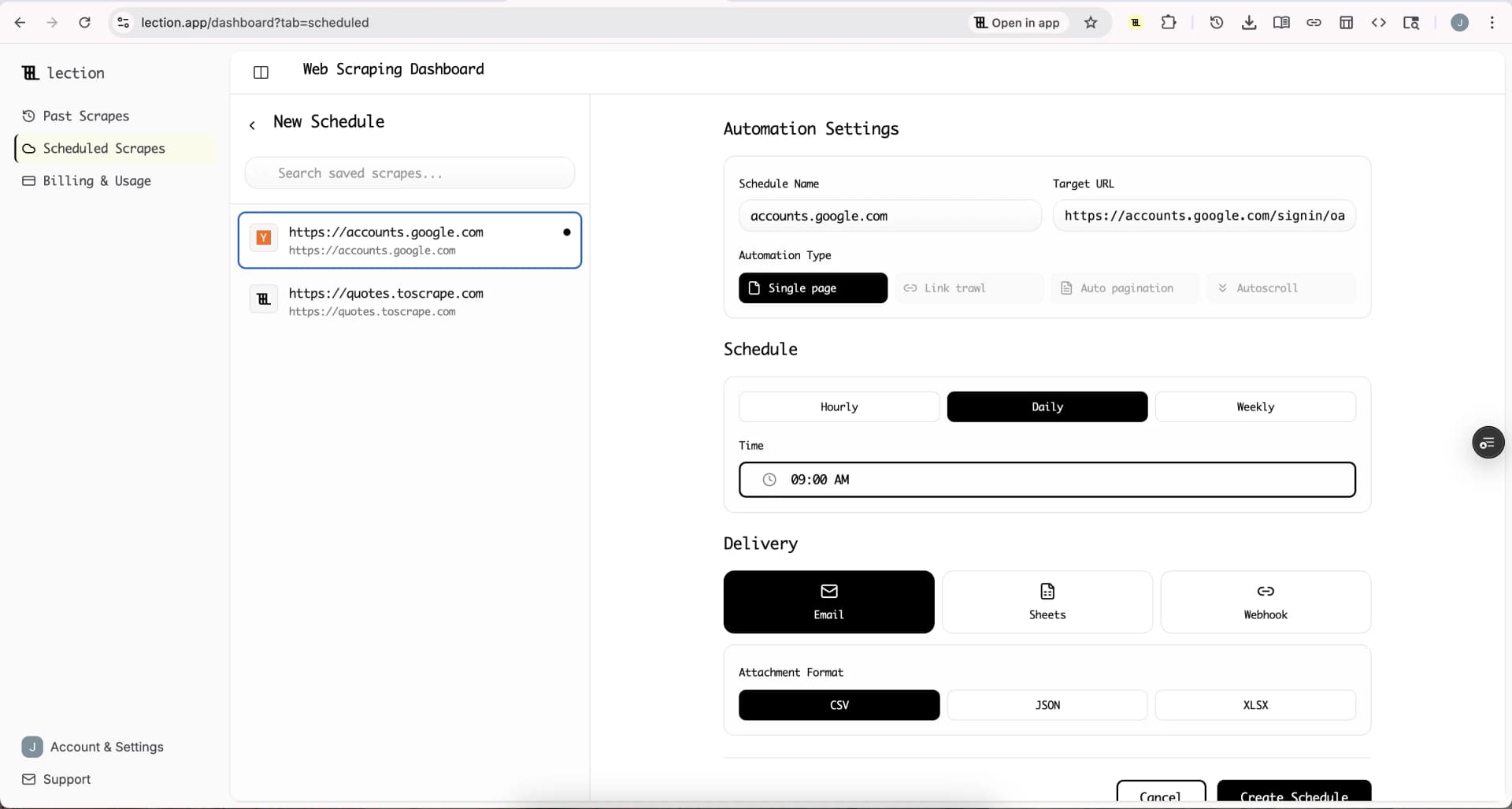
A dataset that was perfect last month has already started decaying.For ongoing prospecting, schedule recurring scrapes with Lection's cloud automation. A weekly refresh keeps your data current.
Neglecting Compliance
Respect website terms of service and privacy regulations.Scrape only publicly available information, implement reasonable rate limits, and handle personal data responsibly under GDPR and CCPA guidelines.
Over-Optimizing for Volume
A list of 10,000 cold contacts sounds impressive, but it is less valuable than 500 well-qualified, current contacts with personalization data.Focus on quality signals that predict conversion.
The ROI of Building Your Own Prospect Data
Let us do the math on why this approach pays off.
** Traditional approach(purchased list):** -ZoomInfo team plan: ~$15,000 / year -Data decay: 25-30 % of contacts stale within 3 months -Exclusivity: Competitors have identical data
    ** Lection approach:**
     -Lection subscription: ~$50-200 / month depending on usage tier
       -Data decay: Minimal(you refresh when you scrape)
         -Exclusivity: Your sources and timing are unique
For a team doing any significant outbound volume, the cost savings and quality improvements compound month over month.
But the real ROI is not cost savings.It is conversion rates.Emails sent to verified, current contacts with personalization signals convert at 2-5x the rate of spray-and-pray cold emails.That is the difference between an SDR booking 2 meetings per week and 6.
Conclusion: Own Your Prospect Data Pipeline
In 2025, the best sales teams do not just consume data; they create it.By building your own prospect datasets from live web sources, you gain advantages that purchased lists can never provide: freshness, exclusivity, and depth.
Lection makes this accessible to any team, regardless of technical background.Point at what you want, let the AI handle the complexity, and export directly to the tools you already use.
The gap between "we have a list" and "we have the right list" is where deals are won or lost.Start closing that gap today.
Ready to build your first prospect dataset ? Install Lection and extract your first records in minutes.