Instagram holds a treasure trove of data. Influencer engagement rates, competitor posting strategies, hashtag performance, user-generated content about your brand. It is all there, visible on your screen.
But getting that data into a spreadsheet where you can actually analyze it ? That is where things get complicated.
You have probably tried the manual approach.Open a profile, screenshot it, type the follower count into your spreadsheet, navigate to the next profile, repeat 200 times.By hour two, your eyes are glazed over, your data has typos, and you have only captured a fraction of what you need.
Traditional scraping tools offer another path, but Instagram is notoriously hostile to bots.Python scripts break constantly as Instagram updates its defenses.Paid scraping APIs charge hefty monthly fees.And one wrong move can get your account flagged or banned.
There is a better way.In this guide, we will show you how to extract Instagram data into Google Sheets or Excel without writing code, usingLection as an AI-native browser extension that works with Instagram's visual interface rather than against it.
Why Instagram Data Matters for Your Business
Before we dive into the how-to, let us be clear about why this data is valuable.
Influencer Marketing Research
Brands spend billions on influencer partnerships, yet most make decisions based on vanity metrics alone.With structured Instagram data, you can:
- Compare engagement rates across potential partners(likes + comments / followers) -Identify fake followers by analyzing engagement patterns -Track an influencer's content consistency and brand fit -Build a database of micro-influencers in your niche before your competitors discover them
A marketing manager at a DTC skincare brand shared that scraping 500 micro-influencer profiles saved her team 40 hours of manual research and helped them identify 12 high-performing partners they would have otherwise missed.
Competitor Intelligence
Your competitors are posting on Instagram daily.That content strategy reveals their priorities, messaging, and what resonates with your shared audience.
- Track competitor posting frequency and timing -Analyze which content types(carousels, Reels, static images) get the most engagement -Monitor their hashtag strategy -Identify trends in their product launches and promotions
Hashtag and Trend Research
Hashtags are discovery mechanisms.Understanding which hashtags drive visibility in your niche gives you a tactical advantage.
- Find related hashtags beyond the obvious ones -Track hashtag post volumes to identify trending topics -Analyze which hashtags your top competitors use most
Brand Monitoring
What are people saying about your brand on Instagram ? User-generated content, product tags, and brand mentions are scattered across the platform.Scraping allows you to aggregate this into a single view.
The Challenges of Instagram Scraping
Instagram is one of the most difficult platforms to scrape.Understanding why helps you choose the right approach.
Instagram's Anti-Bot Defenses
Meta invests heavily in protecting Instagram from automated access.Their defenses include:
- ** Rate limiting : Too many requests in a short period triggers temporary blocks - IP blocking : Known datacenter IPs are often banned preemptively - Browser fingerprinting : Instagram can detect when requests come from automated tools rather than real browsers - Login walls : Much of Instagram's data is only visible to logged-in users - Dynamic page structures **: The underlying HTML changes frequently, breaking traditional scrapers
What is Safe to Scrape ?
The legal landscape around web scraping has evolved.Based on court rulings, scraping publicly available data(information visible without logging in, in an incognito browser) is generally legal in the United States.However:
- Scraping private or login-protected content is riskier -Violating Instagram's Terms of Service can result in account suspension -Always respect privacy and avoid scraping personal contact information -Commercial redistribution of scraped data has additional legal considerations
The safest approach focuses on publicly visible business profiles, hashtag search results, and publicly accessible post data.
The Traditional Methods(and Why They Break)
If you have tried scraping Instagram before, you have likely encountered these common approaches.
DIY Python Scripts
Python libraries like BeautifulSoup, Selenium, or specialized Instagram scrapers seem appealing.You find a GitHub repository, copy the code, and run it.
Then Instagram updates their page structure.Or your IP gets blocked.Or the login flow changes.Suddenly you are debugging code instead of analyzing data.
One developer we spoke with estimated spending 15 + hours per month maintaining a custom Instagram scraper.That is nearly two workdays lost to infrastructure that is not your core business.
Third-Party Scraping APIs
Services like PhantomBuster, Apify, and specialized Instagram APIs offer pre-built solutions.They handle the technical complexity and provide structured data outputs.
The tradeoffs:
- ** Cost : Premium Instagram scrapers often run $100-500 + per month for meaningful usage - Complexity : You still need to understand API calls, authentication, and data handling - Quotas : Most services limit the number of profiles or posts you can extract - Reliability **: Even paid services experience downtime when Instagram updates
Instagram's Official API
Meta provides a Graph API for Instagram, but it is designed for managing your own content, not researching others.You cannot use it to scrape competitor profiles or hashtag research.
The Lection Approach: AI-Native Instagram Extraction
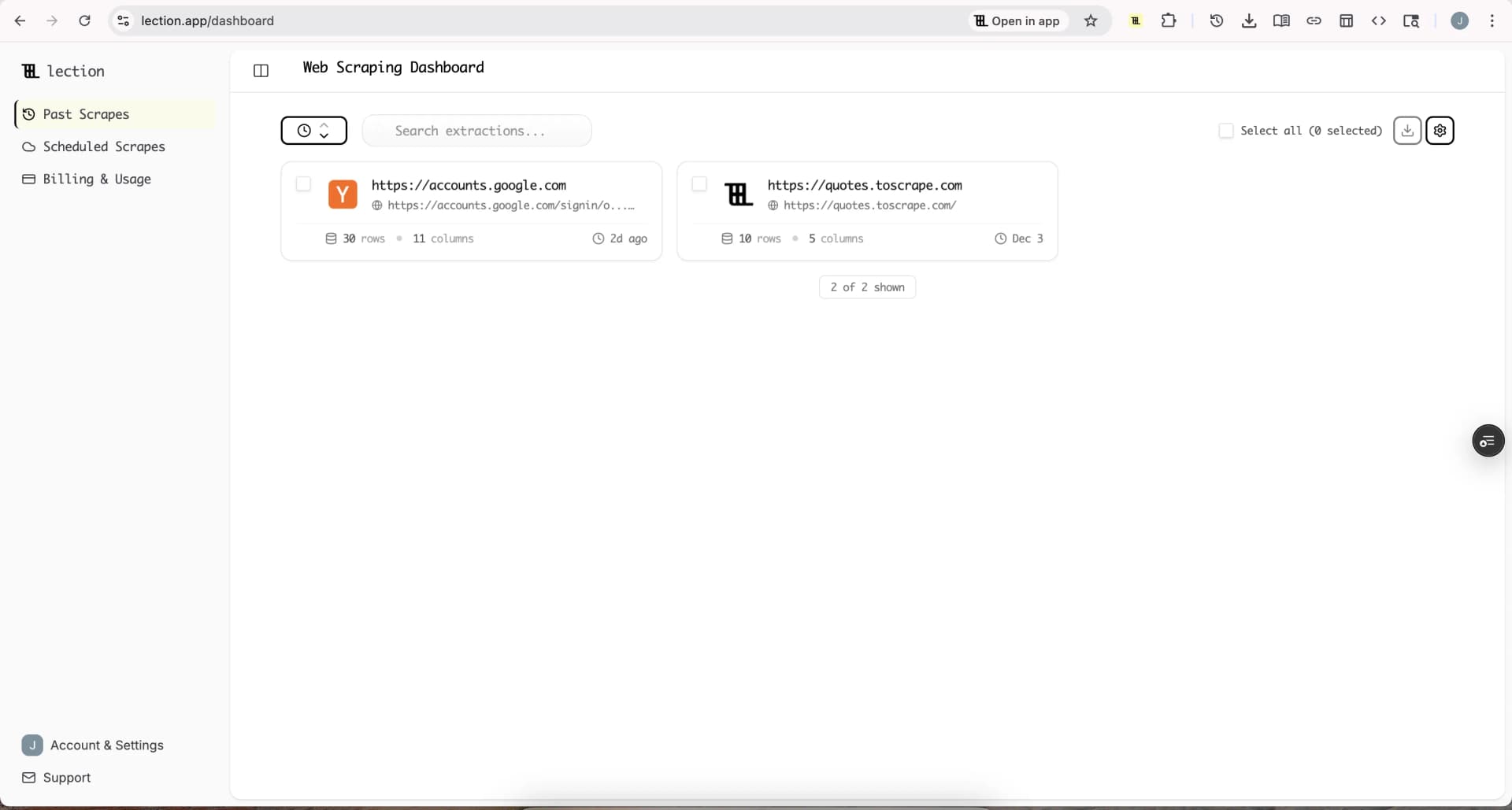
Lection takes a fundamentally different approach.Instead of trying to interact with Instagram's backend APIs or parse raw HTML, Lection uses AI to understand the page visually, the same way you do.
Here is why this matters for Instagram:
- ** Works within your browser **: Lection sees exactly what you see.If the data is visible on your screen, Lection can extract it.
- ** Adapts to layout changes **: Because the AI understands visual patterns rather than specific HTML selectors, layout updates do not break your extractions.
- ** Respects your session **: Lection uses your existing browser session.You are not making suspicious API calls from unknown servers.
- ** No code required **: Click on the data you want.The AI handles the rest.
Step-by-Step: Extracting Instagram Data with Lection
Let us walk through a practical example: building a dataset of fitness influencer profiles for a potential partnership campaign.
Step 1: Install the Lection Chrome Extension
Visit theChrome Web Store and add Lection to your browser. Pin it to your toolbar for quick access.
Step 2: Navigate to Your Target Data
Open Instagram in your browser and navigate to where your target data lives.For influencer research, this might be:
- A hashtag page like instagram.com / explore / tags / fitness -A search result for a specific niche -A list of accounts you have already identified
For this example, let us navigate to a hashtag search for #fitnesscoach.
Step 3: Activate Lection
Click the Lection icon in your toolbar.The sidebar opens, and the AI begins analyzing the page structure.Within seconds, it identifies the repeating patterns, in this case, individual posts or profile previews.
Step 4: Define Your Data Fields
Click on the elements you want to capture.For influencer research, you might select:
-
** Username **
-
** Display name **
-
** Follower count **
-
** Following count **
-
** Post count **
-
** Bio text **
-
** Profile URL **
-
** Profile image URL **
As you click on one instance(for example, one username), Lection's AI recognizes the pattern and identifies all similar elements on the page. You do not need to manually select each one.
Step 5: Handle Scrolling and Pagination
Instagram uses infinite scroll rather than page numbers.Enable the "Scroll" option in Lection's sidebar. The agent will automatically scroll down to load more content, extracting data as it goes.
Set a limit based on your needs.For an initial research batch, you might capture the first 100-200 profiles.
Step 6: Run the Extraction
Click "Start Scraping." Lection scrolls through the page, extracting each record into your dataset.A progress indicator shows how many records have been collected.
Step 7: Export Your Data
When the extraction completes, export your data to your preferred format:
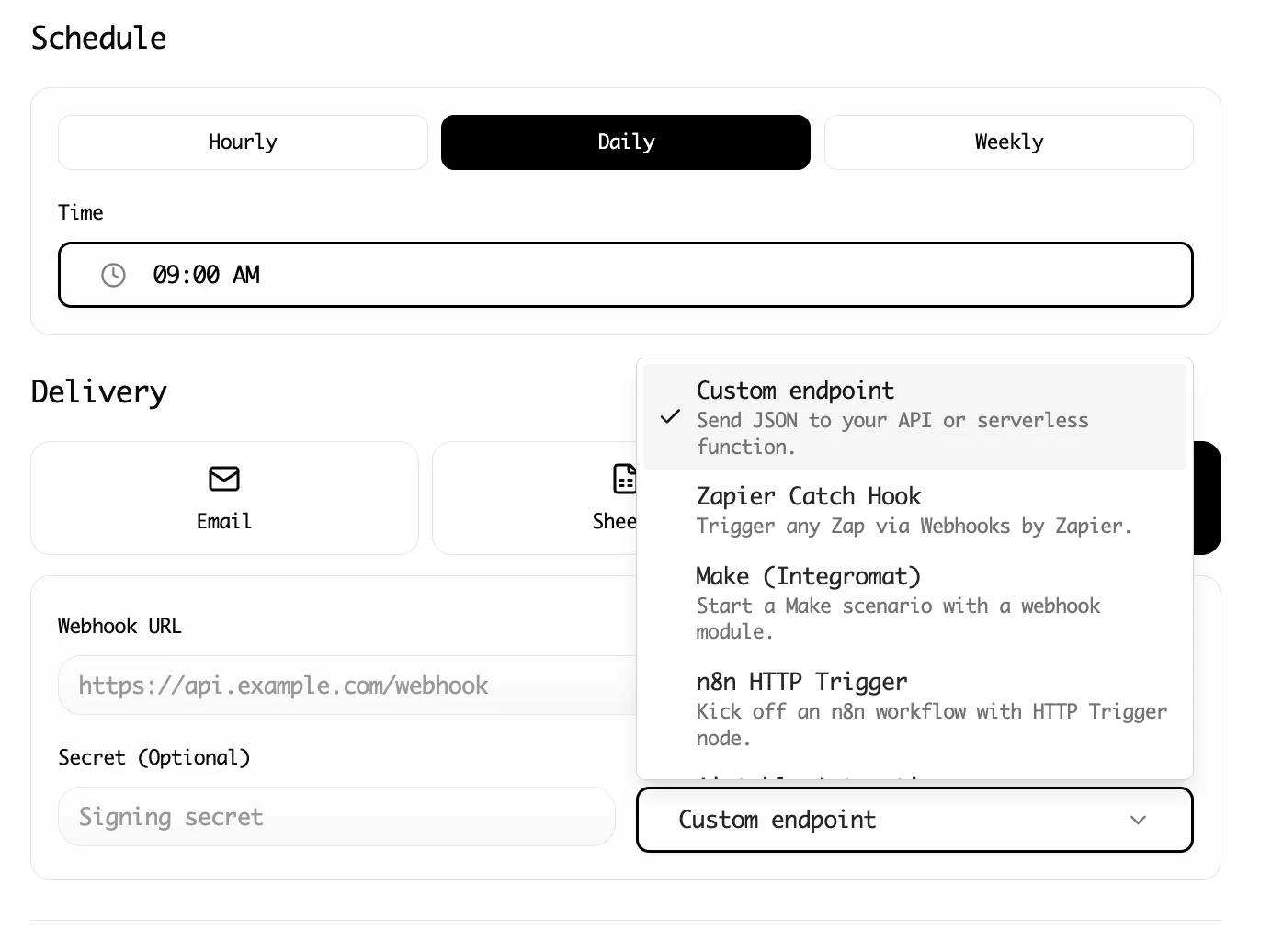
- ** Google Sheets : Direct integration syncs records immediately - CSV / Excel : Download for local analysis or import into other tools - JSON **: For developers who need structured data for applications
What Data Can You Extract from Instagram ?
Let us break down the specific data types available and their use cases.
Profile Data
| Data Field | Use Case |
|---|---|
| Username | Identification, outreach |
| Follower count | Influence sizing, trend tracking |
| Following count | Engagement ratio analysis |
| Post count | Activity and consistency measurement |
| Bio text | Niche identification, contact info extraction |
| Profile URL | Campaign tracking, database linking |
| External link | Website traffic potential |
| Verified status | Credibility assessment |
Post Data
| Data Field | Use Case |
|---|---|
| Caption text | Content strategy analysis, sentiment research |
| Like count | Engagement benchmarking |
| Comment count | Community engagement measurement |
| Post date | Timing and frequency analysis |
| Media type | Content format strategy insights |
| Post URL | Content curation, reference linking |
| Tagged accounts | Partnership network mapping |
Hashtag Data
| Data Field | Use Case |
|---|---|
| Hashtag name | Trend identification |
| Post count | Popularity measurement |
| Related hashtags | Discovery expansion |
| Top posts | Content inspiration |
Advanced Workflow: Building an Influencer Database
Let us put this together into a complete workflow for influencer marketing research.
Phase 1: Discovery Scrape
Start with broad hashtag searches in your niche.Extract 200-500 profiles from hashtags like:
- #[your industry]influencer -#[your product category]
- #[competitor brand name]
Phase 2: Profile Deep Dive
For promising profiles identified in Phase 1, navigate to each profile page and extract detailed data:
- Full bio text -Recent post URLs -Engagement patterns -Content themes
Phase 3: Engagement Analysis
Use your spreadsheet to calculate key metrics:
- ** Engagement rate : (Likes + Comments) / Followers - Consistency score : Posts per week average - Growth signals **: Compare current followers to historical data(if available)
Phase 4: Qualification
Filter your database by:
- Minimum / maximum follower count(your target range) -Minimum engagement rate(above 2 % is typically healthy) -Geographic relevance(if applicable) -Content alignment with your brand
Phase 5: Outreach List
Export your qualified leads to your outreach tool.Include:
- Username -Profile URL -Engagement rate -Notes on content fit -Contact information(if publicly available in bio)
Best Practices for Instagram Scraping
Respect Rate Limits
Even with browser-based scraping, aggressive extraction can trigger Instagram's defenses. Best practices:
-Limit extractions to reasonable batch sizes(100-300 profiles per session) -Add delays between large extraction runs -Avoid running multiple scrapes simultaneously
Focus on Public Business Profiles
Business and creator profiles on Instagram are designed to be public and discoverable.These are the safest targets for data extraction, and they often include the most useful data(contact email, category, etc.).
Validate Your Data
Scraped data is only as good as your quality checks.Before using extracted data:
- Remove duplicates -Verify critical fields are populated -Spot-check accuracy on a sample of records -Flag suspicious patterns(like follower counts that seem artificially inflated)
Keep Data Fresh
Instagram is dynamic.Follower counts change, bios update, and accounts disappear.For ongoing programs:
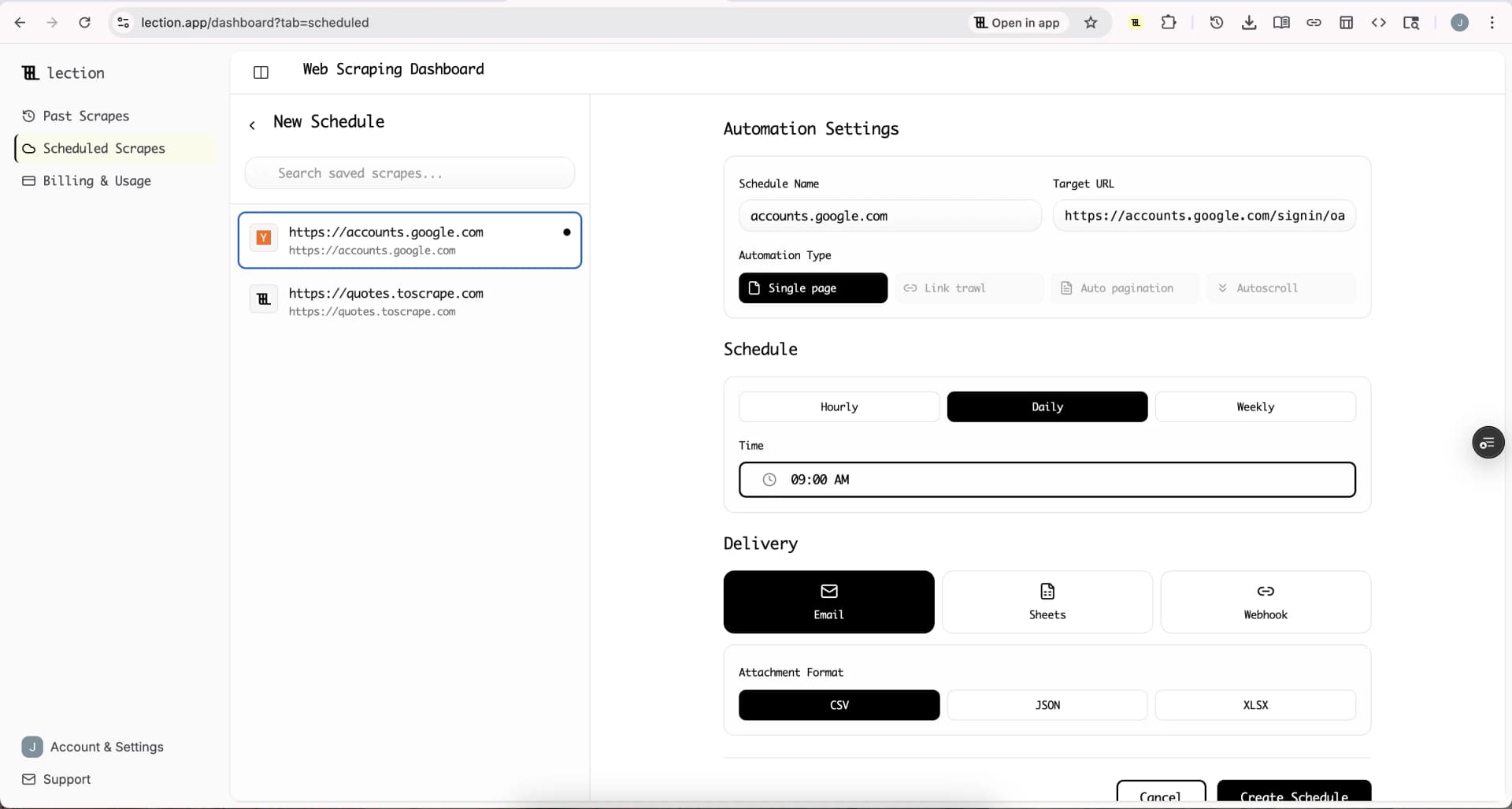
- Schedule regular refresh scrapes using Lection's cloud scraping feature -Timestamp your data so you know how fresh it is -Re-validate before major campaigns
Combine Multiple Sources
Instagram data is most powerful when combined with other sources:
- Cross-reference with LinkedIn for B2B influencer vetting -Add website traffic estimates from tools like SimilarWeb -Include YouTube subscriber counts for cross-platform creators -Merge with your CRM for relationship tracking
Common Mistakes to Avoid
Scraping Too Aggressively
The temptation to "get all the data" is strong.Resist it.Aggressive scraping:
- Triggers rate limits and temporary blocks -Risks account suspension -Creates database bloat with low-quality records
Start small, validate your workflow, then scale gradually.
Ignoring Context
Numbers without context are misleading.A profile with 100,000 followers in a micro-niche may be more valuable than one with 1 million followers in a saturated category.Always pair quantitative scraping with qualitative review.
Outdated Data in Decision-Making
An influencer partnership is significant investment.Before signing a contract based on scraped data:
- Manually verify the profile still exists and is active -Check for recent controversies or brand safety issues -Confirm engagement patterns match your extracted data
Neglecting Compliance
Different jurisdictions have different rules about data collection and privacy.General guidelines:
- Stick to publicly available data -Do not scrape or store personal contact information without consent -Have a clear, legitimate business purpose for the data you collect -Maintain appropriate data security practices
Why Lection Works for Instagram
Instagram is difficult to scrape because it is designed to be consumed visually, not parsed programmatically.That is exactly why AI-native tools likeLection are effective.
Traditional scrapers ask: "What is the XPath selector for this data point?"
Lection asks: "What data is visible on this page?"
This visual-first approach means:
- ** No broken selectors : When Instagram changes their HTML, Lection adapts - Intuitive setup : If you can see it, you can scrape it - Faster iteration **: Test new extraction ideas in minutes, not hours
For marketing teams, researchers, and growth operators who need Instagram data without becoming scraping engineers, this tradeoff is decisive.
Conclusion: Turn Instagram Into Your Data Source
Instagram is not just a social network.It is a living database of consumer preferences, influencer performance, and market trends.The brands and researchers who can access this data at scale have a significant advantage.
Manual approaches do not scale.Traditional scraping requires developer resources and constant maintenance.API-based solutions add cost and complexity.
Lection offers a middle path: structured data extraction that works within your browser, adapts to Instagram's visual interface, and requires zero code.
Whether you are building influencer databases, monitoring competitors, or researching trends, the data you need is already on your screen.You just need a way to capture it.
Ready to start ? Install Lection and extract your first Instagram dataset in minutes.