You spent 45 minutes researching competitors last Tuesday. You found 23 useful data points across 8 different websites. Now it is Thursday, and you cannot remember where half of that information came from. The browser tabs are closed. The mental context is gone. And you are about to start the same research all over again.
This is the knowledge worker's curse: valuable information scattered across the web with no systematic way to capture it. Copy-pasting into Notion works for a handful of items, but it breaks down at scale. By the time you have formatted 15 entries, the friction has killed your momentum and you stop collecting.
There is a better approach. Tools like Lection can automatically extract structured data from any website and send it directly to your Notion databases, turning scattered research into organized knowledge without manual entry.
Why Notion is the Perfect Destination for Scraped Data
Before diving into the how, let us understand why Notion has become the knowledge hub for so many teams and individuals.
Structured Yet Flexible
Notion databases give you the structure of a spreadsheet with the flexibility of a document. Each scraped item becomes a page with its own properties, linked pages, and room for your notes and analysis.
A product researcher tracking competitor features might have a database with columns for product name, price, feature list, last updated date, and a rich text field for observations. Every scraped item slots into this structure automatically.
Connected Knowledge
Notion's relational databases let you link scraped data to other parts of your workspace. Connect competitor research to your product roadmap. Link job postings to company profiles you are tracking. Build a web of connected information that mirrors how you actually think about your work.
Team Collaboration
When scraped data lives in Notion, your entire team has access. No more emailing spreadsheet attachments or sharing folder links. Everyone sees the same information, can add their own notes, and stays synchronized.
The Problem: Why Manual Data Entry Breaks Down
If getting web data into Notion is so valuable, why are people still copying and pasting? Because the manual approach has invisible costs that accumulate over time.
The Time Multiplier
Consider what happens when you manually enter a single competitor's product page into Notion:
- Navigate to the website (10 seconds)
- Find the data you need (15 seconds)
- Copy product name, switch to Notion, paste (8 seconds)
- Copy price, switch tabs, paste (8 seconds)
- Copy description, switch tabs, paste (8 seconds)
- Repeat for each field you are tracking
For a simple 5-field entry, you have spent nearly a minute. Do this for 50 products across 5 competitors, and you have lost over 4 hours to data entry. And you will need to do it again next week when prices change.
Error Accumulation
Manual entry introduces errors that compound over time. A misplaced decimal in a price field, a competitor name with an extra space, a URL that got truncated during paste. Each small error degrades the quality of your dataset and the reliability of any decisions you make from it.
One operations manager we spoke with discovered that 12% of her manually entered competitor prices had errors after an audit. Those errors had been silently influencing pricing decisions for months.
Context Switching Penalty
Every alt-tab between your browser and Notion costs you mental energy. Researchers estimate that context switching adds 20-25% to the time it takes to complete cognitive tasks. When you are switching tabs 200 times to enter 50 records, you are not just losing time; you are depleting your mental reserves for the work that actually requires your judgment.
The Solution: Automated Web-to-Notion Pipelines
Modern web scraping tools can eliminate manual data entry entirely by connecting directly to Notion's API. Here is how the automated approach works:
- Configure what to extract: Point the scraper at a webpage and define which data points you want
- Connect to Notion: Authenticate with your Notion workspace and map fields to database columns
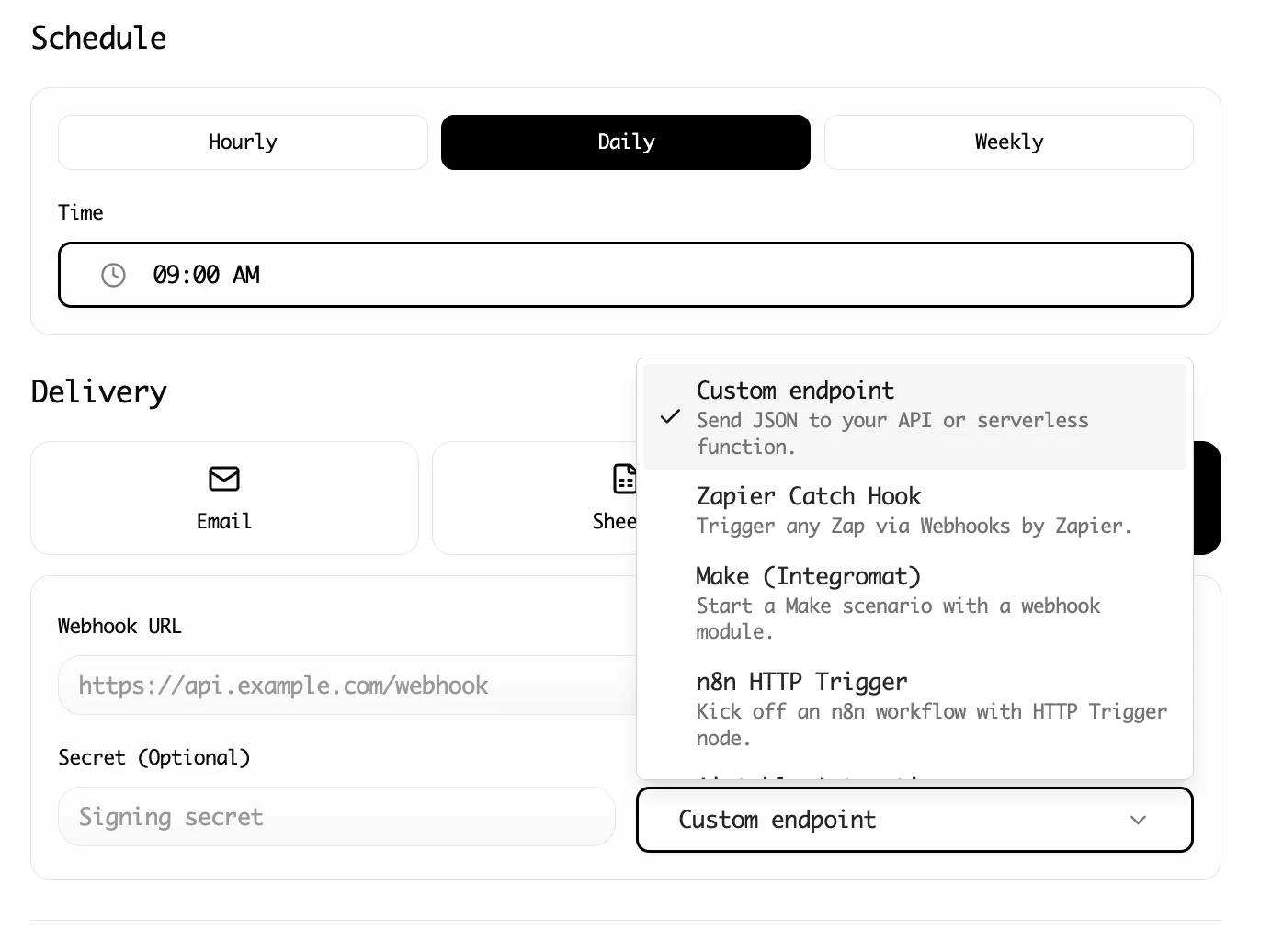
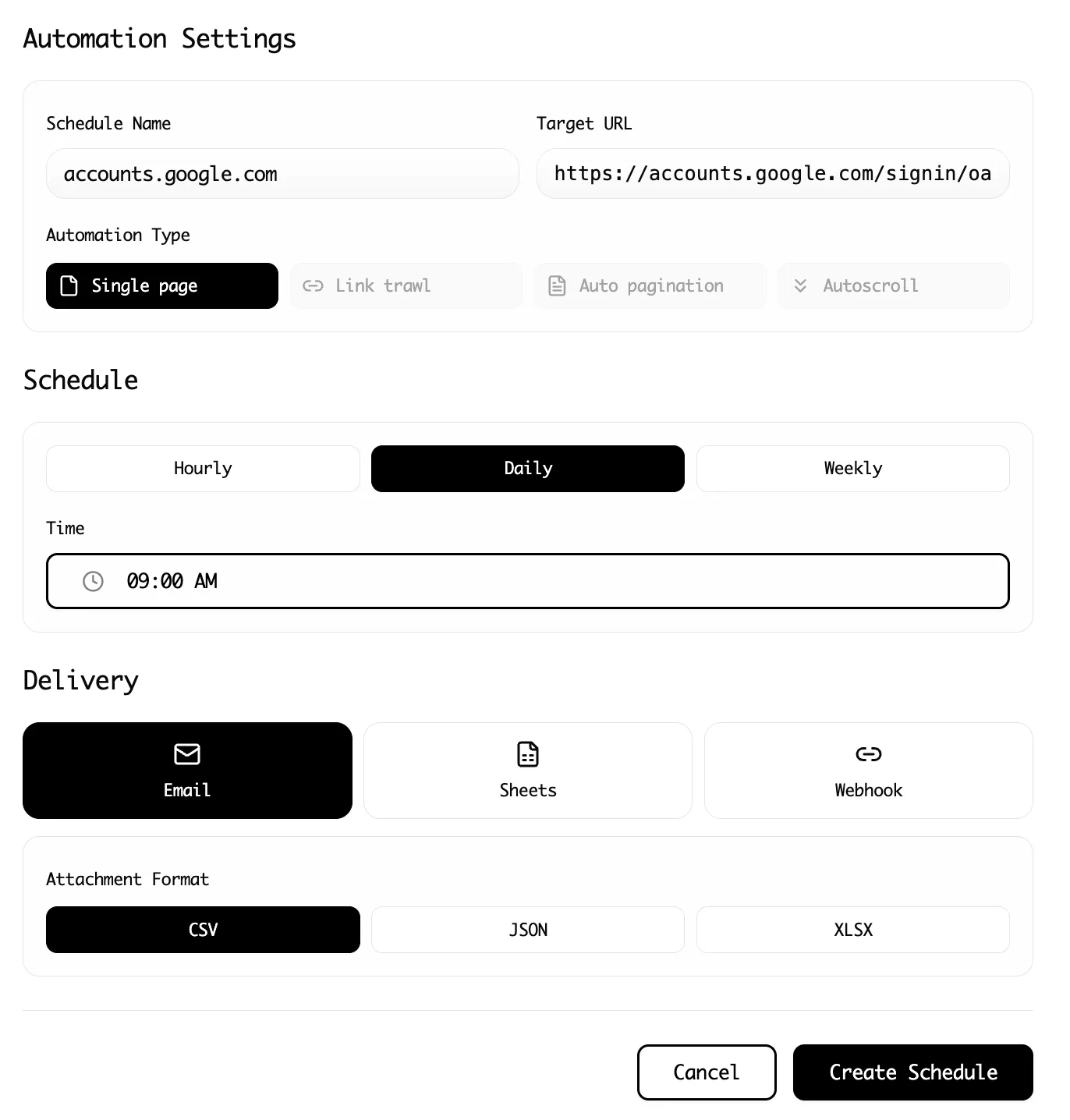
- Run automatically: Schedule the scrape to run hourly, daily, or weekly
- Data appears in Notion: New records are created (or updated) without you lifting a finger
The economics are compelling. What took 4 hours manually now takes 5 minutes to set up, and zero minutes for every subsequent run.
Step-by-Step: Scraping to Notion
Let us walk through a practical example. Say you are tracking ProductHunt launches in your industry and want every new relevant product to appear in your Notion research database.
Step 1: Prepare Your Notion Database
First, create a Notion database with columns that match the data you want to collect:
- Name (Title): The product name
- URL (URL): Link to the ProductHunt page
- Tagline (Text): The product's one-line description
- Upvotes (Number): Current upvote count
- Category (Select): Your custom categorization
- Date Added (Date): When you scraped it
This structure ensures incoming data has a place to land.
Step 2: Connect Lection to Notion
Lection connects directly to Notion's API, so you don't need any complex setup.
- Open Lection Dashboard: Go to the Integrations tab.
- Connect Notion: Find the Notion integration card and click Connect.
- Authorize: Notion will ask for permission. Make sure to select the page that contains your research database.
- Select Database: Back in Lection, select your new database from the list.
- Map Fields: Match your scraped data to Notion columns:
- Name -> Name
- URL -> URL
- Tagline -> Tagline
- Upvotes -> Upvotes
Step 3: Install the Lection Chrome Extension
Head to the Chrome Web Store and install the Lection extension. Pin it to your toolbar for quick access.
Navigate to ProductHunt (or whatever site you are targeting) and click the Lection icon. The AI agent analyzes the page and identifies extractable data patterns.
Click on the elements you want to capture. For ProductHunt, you might select:
- Product name (click on any product title)
- Product URL (Lection auto-detects links)
- Tagline (the subtitle text)
- Upvote count (the number badge)
Lection learns from your selections and applies the pattern across all similar items on the page.
Step 4: Run Your Scrape
With your fields mapped and your data selected, just click "Export" or "Run Scrape".
Lection will extract the data and push it directly into your Notion database. A few seconds later, you'll see your rows populate automatically.
Step 5: Schedule Recurring Scrapes
ProductHunt gets new submissions constantly. Manual checking is impractical. This is where cloud scraping transforms your workflow.
In Lection, convert your scrape to a Cloud Scrape. Configure it to run every morning at 9 AM. When you start your day, your Notion database already contains fresh data, no manual intervention required.
The cloud scraper runs on Lection's infrastructure, so your laptop can be closed. Each run sends data through your integration, which creates new Notion pages automatically.
Advanced Patterns for Power Users
Once basic scraping-to-Notion is working, consider these advanced patterns.
Deduplication Logic
If you scrape the same source multiple times, you will create duplicate records. Handle this by:
Option 1: Check before insert. Configure your automation to query Notion for existing records matching the URL before creating a new one. Update the existing record instead.
Option 2: Use unique identifiers. Some pages have stable IDs (like ProductHunt's product slug). Store this as a Notion property and use it for deduplication.
Option 3: Periodic cleanup. Accept duplicates and run a weekly script or formula view to identify and merge them.
Enrichment During Import
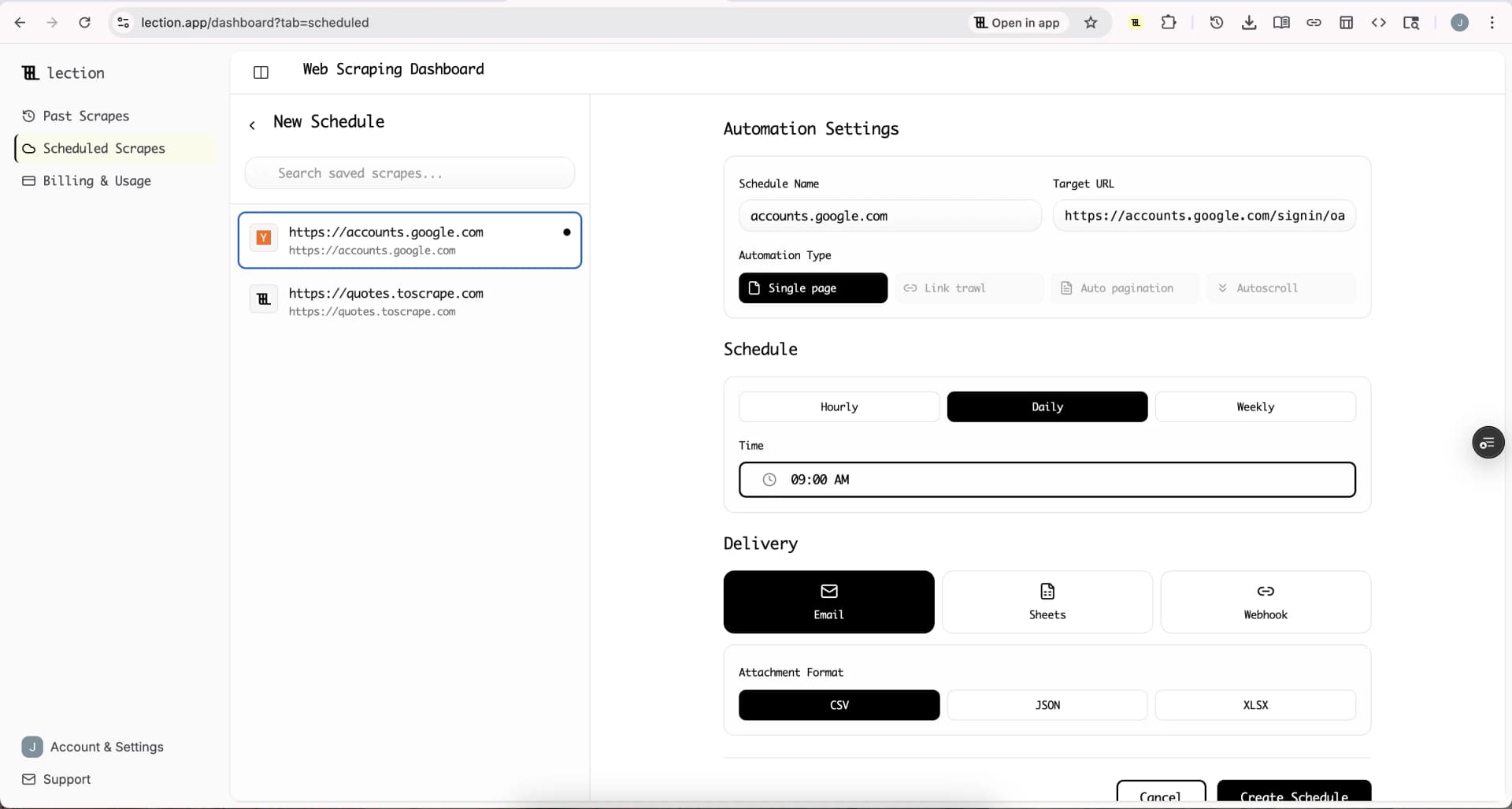
Your webhook automation can do more than just pass data through. Consider adding:
- Timestamp: When was this scraped?
- Source URL: Which list page did this come from?
- Auto-categorization: Based on keywords in the tagline
- Status: Default to "New" for triage later
These enrichments make your Notion database more useful for filtering and organization.
Multi-Source Aggregation
Why stop at one source? Create separate scrapes for:
- ProductHunt (new launches)
- Hacker News (trending discussions)
- Industry news sites (competitor coverage)
- Job boards (hiring signals)
All data flows into related Notion databases, giving you a unified research command center.
Linked Databases
Notion's relational features shine when you link scraped data across databases:
- Link new products to the companies that made them
- Connect job postings to your target company list
- Associate news articles with relevant market trends
Each scraped record becomes a node in your knowledge graph.
Common Questions and Troubleshooting
"My webhook is not creating Notion pages"
Debug checklist:
- Verify your Notion integration token is valid and has access to the target database
- Check your database connection by ensuring the integration is listed in the database's connections
- Inspect webhook payloads using a tool like RequestBin to see exactly what Lection is sending
- Review automation logs in Make/Zapier for error messages
- Test with a simple payload manually to isolate whether the issue is scraping or Notion integration
"Data is appearing but some fields are empty"
Not all pages have consistent structure. A ProductHunt page might lack a tagline or have upvotes displayed differently. Lection extracts what is available and leaves fields blank for missing data. Accept some nulls or filter your scrape targets to pages with complete information.
"I want to update existing records, not create new ones"
This requires more sophisticated automation logic:
- Configure your Make/Zapier scenario to first query Notion for a matching record (by URL or unique ID)
- If found, update that record with new data
- If not found, create a new record
This upsert pattern keeps your database current without duplicates.
"Notion API rate limits are blocking my imports"
Notion limits API requests to about 3 requests per second. If you are importing thousands of items, space them out:
- Use Lection's built-in rate limiting
- Add delays in your automation workflow
- Split large imports across multiple scheduled runs
"How do I handle pages behind login walls?"
If the data you want requires authentication, Lection can work with logged-in sessions in your browser. For cloud scraping of authenticated sites, you may need to configure session cookies or use proxy authentication.
Why This Approach Beats Alternatives
| Method | Setup Time | Maintenance | Cost | Reliability |
|---|---|---|---|---|
| Manual copy-paste | None | Ongoing labor | Free (but time cost) | Error-prone |
| Browser extensions (Save to Notion) | Minutes | Low | Free | Single pages only |
| Custom Python scripts | Days | High | Free + hosting | Fragile to changes |
| Tools like Lection + Webhook | 30-60 minutes | Low | Affordable tiers | Robust, scheduled |
For structured, repeatable data collection, the automated approach offers the best balance of effort and results.
Use Cases: Who Benefits from Notion Automation?
Researchers and Analysts
Build living literature reviews that update automatically. Track industry trends without manual aggregation. Keep competitor intelligence current.
Founders and PMs
Monitor the competitive landscape. Track job postings from target companies. Aggregate user feedback from forums and review sites.
Sales and Business Development
Build prospect lists that enrich automatically. Track company news for outreach timing. Monitor industry publications for conversation starters.
Content Creators
Aggregate inspiration from across the web. Track trending topics in your niche. Build resource libraries that stay current.
Beyond Simple Extraction
Once your web-to-Notion pipeline is working, consider expanding:
Sentiment Analysis
For scraped reviews or social posts, pass content through an AI sentiment analyzer before it reaches Notion. Add a "Sentiment" column that auto-classifies as positive, negative, or neutral.
Summarization
Long-form content can be summarized before import. A news article becomes a 2-sentence summary plus a link to the original.
Alert Triggers
Configure your automation to send Slack or email notifications when specific conditions are met. New competitor product launch? Get a ping immediately.
Conclusion: Your Research Deserves Automation
Manual data collection is a time tax that compounds daily. Every minute spent copying and pasting is a minute not spent analyzing, deciding, or creating.
By connecting web scraping to Notion databases, you create information pipelines that work while you sleep. Yesterday's scattered research becomes tomorrow's structured knowledge asset.
Ready to stop copying and start automating? Install Lection free and send your first scraped dataset to Notion in under an hour.