PhantomBuster has been a go-to tool for growth teams automating LinkedIn outreach and lead extraction since 2016. But as pricing has climbed and the platform has grown more complex, many teams are asking: is there something simpler?
The short answer is yes. The lead generation automation space has matured significantly. Whether you need deeper data enrichment, simpler pricing, or just want to scrape websites beyond LinkedIn, several alternatives now match or exceed what PhantomBuster offers.
This guide breaks down the top alternatives, explains who each one suits best, and helps you pick the right tool for your specific workflow.
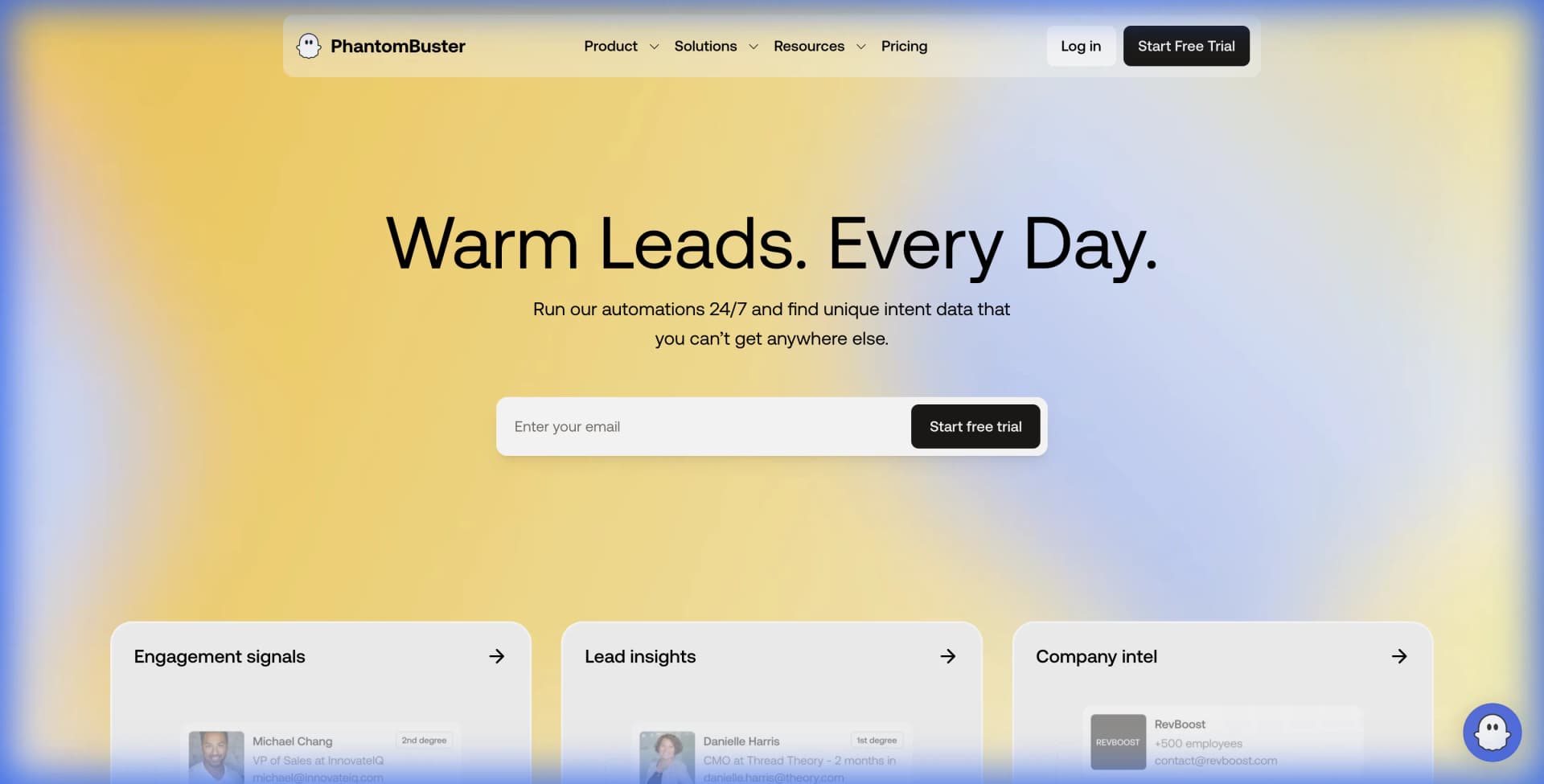
Why Teams Look for PhantomBuster Alternatives
Before diving into alternatives, it helps to understand the common pain points that drive teams away from PhantomBuster.
Usage-based pricing gets expensive fast. PhantomBuster charges based on execution time, phantom slots, and credits. The Starter plan at $69/month gives you 20 hours of execution time. For teams running multiple automations, hitting limits mid-month is common. The Pro plan at $159/month provides more headroom but still requires constant resource management.
The learning curve is steep. PhantomBuster uses "Phantoms" (single automations) and "Flows" (multi-step workflows). Understanding which Phantom to use, how to chain them, and how to troubleshoot failures takes time. Growth marketers without technical backgrounds often struggle.
LinkedIn account safety concerns. Any automation tool that interacts with LinkedIn carries risk. PhantomBuster requires careful configuration of delays and limits to avoid triggering LinkedIn's detection systems. Some users report account restrictions despite following best practices.
Limited beyond social platforms. PhantomBuster excels at LinkedIn, Twitter, Instagram, and Facebook. But if you need to scrape product directories, job boards, competitor websites, or custom data sources, you hit walls quickly.
Quick Comparison Table
| Tool | Best For | Starting Price | Key Strength |
|---|---|---|---|
| Lection | General web scraping, any website | Free tier available | AI-powered, works on any site |
| Clay | Data enrichment workflows | $149/month | Waterfalls 75+ data providers |
| Evaboot | LinkedIn Sales Navigator export | $49/month | Purpose-built for Sales Navigator |
| Captain Data | No-code operations teams | $399/month | Pre-built templates, team features |
| Octoparse | High-volume scraping | Free tier, $75/month Pro | Desktop app, handles complex sites |
| Apify | Developers and technical teams | Pay-as-you-go | 1,500+ pre-built scrapers |
Alternative 1: Lection
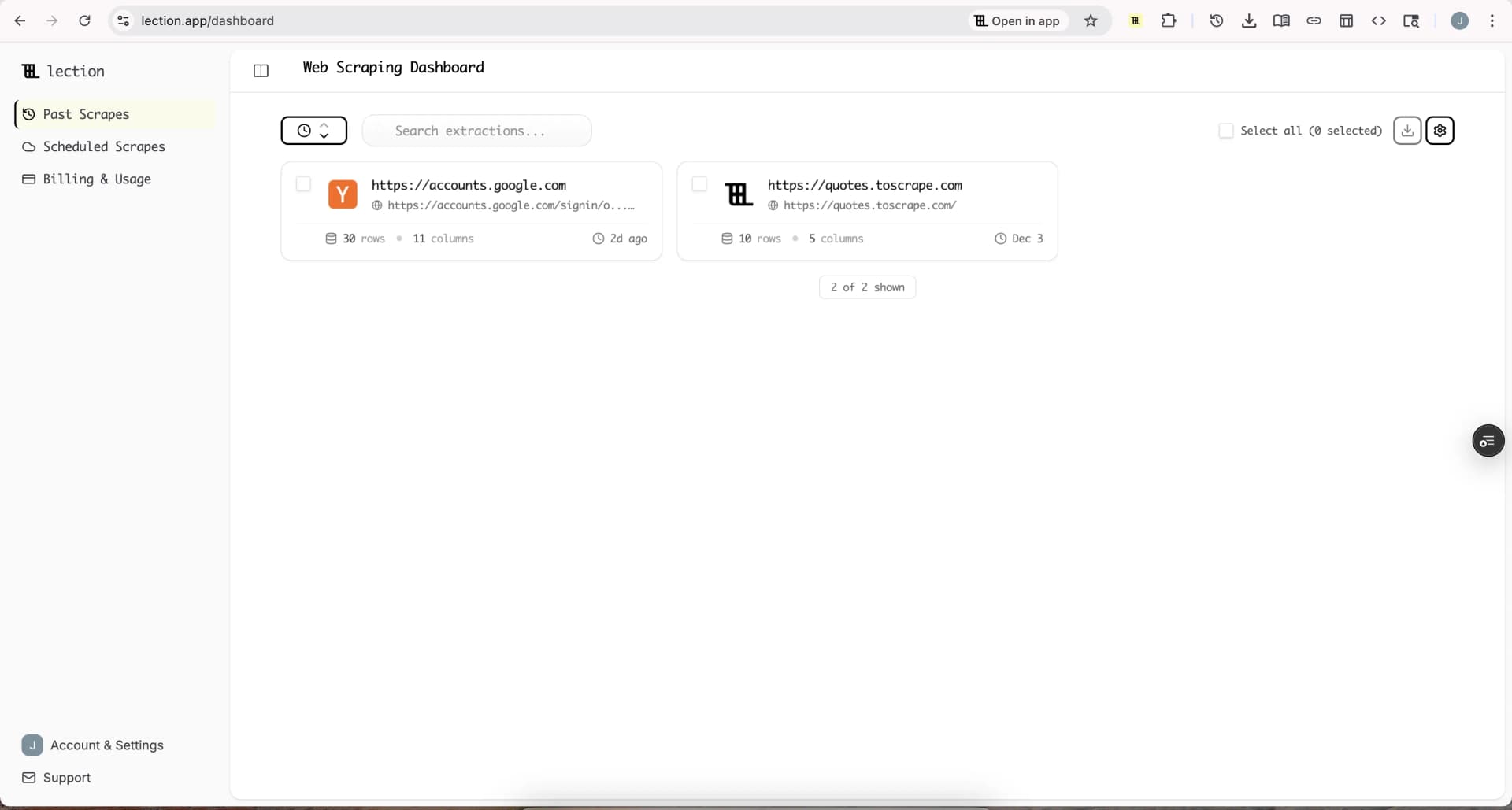
Lection takes a fundamentally different approach. Instead of building platform-specific automations, it works on any website that loads in your browser.
How It Works
Lection is a Chrome extension powered by AI. You navigate to any webpage, click on the data you want to extract, and the AI identifies the pattern. It handles JavaScript-rendered content, pagination, and even sites that require login.
The key difference from PhantomBuster: no "Phantoms" to configure. You point at data, Lection extracts it.
Strengths
Works everywhere. LinkedIn, Amazon, Zillow, Crunchbase, industry-specific directories, or your competitor's pricing page. If it loads in Chrome, Lection can extract it.
No execution limits. Cloud Scrapes run on a schedule without counting against hourly limits. You pay for what you use without the "use it or lose it" monthly cap.
AI-powered adaptation. When sites change their layout (which happens constantly), traditional scrapers break. Lection's AI recognizes data by what it means, not just where it sits on the page.
Simple learning curve. Most users complete their first extraction in under 5 minutes. There is no flow builder to learn or complex configuration to troubleshoot.
Pricing
Lection offers a free tier for getting started. Paid plans scale based on usage without the per-seat complexity.
Best For
Teams that need to scrape diverse sources beyond just social platforms. Marketers building competitive intelligence dashboards. Researchers collecting data from niche industry sites.
Alternative 2: Clay
Clay is not a scraper in the traditional sense. It is a data enrichment platform that connects to 75+ data sources and lets you build "waterfall" enrichment workflows.
How It Works
You upload a list of companies or people, then Clay runs through multiple data providers to find contact information, company details, technographics, and more. If Provider A cannot find an email, it tries Provider B, then C, until success.
Strengths
Massive data provider coverage. Clay integrates with Apollo, Hunter, Clearbit, Lusha, ZoomInfo, and dozens more. You get access to multiple databases through one interface.
Waterfall logic. Instead of committing to one data provider, Clay tries multiple sources automatically. This dramatically improves enrichment hit rates.
AI research features. Clay can use AI to research companies, summarize their business, or answer custom questions about prospects.
Limitations
Not a scraper. Clay does not extract data from websites directly. You need to get your initial list from somewhere else (a scraper, manual research, or a purchased list).
Expensive for small teams. Pricing starts at $149/month for the Starter plan with limited credits. Growth teams using it heavily can spend $500+ monthly.
Learning curve for advanced features. While basic enrichment is straightforward, building complex multi-step workflows takes time to master.
Best For
Sales teams who need rich contact data and have budget for premium data providers. Companies doing high-volume outreach where email accuracy directly impacts results.
Alternative 3: Evaboot
Evaboot does one thing exceptionally well: export data from LinkedIn Sales Navigator.
How It Works
You run a Sales Navigator search, click the Evaboot button, and it exports the results to a spreadsheet with cleaned, formatted data. It also finds verified email addresses for the exported contacts.
Strengths
Purpose-built for Sales Navigator. Unlike general-purpose tools, Evaboot is optimized specifically for the Sales Navigator interface. It handles the quirks and limitations of that platform.
Data cleaning included. PhoneticBot removes emojis from names, standardizes formatting, and cleans company names automatically.
Email finding built-in. Evaboot includes email discovery credits, so you get actionable contact data rather than just profile information.
Limitations
LinkedIn only. Evaboot works exclusively with Sales Navigator. Need to scrape a website, Indeed, or any other platform? You need a different tool.
Requires Sales Navigator subscription. You need an active LinkedIn Sales Navigator account ($79.99/month minimum) to use Evaboot at all.
Manual export process. Unlike PhantomBuster's scheduled automations, Evaboot requires you to initiate each export manually.
Pricing
Starts at $49/month for 2,000 leads. Higher tiers offer more leads and email credits.
Best For
SDR teams heavily invested in LinkedIn Sales Navigator who want the cleanest possible export with built-in email finding.
Alternative 4: Captain Data
Captain Data positions itself as the no-code automation platform for operations teams.
How It Works
You choose from pre-built workflow templates (like "LinkedIn Profile Enrichment" or "Scrape Google Maps"), configure your inputs, and let it run. The platform handles extraction, enrichment, and delivery to your CRM or spreadsheet.
Strengths
Template-driven approach. Over 100 pre-built workflows mean you rarely start from scratch. Find a template close to what you need and customize it.
Team collaboration. Captain Data includes workspaces, role-based permissions, and shared schedules. Better suited for teams than individual users.
Multi-platform coverage. Supports LinkedIn, Google Maps, Product Hunt, Crunchbase, and many other platforms out of the box.
Limitations
High price floor. The Starter plan is $399/month. For small teams or individual users, this is a significant commitment.
Less flexibility for custom sources. While templates are convenient, scraping an unusual website or building a non-standard workflow can be difficult.
Pricing
Starts at $399/month for the Growth plan. Enterprise pricing goes higher.
Best For
Operations teams at mid-to-large companies who value pre-built templates and team features over customization.
Alternative 5: Octoparse
Octoparse is a desktop-based web scraping application that has been around for years.
How It Works
You download the Octoparse application, load a webpage inside it, and use point-and-click tools to define what data to extract. The app handles pagination, scheduling, and export.
Strengths
Powerful visual builder. The workflow builder can handle complex sites with multiple page types, conditional logic, and nested data.
Free tier available. Octoparse offers a limited free plan for testing. Pro starts at $75/month.
Desktop processing. Scrapes run on your machine or in Octoparse's cloud, giving you options for resource-intensive jobs.
Limitations
Desktop app requirement. Unlike browser extensions, you need to install and run a separate application.
Steeper learning curve. The power comes with complexity. Building reliable scrapers for tricky sites takes practice.
Can feel dated. The interface has not modernized as much as newer competitors.
Best For
Power users who need to build complex scraping workflows and want a mature, feature-rich tool.
Alternative 6: Apify
Apify is a developer-focused web scraping platform with a marketplace of pre-built scrapers called "Actors."
How It Works
Browse 1,500+ community-built Actors for specific sites (LinkedIn Profile Scraper, Amazon Product Scraper, etc.), configure inputs, and run them in Apify's cloud.
Strengths
Massive library of scrapers. Whatever site you need to scrape, someone has probably built an Actor for it.
Pay-as-you-go option. You can run scrapers without a monthly subscription, paying only for compute time used.
Development flexibility. If existing Actors don't work, developers can build custom scrapers in JavaScript or Python.
Limitations
Developer-oriented. The platform assumes comfort with API configuration, JSON, and technical debugging.
Variable quality. Community Actors range from excellent to abandoned. Some require significant tweaking.
Cost can spike unpredictably. Pay-per-use sounds attractive until a misconfigured scraper runs up hours of compute time.
Best For
Technical teams with developer resources who want access to a large ecosystem of pre-built scrapers.
How to Choose the Right Alternative
Your choice depends on what you primarily need:
Scraping any website (not just LinkedIn)? Lection or Octoparse. Lection is simpler with AI-powered recognition. Octoparse is more powerful for complex custom workflows.
LinkedIn Sales Navigator specifically? Evaboot if you want a focused, simple tool at lower cost. PhantomBuster if you need multi-step LinkedIn workflows (connection requests, messages, profile visits in sequence).
Data enrichment over extraction? Clay is the clear winner. It is not about scraping websites but about enriching lists with contact data from 75+ providers.
Team collaboration and templates? Captain Data if budget allows. The pre-built workflows and team features justify the higher price for larger organizations.
Developer-driven with custom requirements? Apify provides the most flexibility for technical teams willing to write code or customize community scrapers.
Migrating from PhantomBuster
If you are currently using PhantomBuster and want to switch, here is a practical approach:
1. Audit your current Phantoms. List what automations you actually run regularly. Many teams have configured Phantoms they never use.
2. Map to alternatives. For each active Phantom, identify which alternative tool handles that use case. LinkedIn profile scraping might go to Evaboot. Website scraping might go to Lection.
3. Start with highest-value workflows. Migrate your most important automation first. Get comfortable with the new tool before moving everything.
4. Run in parallel. Keep PhantomBuster active for a billing cycle while you validate the new tool produces equivalent results.
5. Export your data. Before canceling, export all results and configurations from PhantomBuster. You may need to reference them.
Integrations and Workflow Connections
Most lead generation tools need to connect with CRMs, outreach platforms, and automation tools. Here is how the alternatives compare:
| Tool | Zapier | Make | n8n | HubSpot | Salesforce | Google Sheets |
|---|---|---|---|---|---|---|
| Lection | Yes | Yes | Yes | Via Zapier | Via Zapier | Native |
| Clay | Yes | Limited | No | Native | Native | Yes |
| Evaboot | No | No | No | Via CSV | Via CSV | Yes |
| Captain Data | Yes | Yes | No | Native | Native | Yes |
| Octoparse | Limited | No | No | Via CSV | Via CSV | Limited |
| Apify | Yes | Yes | Yes | Via Zapier | Via Zapier | Via API |
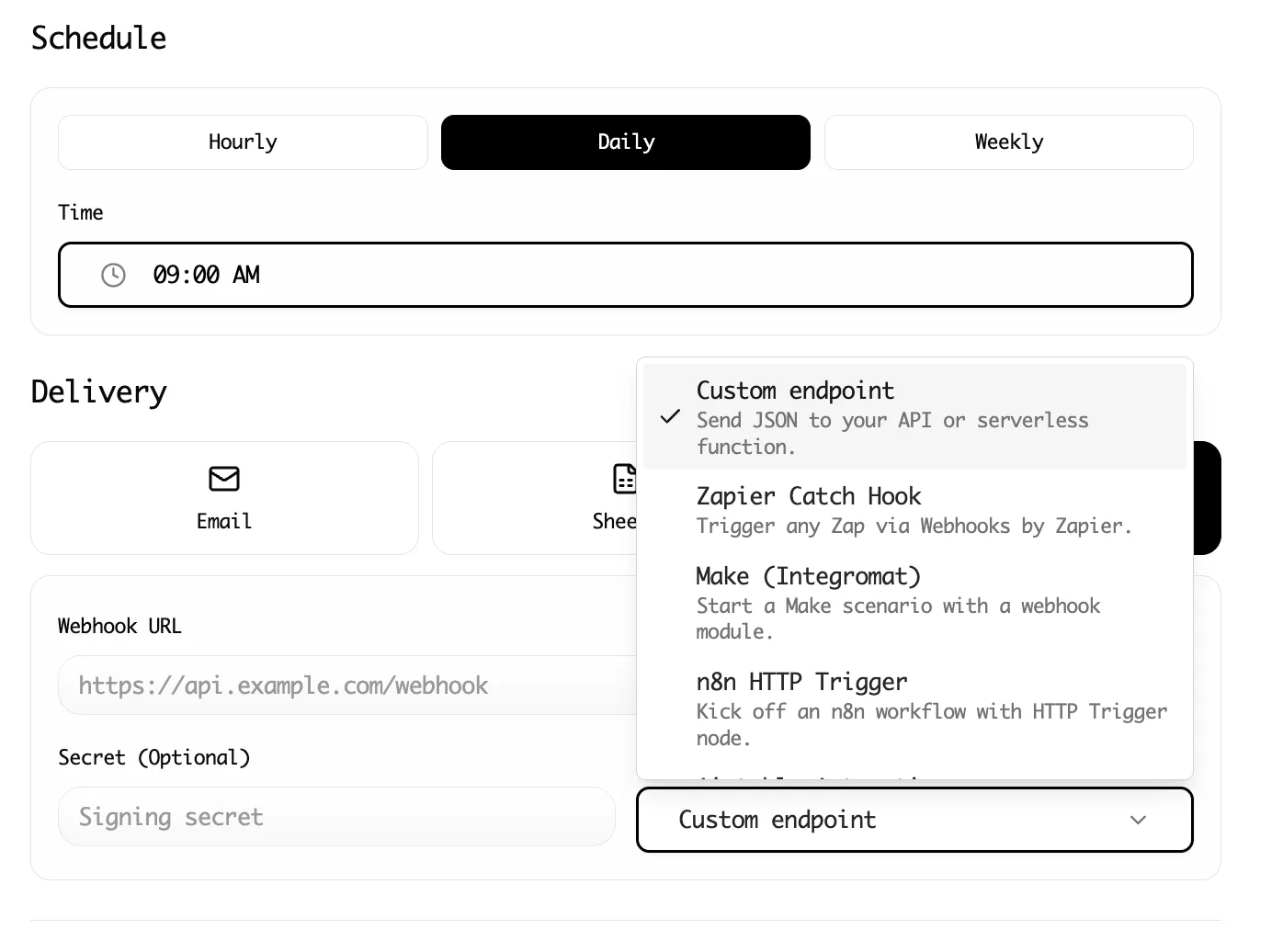
If your workflow heavily depends on automation platforms like Zapier or Make, verify the integration depth before committing. Lection's Zapier integration and Make integration are well-documented.
Pricing Comparison Summary
Breaking down monthly costs for typical use:
PhantomBuster: $69/month Starter, $159/month Pro. Usage limits apply. Credits expire monthly.
Lection: Free tier for testing, affordable paid plans. No hourly execution limits on cloud scrapes.
Clay: $149/month minimum. Credits for enrichments consumed per use.
Evaboot: $49/month for 2,000 leads. Simple, predictable pricing.
Captain Data: $399/month minimum. Enterprise pricing for larger teams.
Octoparse: Free tier, $75/month Pro. $209/month for Teams.
Apify: Pay-as-you-go from $49/month. Usage-based compute charges.
For small teams on a budget, Evaboot (LinkedIn only) or Lection (general scraping) offer the best value. For larger teams with complex requirements, Captain Data or Clay justify their higher costs with richer features.
Conclusion
PhantomBuster is not a bad tool. It is a powerful platform that has served lead generation teams well for years. But it is also complex, expensive for growing teams, and limited to specific social platforms.
The alternatives each solve PhantomBuster's limitations in different ways:
- Lection removes complexity and works on any website, not just social platforms
- Clay focuses purely on enrichment with unmatched data coverage
- Evaboot simplifies Sales Navigator exports at a lower cost
- Captain Data provides templates and team features for operations teams
- Octoparse offers power-user control for complex custom workflows
- Apify gives developers maximum flexibility with a huge ecosystem
Start with the tool that matches your primary use case. Most offer free trials or free tiers, so you can validate before committing.
Ready to try the simplest approach? Install Lection and extract your first dataset in minutes.