The job market moves fast. Recruiters tracking talent pipelines, HR teams benchmarking compensation, and job seekers analyzing opportunities all face the same problem: the data they need exists on Indeed, but it's locked inside thousands of individual listings.
You could spend hours manually copying job titles, salaries, and requirements into a spreadsheet. After 50 listings, your eyes glaze over. After 200, you start making mistakes. And the data you collected yesterday is already stale because new postings appear hourly.
This guide shows you how to extract Indeed job postings automatically using no-code tools like Lection. You'll learn what data is available, how to handle Indeed's dynamic pages, and step-by-step methods to build structured job datasets without writing a single line of code.
Why Scrape Indeed Job Data?
Indeed aggregates more job postings than any other platform, with over 300 million unique monthly visitors and millions of active listings. This concentration of job market data serves several critical use cases.
Recruitment and talent sourcing. Staffing agencies and corporate recruiters monitor competitor postings to understand hiring patterns, identify talent gaps, and benchmark their own job descriptions. When a competitor posts 15 new engineering roles, that signals growth you might want to know about.
Compensation benchmarking. HR teams need salary data across roles and regions. While Indeed doesn't show salaries for every listing, many do include ranges. Aggregating this data reveals what the market actually pays, not what surveys claim.
Job market research. Career coaches, workforce development organizations, and economists track hiring trends. Which skills appear most frequently? Which job titles are growing? Which industries are contracting? The answers live in job posting data.
Lead generation. Staffing agencies and B2B sales teams use job postings as intent signals. A company hiring for a new marketing director probably needs marketing services. A firm posting multiple DevOps roles might need cloud infrastructure.
Academic research. Labor economists and sociologists study job posting language for bias, accessibility, and market dynamics. These studies require thousands of postings at scale, something impossible without automation.
What Data Can You Extract From Indeed?
Indeed job listings contain rich structured data beyond the basic title and company. Here's what's available for extraction:
Core job information:
- Job title and posting URL
- Company name and company page link
- Location (city, state, remote/hybrid indicators)
- Posted date or "days ago" indicator
Compensation and benefits:
- Salary range (when disclosed)
- Pay frequency (hourly, annually)
- Benefits mentioned (health insurance, 401k, PTO)
- Stock options or equity mentions
Job requirements:
- Employment type (full-time, part-time, contract, internship)
- Experience level requirements
- Education requirements
- Required skills and certifications
- Work schedule details
Additional metadata:
- "Easily Apply" indicator
- "Urgently Hiring" badges
- Company rating (star rating from reviews)
- Number of reviews
- Employer response time
From individual job pages:
- Full job description text
- Detailed benefits breakdown
- Qualifications section
- Application requirements
- Related job suggestions
Why Scraping Indeed Is Different
Indeed presents unique challenges compared to simpler websites. Understanding these helps you choose the right extraction approach.
Dynamic Content Loading
Indeed renders job cards via JavaScript after the initial page load. If you try to scrape with simple HTTP requests that don't execute JavaScript, you'll see empty containers where job data should be. This is why traditional tools like IMPORTXML in Google Sheets fail completely on Indeed.
Browser-based tools that render JavaScript, like Lection, see the page exactly as you do, with all job data fully loaded.
Anti-Bot Protections
Indeed monitors for automated access patterns. High-frequency requests from a single IP address trigger CAPTCHAs, rate limiting, or temporary blocks. The site uses sophisticated detection including:
- Request rate analysis
- Browser fingerprinting
- Behavioral pattern matching
- Cookie and session validation
Frequent Layout Changes
Indeed regularly updates its interface. Class names like jobTitle might become job-title-link or css-1q2m4rd. Traditional scrapers relying on CSS selectors break silently, returning empty data or garbage.
AI-powered tools recognize data patterns visually rather than by HTML structure. When Indeed changes the layout, these tools adapt without reconfiguration.
Pagination and Infinite Scroll
Job results spread across many pages, with pagination controls at the bottom. Some views use infinite scroll that loads more results as you scroll. Effective extraction must handle both patterns to capture complete datasets.
Method 1: Scraping Indeed with Lection (No-Code)
Lection provides the simplest path from Indeed listings to structured spreadsheet data. Here's the complete workflow.
Step 1: Install the Chrome Extension
Add the Lection Chrome extension to your browser. Installation takes about 30 seconds and requires no configuration.
Step 2: Navigate to Indeed Search Results
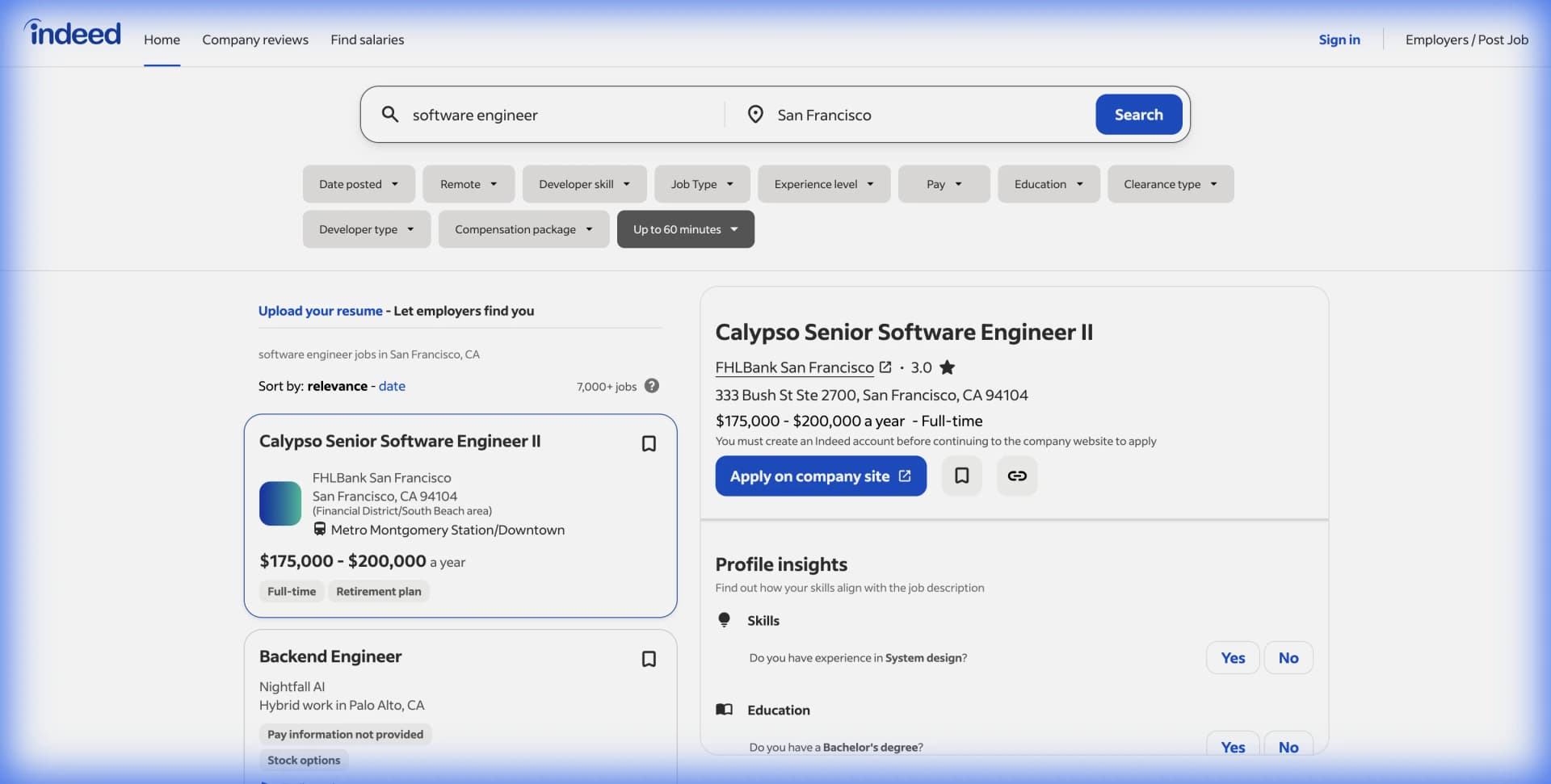
Go to Indeed and search for your target jobs. For example, search "software engineer" in "San Francisco" to find tech roles in that market.
Apply filters as needed:
- Location radius
- Salary range
- Date posted (last 24 hours, 7 days, etc.)
- Job type (full-time, remote, etc.)
- Experience level
Wait for results to fully load. Indeed loads job cards dynamically, so give it several seconds to render everything.
Step 3: Start the Extraction
Click the Lection icon in your Chrome toolbar. The AI scans the page and identifies the repeating job card pattern automatically. You'll see it recognize fields like job title, company, location, salary, and posted date.
Step 4: Select Your Data Fields
Choose which fields to extract. For comprehensive job market analysis, you might select:
- Job title
- Company name
- Location
- Salary (if shown)
- Job type
- Posted date
- Job URL
Lection lets you name these columns however you want in your output.
Step 5: Handle Pagination
Indeed shows about 15-20 jobs per page. Enable Lection's pagination feature to automatically navigate through all results pages, extracting listings from each one.
For broad searches returning hundreds of pages, use cloud scraping to run the extraction without keeping your browser open.
Step 6: Extract Full Job Descriptions (Optional)
Job cards show limited information. For deeper data, use Lection's deep link feature. The scraper visits each job's individual page and extracts:
- Complete job description
- Detailed qualifications
- Full benefits list
- Application requirements
This significantly expands your dataset but takes longer since each job page must be visited individually.
Step 7: Export Your Data
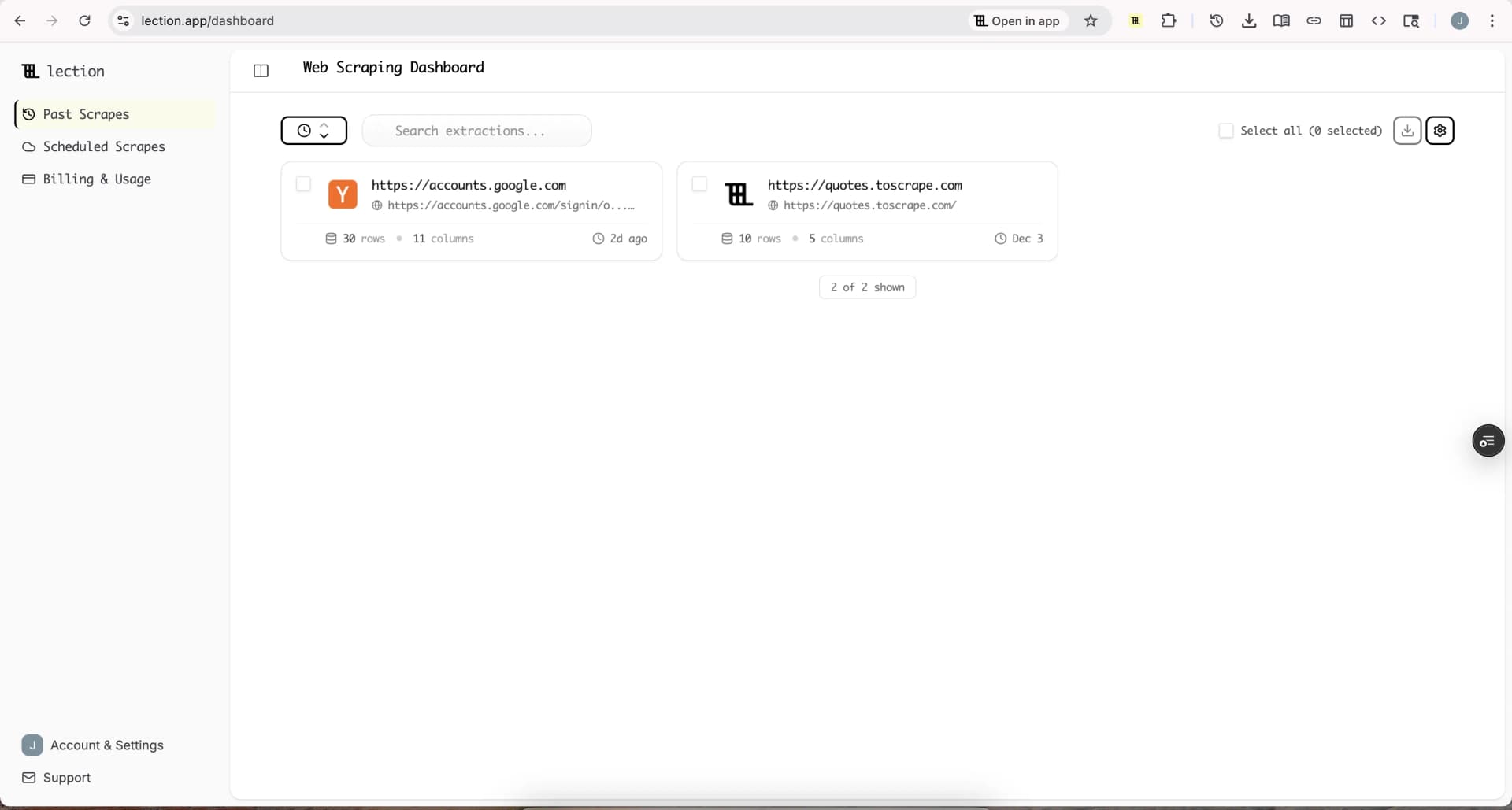
Once extraction completes, export your job data. Lection supports:
- Google Sheets (direct integration)
- CSV download
- Excel format
- JSON for developers
Connect to Zapier, Make, or Notion to feed job data into automated workflows.
Method 2: Scheduled Cloud Scrapes for Ongoing Monitoring
Job markets change daily. For continuous monitoring, manual extraction isn't practical. Scheduled cloud scraping runs automatically.
Setting Up Recurring Extraction
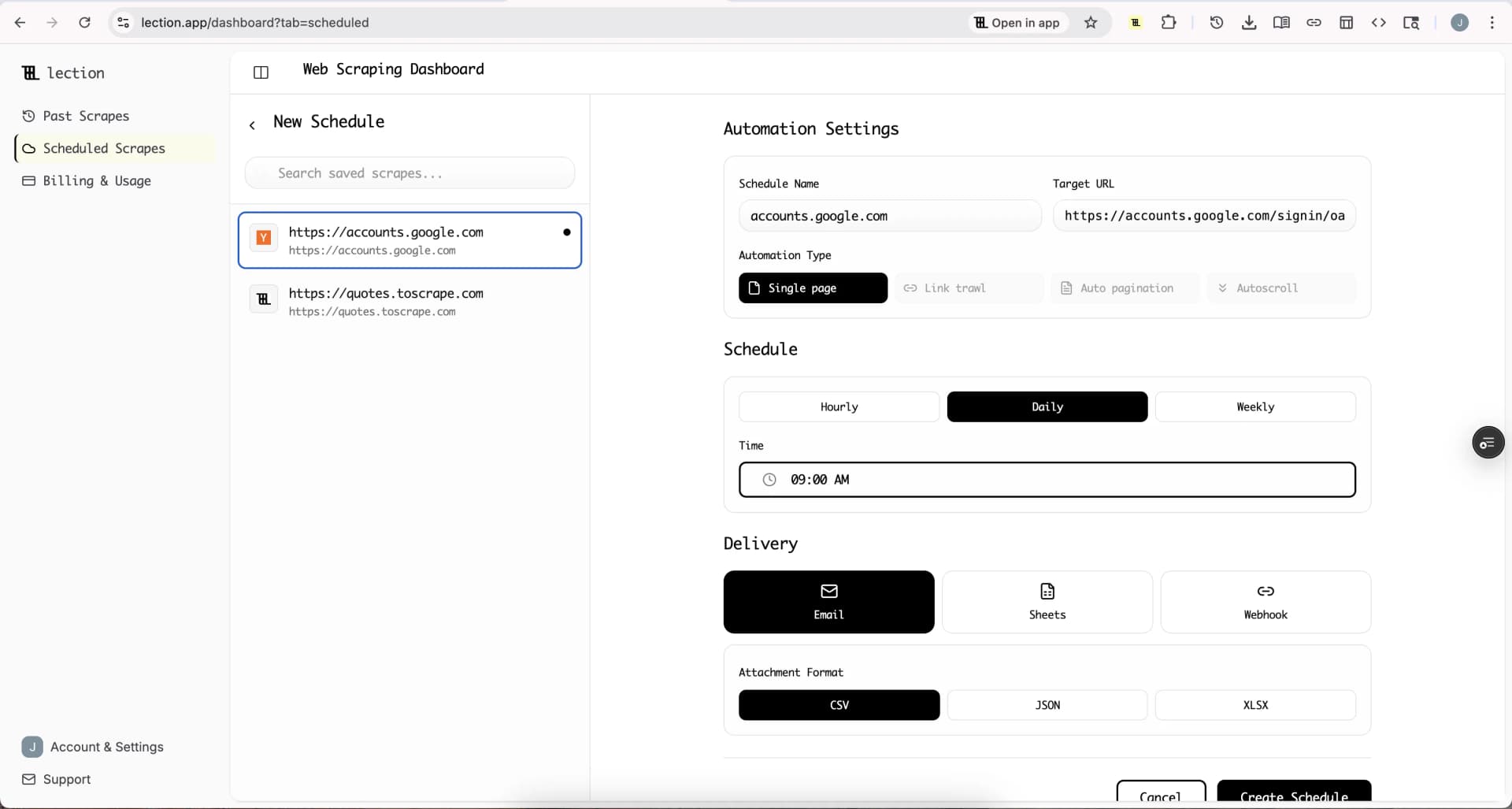
Lection's cloud scraping feature lets you schedule Indeed extractions to run daily, weekly, or at any interval.
Configure once, monitor forever. Set up your extraction template pointing at an Indeed search URL. Define which fields to collect. Set the schedule.
Fresh data while you sleep. A 7 AM daily scrape means current job listings waiting in your spreadsheet when you start work.
Append or overwrite. Choose whether new data adds to existing rows (building historical records) or replaces them (keeping only current listings).
Practical Example: Competitor Hiring Tracker
A recruiting agency tracking competitor hiring might configure:
- Indeed search URL for specific roles in target markets
- Fields: company, job title, location, salary, posted date
- Schedule: daily at 6 AM
- Output: appending to a Google Sheet
Each morning, new job postings appear in the spreadsheet. Filter by company to see exactly what your competitors are hiring for.
Building Useful Job Market Datasets
Raw job data becomes valuable through analysis. Here are practical workflows.
Compensation Benchmarking
- Extract jobs with salary information across your target roles
- Standardize salary formats (convert hourly to annual, normalize ranges to midpoints)
- Segment by location, experience level, and industry
- Calculate percentiles (25th, 50th, 75th) for each segment
- Compare against your organization's pay scales
Skills Demand Analysis
- Extract full job descriptions for target roles
- Parse descriptions for skill mentions (Python, Salesforce, project management, etc.)
- Count frequency of each skill across postings
- Track changes over time to spot emerging requirements
- Use findings to guide training investments or resume optimization
Hiring Velocity Tracking
- Schedule daily extractions for target companies
- Log new postings each day
- Calculate weekly and monthly posting rates
- Correlate with company news (funding rounds, product launches)
- Identify companies ramping up before public announcements
Troubleshooting Common Problems
Problem: Extraction returns empty data
Indeed loads content via JavaScript. Ensure your tool renders JavaScript before extraction. Lection handles this automatically. Simple HTTP scrapers fail because they see only the initial HTML skeleton.
Problem: Getting blocked after a few pages
You're requesting too fast. Use tools with built-in rate limiting and cloud execution. Lection's cloud scraping manages request pacing automatically.
Problem: Salaries missing from most listings
Many Indeed postings don't include salary. This is a data limitation, not a scraping issue. You can filter Indeed searches to "salary estimate" or "disclosed salary" before extraction to focus on postings with compensation data.
Problem: Extraction template stopped working
Indeed updated their layout. With selector-based scrapers, you need to reconfigure selectors. With AI-powered tools like Lection, the model adapts to layout changes automatically.
Problem: Duplicate job listings appearing
Jobs appear in multiple searches or paginate oddly. Deduplicate your dataset on the job URL, which is unique to each posting.
Legal and Ethical Considerations
Responsible data collection means understanding the boundaries.
Indeed's Terms of Service. Indeed prohibits automated access without permission. Violating terms can result in IP blocks or account suspension. For most personal research and internal business use, practical risks are minimal. Commercial applications warrant legal review.
Public data distinction. Job postings are publicly visible. Courts have generally held that scraping publicly accessible data is not inherently illegal. However, how you use that data matters.
Rate limiting as respect. Even when technically possible, aggressive scraping strains Indeed's infrastructure. Responsible extraction includes reasonable delays between requests.
Don't republish raw data. Job descriptions have copyright protection. Extracting for analysis differs from republishing Indeed's content on your own job board.
For comprehensive legal context, read Web Scraping Legality by Country (2025) and Complete Guide to robots.txt.
Alternative Approaches
Indeed's Official APIs
Indeed previously offered a Publisher API, but it has been deprecated for most use cases. Current API access is limited to verified partners and hiring platform integrations. If you have an existing business relationship with Indeed, inquire about API access. For most users, browser-based extraction remains the practical option.
Paid Data Services
Several commercial options exist:
Data providers like Theirstack, Revelio Labs, and similar services sell aggregated job posting datasets. You buy pre-collected data rather than scraping yourself.
Proxy and scraping APIs from providers like Bright Data or Oxylabs handle infrastructure complexity. They manage IP rotation and anti-bot circumvention.
For most users, no-code tools like Lection offer the best balance of capability, cost, and simplicity. You get the data you need without infrastructure complexity or enterprise contracts.
Conclusion
Indeed's massive job database becomes genuinely useful only when you can extract data at scale. Manual copy-pasting works for 10 jobs. It fails at 100. And it's impossible at 1,000.
Tools like Lection bridge this gap by providing no-code extraction that handles Indeed's dynamic pages and anti-bot measures automatically. Whether you're benchmarking salaries, tracking competitors, sourcing leads, or conducting research, automated extraction transforms what's possible.
Ready to start? Install Lection and extract your first Indeed dataset in minutes.