Browse AI helped popularize a simple promise: point a robot at a page, tell it what to watch, and let the platform send updates when something changes. That model still works well for many recurring checks. If you monitor product prices, job listings, or public directories, Browse AI can get you from zero to a working robot quickly.
The friction appears once the workflow grows up. Teams start with a single monitor, then add detail pages, screenshots, scheduled exports, and downstream automations. At that point, the credit model matters more, browser context becomes more important, and the difference between "monitoring a page" and "building a reliable data pipeline" gets very real.
That is why many operators eventually look for alternatives. They do not necessarily dislike Browse AI. They just need a better fit for the way their work actually happens.
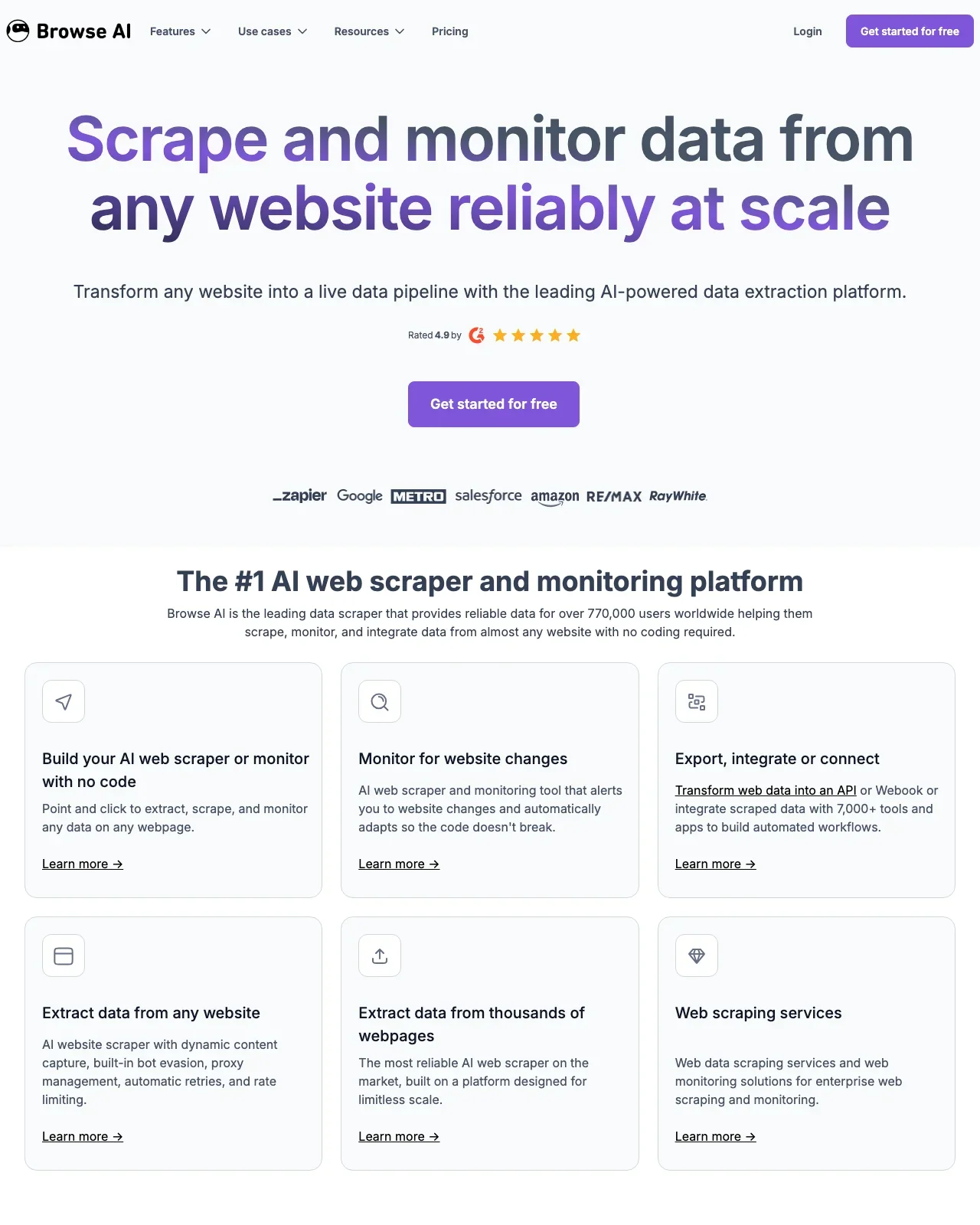
Lection is the AI-native option for fast, accurate scraping right in your browser. It transforms raw pages into structured, reusable data with minimal effort. If your team lives inside Chrome tabs, spreadsheets, and recurring exports, that browser-native workflow can feel a lot lighter than building every project around a separate robot dashboard.
This guide compares the strongest Browse AI alternatives for 2026, explains where Browse AI still makes sense, and shows how to choose the tool that fits your actual operating model rather than the demo use case.
Why teams start looking beyond Browse AI
Browse AI is not hard to understand. The challenge is that its pricing and operating model become more noticeable as your jobs get more ambitious.
Credit math can become the real workflow
As checked on July 13, 2026, Browse AI says its free plan includes 2 websites and 50 credits monthly, with Personal plans offering 5 websites and Professional plans offering 10 websites plus larger annual credit pools. Its help center also explains that credits depend on the amount of data, the site cost tier, and the task type. Standard sites can cost 1 credit per task, while premium sites can cost 2 to 10 credits per task. A screenshot can consume credits too, and deep scraping across list pages plus detail pages stacks quickly. You can review that structure on Browse AI's pricing page.
None of that is inherently wrong. It just means forecasting becomes part of the job. If you monitor 10 detail pages every 3 days, Browse AI's own documentation shows how that usage can reach 100 credits monthly on a standard site before you add screenshots or premium-site costs. For teams with a handful of narrow monitors, that is manageable. For teams collecting hundreds of rows across changing page types, it becomes a budgeting exercise before it becomes a data workflow.
The robot-first model is not ideal for every scrape
Browse AI is strongest when the target page is predictable and the end goal is monitoring or repeat extraction from a known pattern. That is different from the browser-first workflows many analysts and operators actually need.
In practice, teams often start inside a live page, inspect data visually, click around, and decide field-by-field what to keep. They want extraction close to the tab, not abstracted into a separate setup flow. That matters more on logged-in sites, messy directories, and research tasks where the schema changes as the analyst learns.
Monitoring is only part of the data pipeline
A robot that captures a value is useful. A workflow that turns messy live pages into a reusable dataset, validates it, and ships it to Sheets or automations is more useful.
That is where alternatives start to separate. Some tools are better for browser-native capture. Some are better for heavy cloud scraping. Some are better for technical teams that want code and APIs. The right choice depends less on marketing language and more on whether your work starts in a browser, a cloud dashboard, or a developer environment.
If your team also needs to route data after extraction, the Zapier integration guide and Make workflow guide are useful companions.
Quick comparison table
| Tool | Best for | Starting point | Main tradeoff |
|---|---|---|---|
| Lection | Browser-native no-code scraping | Free tier available | Less focused on generic app automation |
| Octoparse | Larger no-code scraping projects | Free plan, paid from $69/month billed annually | Desktop-style workflow and steeper setup |
| Apify | Developer teams and large scraper catalogs | Free plan, Starter at $29/month plus usage | More technical and easier to overspend if unmanaged |
| Bardeen | Browser automations and lead workflows | Free plan with 100 monthly credits | Scraping is one feature inside a broader automation product |
Alternative 1: Lection
Lection is the best Browse AI alternative for teams that want the scrape to begin where the work actually happens: in the browser tab.
Why it fits this use case
Instead of asking you to think like a robot builder first, Lection keeps the process visual and immediate. You open the page, point at the data, and define the output structure in context. That makes a real difference on modern sites that mix lists, cards, detail pages, and logged-in content.
For non-technical teams, that removes a lot of failure modes:
- less time translating a live page into an abstract robot configuration
- less guesswork about whether a monitor or screenshot step will consume more credits than expected
- easier QA because teammates can inspect the page and the extraction logic in the same place
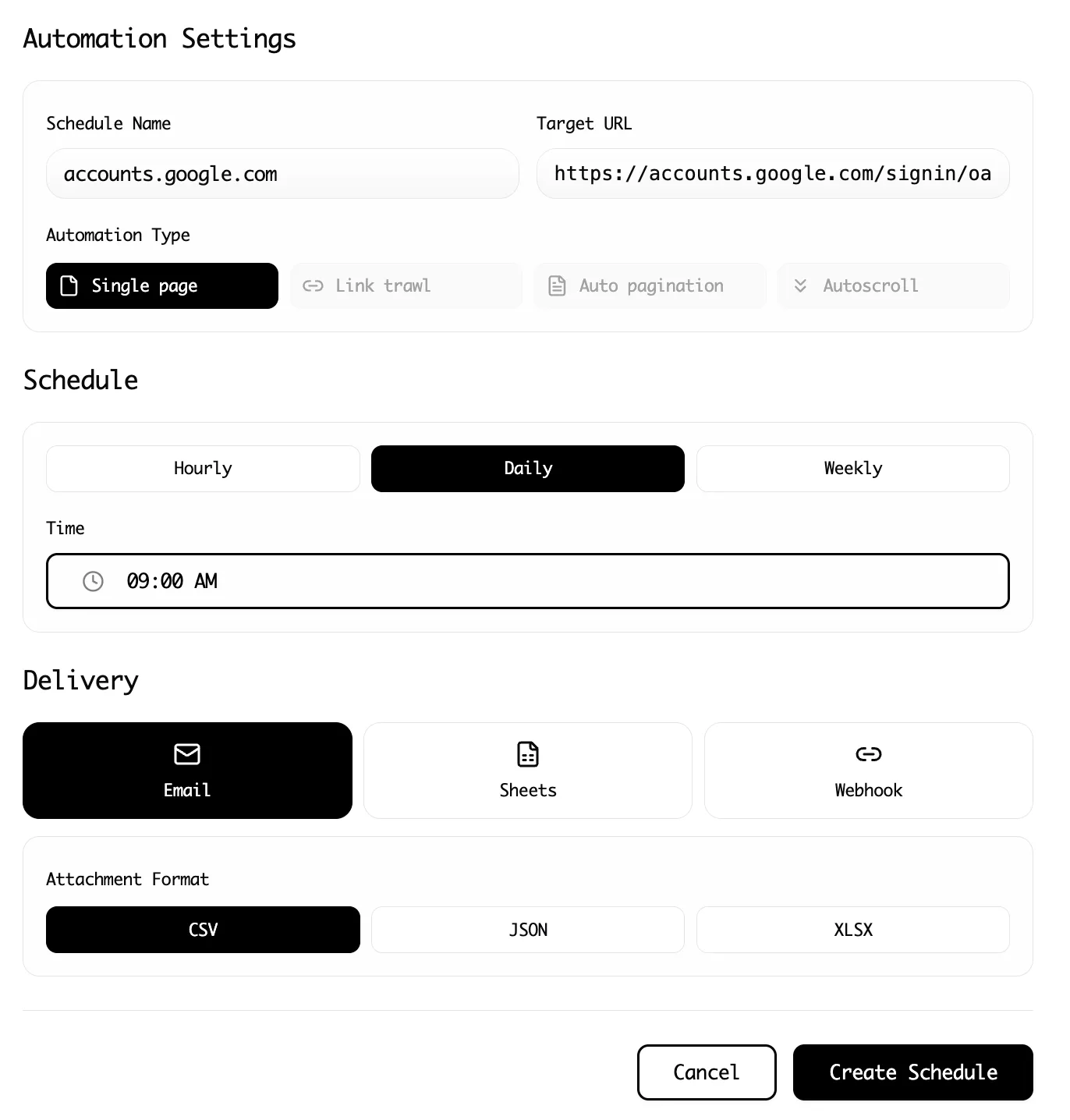
Lection is also strong when the workflow needs to expand beyond a single page. You can move from one-time extraction to cloud scheduling, pagination, and deeper page traversal without switching tools. The features overview and pricing page show the product surface clearly, but the practical benefit is operational simplicity.
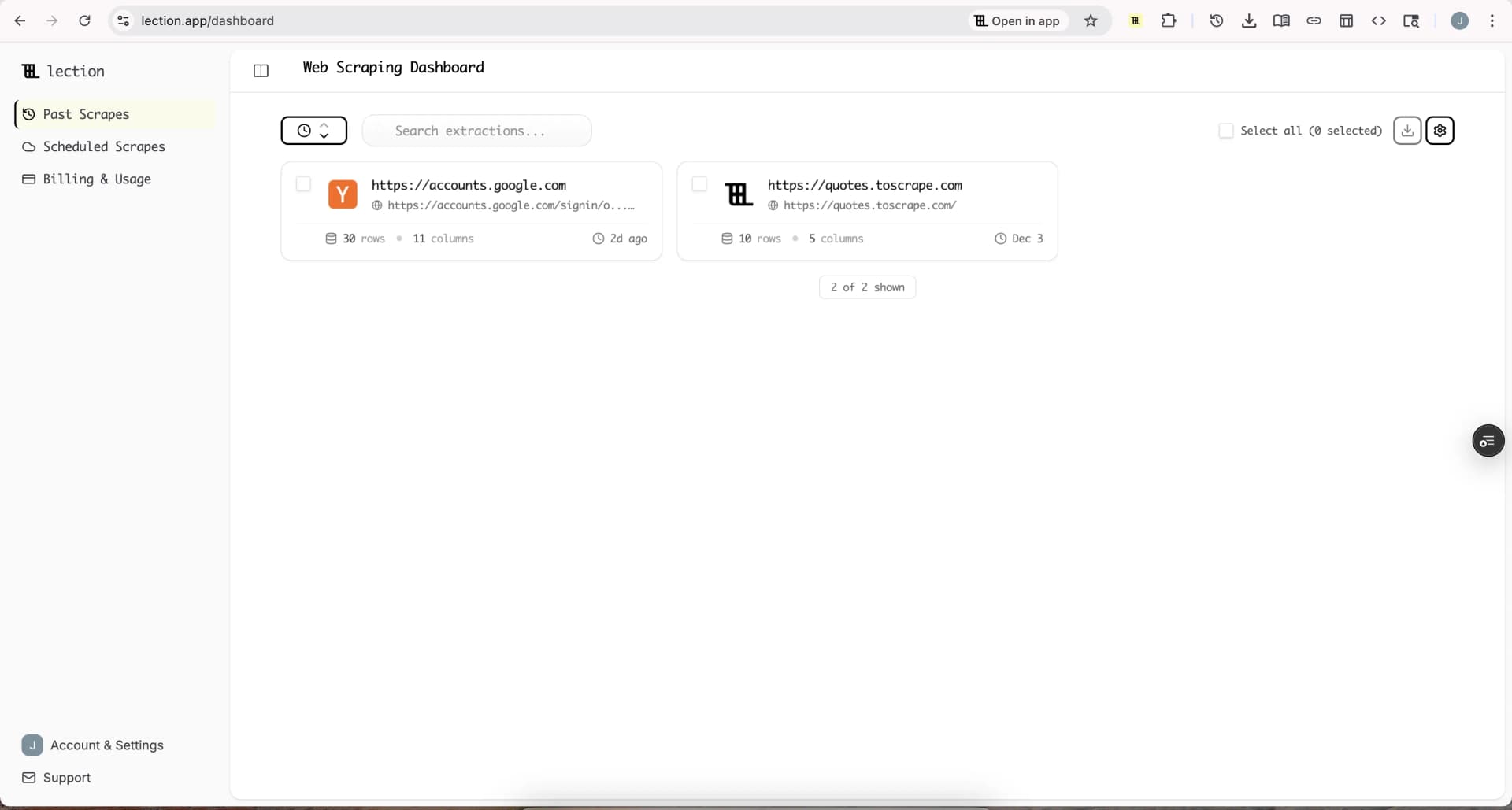
Where it beats Browse AI
Lection is a better fit when:
- you discover the schema while exploring the page
- you need to work from logged-in browser sessions
- the same workflow will later export into Sheets, CSV, or automation tools
- you want recurring cloud runs without centering the workflow around per-task credit arithmetic
Browse AI can still be fine for narrow monitors. Lection becomes more attractive once the scrape needs to become a reusable operating asset instead of a single robot.
Alternative 2: Octoparse
Octoparse is the strongest Browse AI alternative for teams that want more cloud-scraping depth and do not mind a heavier builder.
As checked on July 13, 2026, Octoparse says its free plan includes 10 tasks and 50,000 rows of monthly export, with paid plans starting at $69 per month billed annually for Standard and $249 per month billed annually for Professional. Its Standard plan includes cloud extraction, task scheduling, IP rotation, residential proxies, and automatic CAPTCHA solving according to its official pricing documentation.
Why teams choose it
Octoparse is built for users who know they need repeatable scraping at larger volume and want more anti-blocking and cloud infrastructure than lightweight browser tools usually provide. Its builder is mature, its scheduling is robust, and it has a long history with power users.
If Browse AI feels too narrow because your jobs now involve more page types, more data rows, or more complex flows, Octoparse is an understandable next step.
Where it falls short
The tradeoff is usability. Octoparse is still more tool than teammate. Many teams can make it work, but they need more setup discipline and more tolerance for a desktop-style experience. If your operators are comfortable spending time inside a workflow builder, that is acceptable. If they want to stay close to the browser and move quickly, it can feel heavy.
Octoparse is best when volume and control matter more than elegance.
Alternative 3: Apify
Apify is the right Browse AI alternative when your team wants a platform, not just a no-code product.
As checked on July 13, 2026, Apify advertises 52,289 Actors in its store. Its pricing page shows a free plan, a Starter plan at $29 per month plus pay-as-you-go usage, a Scale plan at $199 per month plus pay-as-you-go usage, and a Business plan at $999 per month plus pay-as-you-go usage. You can verify the current structure on the official Apify pricing page.
Why teams choose it
Apify wins on breadth. If you want a large marketplace of pre-built scrapers, developer extensibility, APIs, proxies, and a platform that can support both no-code-adjacent users and engineers, it has real depth.
For teams that already think in terms of compute units, actors, APIs, and store-based tooling, Apify is often a better long-term home than Browse AI. It can support larger technical ambitions without forcing a migration later.
Where it falls short
That same flexibility is the friction. Apify is not the tool I would hand first to an operations manager who just wants to capture 500 records from a live browser session before lunch. It is easier to misconfigure, easier to expand into a technical platform project, and easier to spend more than expected if governance is weak.
Apify is best when you have developer support or genuinely need platform-level scale.
Alternative 4: Bardeen
Bardeen sits in a slightly different category, but it is still a practical Browse AI alternative for some teams.
Its strength is browser automation rather than pure scraping. Bardeen's free plan currently offers 100 monthly credits for production runs and unlimited Builder Mode testing, according to its support documentation. That makes it useful for teams whose real need is not "scrape this site repeatedly" but "collect browser data and push it into a sales or ops workflow."
When Bardeen makes more sense
Choose Bardeen over Browse AI when:
- your workflow is tied to lead generation or browser-side sales operations
- the scrape is only one step inside a larger browser automation
- you care more about connecting actions than maintaining a dedicated scraping system
If that category sounds familiar, our Bardeen alternatives guide covers the tradeoffs in more detail.
Where it is weaker
Bardeen is not the cleanest answer for general-purpose structured extraction across arbitrary websites. It can do scraping, but that is not its only identity, and you feel that in the product. Teams that primarily want datasets rather than playbooks usually do better with a scraping-first tool.
How to choose the right Browse AI alternative
The fastest way to choose is to stop comparing feature lists and start comparing working styles.
Choose Lection if your workflow starts in the browser
This is the right choice for operators, marketers, analysts, and researchers who inspect live pages, adjust schemas on the fly, and want extraction plus scheduling without a complicated platform tax.
Choose Octoparse if scale matters more than simplicity
If you already know you need larger recurring jobs, anti-blocking tooling, and a more formal builder, Octoparse makes sense. You trade some approachability for more infrastructure.
Choose Apify if you want a technical platform
If your team wants APIs, store-based scrapers, and room to grow into code-driven workflows, Apify is the strongest option in this group.
Choose Bardeen if scraping is only part of the job
If your real problem is browser automation for sales, sourcing, or ops, Bardeen may fit better than a scraping-first product.
A practical migration path from Browse AI
The standard mistake is trying to replace every robot at once. A better process is smaller and more operationally honest.
1. Separate monitors from datasets
List every active Browse AI robot and label it either "narrow monitor" or "dataset workflow." If the job only watches a single field on a stable page, it may not need to move immediately. If it feeds reporting, Sheets, or recurring exports, that is the one to migrate first.
2. Measure real credit pressure
Look at how many pages, screenshots, detail-page visits, and premium-site runs actually happen in a month. This gives you the real cost baseline, not the imagined one.
3. Rebuild one meaningful workflow
Choose a workflow where credit usage, browser context, or schema drift causes pain today. Rebuild that first in the alternative tool you are testing. Compare setup time, result quality, and how easy it is for a second teammate to audit the extraction.
4. Validate the destination, not only the scrape
Do not stop when the scraper returns rows. Make sure the export lands where the team works. If you schedule recurring jobs, confirm that the handoff into Sheets, CSV, or automations is stable. The recurring scrape guide is useful if that handoff is part of the project.
5. Keep the replacement explainable
The best alternative is not the one with the biggest feature list. It is the one your team can run, review, and repair without a specialist every time the page changes.
Conclusion
Browse AI is still a credible tool for straightforward monitoring and repeat extraction. But once your work expands into heavier datasets, browser-first discovery, or ongoing exports, its robot model and credit logic stop feeling lightweight.
Lection is the best Browse AI alternative for teams that want browser-native scraping with cloud follow-through. Octoparse is the better fit for larger no-code scraping operations. Apify is strongest for technical scale. Bardeen fits teams that need browser automation as much as extraction.
The right answer depends on how the work starts, who owns it, and how often the workflow needs to change.
Ready to start scraping? Install Lection and extract your first dataset in minutes.