Shopping for a home, or sizing up a neighborhood as an investor, means comparing many listings at once. Redfin's search shows cards and a map, which is nice for browsing and awkward for comparing. A spreadsheet lets you sort by price, filter by square footage and add your own notes. Getting the listings there is the missing step.
This guide shows how to export Redfin search results to Google Sheets without code, with the free Redfin Listings Scraper from Lection and the free Chrome extension. It also covers refreshing the sheet on a schedule, and the limits of the free tool.
What you get in the sheet
One row per listing from the search you point it at:
| Column | What it holds |
|---|---|
| Address | The property address |
| Price | The list price |
| Beds | Bedrooms |
| Baths | Bathrooms |
| Square Feet | Interior size |
| Key Facts | The short facts line shown on the card |
| Listing URL | A link to the listing |
The tool's description also mentions images. The fields depend on what Redfin shows on each search card, so some cells can be blank.
Why does the standard approach fail?
Copy and paste from a Redfin results page gives you a messy block of text: price, address, tags like "New" or "Open house", and agent attribution mixed together. Redfin does offer a download option for search results on its own site, and it is worth checking, but it is limited by Redfin's rules on how many homes it will give you at once. For a quick comparison of exactly the listings you filtered, a direct export of the page you are looking at is often simpler.
Before you start
- Desktop Chrome with the free Lection extension.
- A Redfin search URL. Set your filters (price, beds, home type) on Redfin first, then copy the address of the results page.
Step by step: Redfin to Google Sheets
- On Redfin, search a city or neighborhood and apply your filters. Copy the URL from the address bar. A city page looks like
https://www.redfin.com/city/30818/TX/Austin. - Open the Redfin Listings Scraper and install the extension if prompted.
- Paste the URL.
- Set Max Rows. The free tool exports up to 40 listings per run.
- Run it and check the preview against what you see on Redfin.
- Download CSV or Excel.
- In Google Sheets, choose File, then Import, then Upload. "Insert new sheet(s)" keeps each search on its own tab.
Working with the data
- Price per square foot. Add a column that divides Price by Square Feet. If Price imports as text with a dollar sign, wrap it first:
=VALUE(SUBSTITUTE(SUBSTITUTE(B2,"$",""),",",""))/E2. - Filter and sort. Create a filter on Beds, Baths and Price to narrow the list, then sort by price per square foot.
- Shortlist. Add Status, Visit date and Notes columns, and star the listings you will visit.
- Compare neighborhoods. Run one search per area, import each to its own tab and add a summary tab with
=AVERAGE()and=MEDIAN()of the price column. The sample is whatever the first page showed, so treat it as a quick comparison, not a market statistic.
Listing data belongs to Redfin and its data sources. Use it for your own research, and check Redfin's terms before you republish it. Our Zillow scraping guide covers a similar workflow and the legal notes in more depth.
Keep it updated automatically
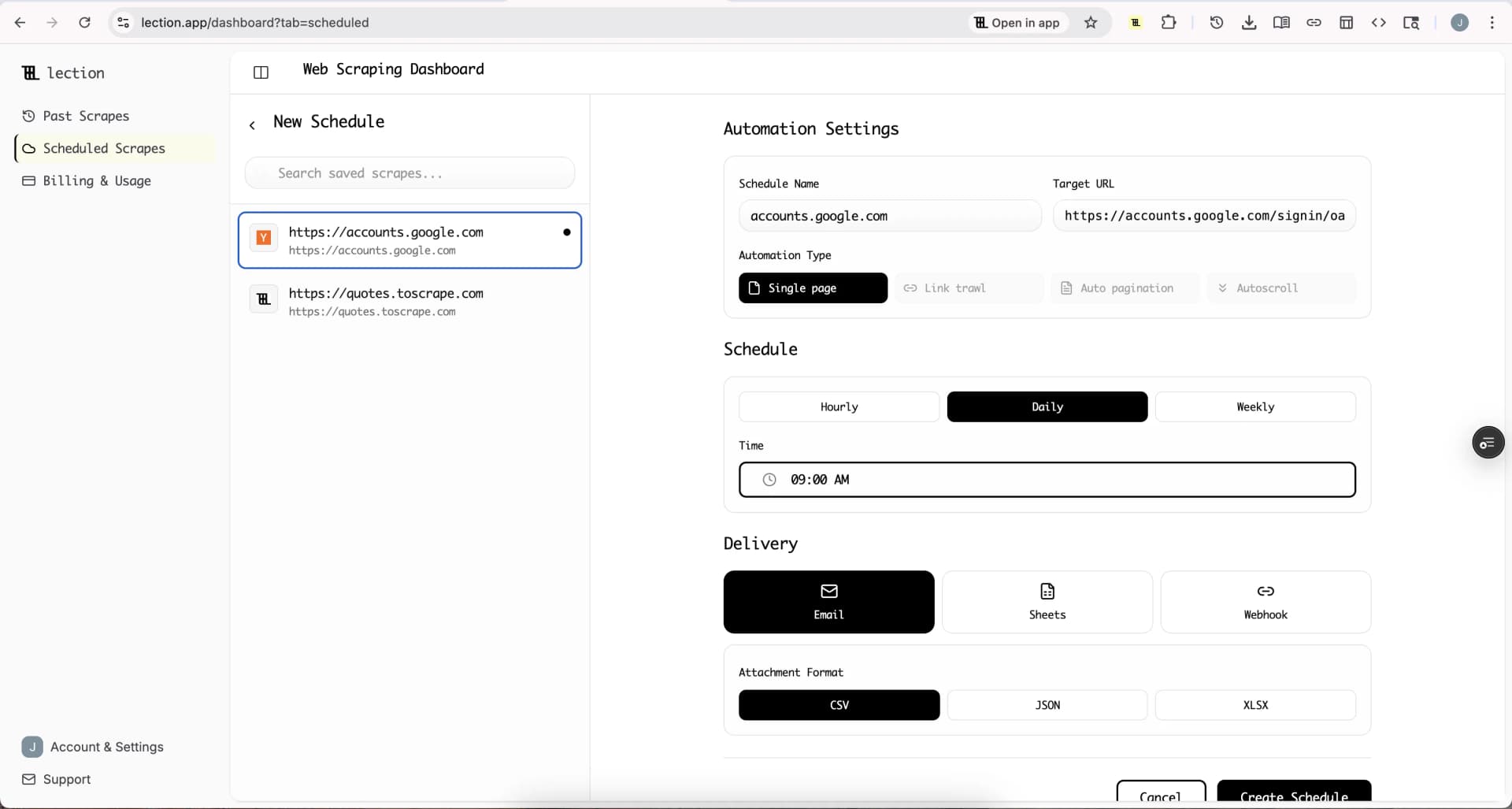
Listings change daily. To have fresh results arrive in your sheet, save the scrape and schedule it. Sheets delivery is available on Standard and in the 30-day trial. The free plan sends email only.
- Save the scrape after a successful run.
- In Scheduled Scrapes, create a schedule with a Daily or Weekly cadence and your timezone.
- Under Delivery select Sheets, click Connect Google Sheets and approve access.
- Choose a spreadsheet, then append or create a new tab each run.
- Save and click Run now.
More on the flow is on the Google Sheets integration page. Sheets delivery appends rows and does not match existing ones. A listing that is still for sale will appear in every run. That is useful for a price history, because you can filter by Listing URL and see how the price moved. For a "what is new" view, use a new tab per run and compare Listing URL columns with =FILTER().
Start the 30-day Standard trial. It is free for 30 days, then $29 per month, a card is required, and it is for first-time subscribers only.
Honest limitations
- 40 listings per run on the free tool. The tool reads the visible property cards of the page you give it.
- Visible fields only. Details that live on the individual listing page (such as year built or HOA fees) are not in this export.
- Search URL required. The tool needs a Redfin results page, not just a place name.
- Data lag. Redfin's list can be behind the market, and a sold home may linger.
- Not financial advice. Check numbers on the listing before you make an offer.
Troubleshooting
Zero rows. Make sure the URL is a Redfin search results page and opens correctly in a normal tab.
Fewer than 40 rows. The search may have fewer matches, or Redfin may show a smaller first page.
Blank cells. Some cards omit facts such as square footage, especially for land and new construction.
FAQ
Can I export Redfin listings to Google Sheets for free? Yes, up to 40 per run, through CSV and File, Import.
Does it work for rentals? The tool is built for property listing searches. We have not documented rental searches, so test with a small run first.
Can I include Zillow too? Zillow is covered in our separate Zillow guide.
Does it need a Redfin account? No login is required for public search results.