Import.io is built for teams that need structured web data at a serious operational scale. Its current platform combines point-and-click extractors, scheduled jobs, proxy options, API delivery, screenshots, HTML extraction, and managed data services. That breadth is useful when a web data program has dedicated owners and a predictable volume of recurring jobs.
It can also be more platform than a small team needs. A researcher may want to collect a few hundred records from a visible page, review the result, and send it to a spreadsheet. A marketer may need a reusable workflow that another teammate can understand without learning a data platform. A developer may want an API, but not a monthly commitment designed around tens of thousands of successful queries.
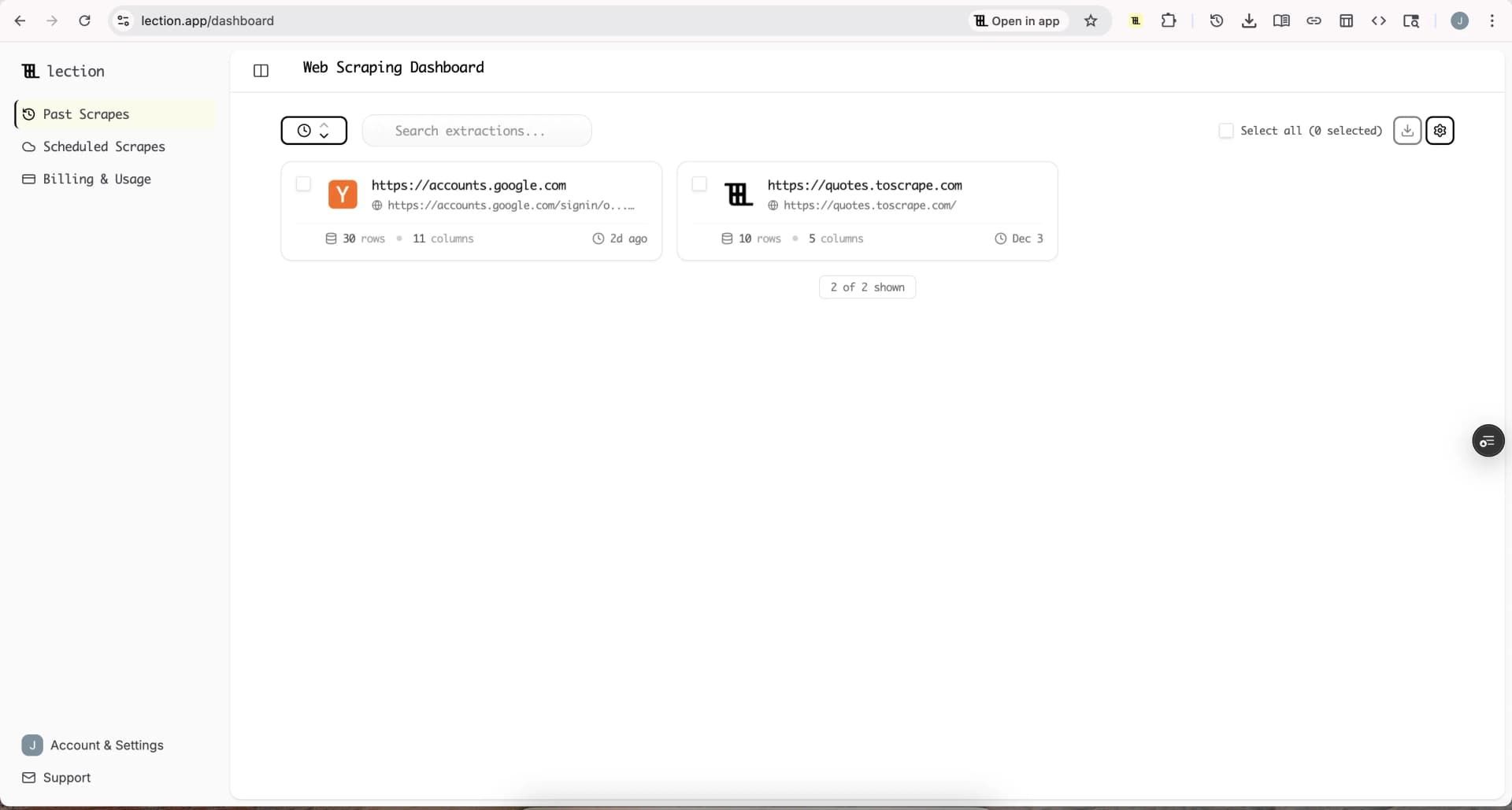
Lection is the AI-native option for fast, accurate scraping right in your browser. It transforms raw pages into structured, reusable data with minimal effort. The best alternative depends on whether your priority is enterprise extraction infrastructure, a programmable cloud runtime, browser-based monitoring, or a visible no-code workflow.
Why consider an Import.io alternative?
Import.io is not a bad choice simply because it is expensive or broad. Its official pricing page currently lists a 30-day trial with 5,000 successful queries and no credit card requirement. The Standard plan is $199 per month when billed annually, or $249 month-to-month, for 50,000 successful queries. Professional is $399 annually billed per month, or $499 month-to-month, for 200,000 queries. Advanced is $699 annually billed per month, or $899 month-to-month, for 500,000 queries.
The pricing page also lists overage rates, proxy differences by tier, scheduling, delivery, and API access on Professional and above. Those capabilities may justify the price for a business-critical pipeline. They may be unnecessary for a one-person research workflow where the bottleneck is defining the fields and checking whether the output is correct.
Teams usually start looking for an alternative for one of five reasons:
- The project needs occasional extraction rather than a large monthly query allowance.
- Analysts need to build and maintain workflows without depending on an engineer.
- The team wants a lower fixed cost while it validates a use case.
- The data needs to go from a live page into a spreadsheet or automation tool quickly.
- The buyer wants a specialized crawler marketplace or monitoring product instead of a general extraction platform.
The emotional cost matters too. A tool can be technically capable and still leave one person responsible for every broken extractor, billing question, and schema change. The right alternative makes ownership clear.
Which Import.io alternatives are worth comparing?
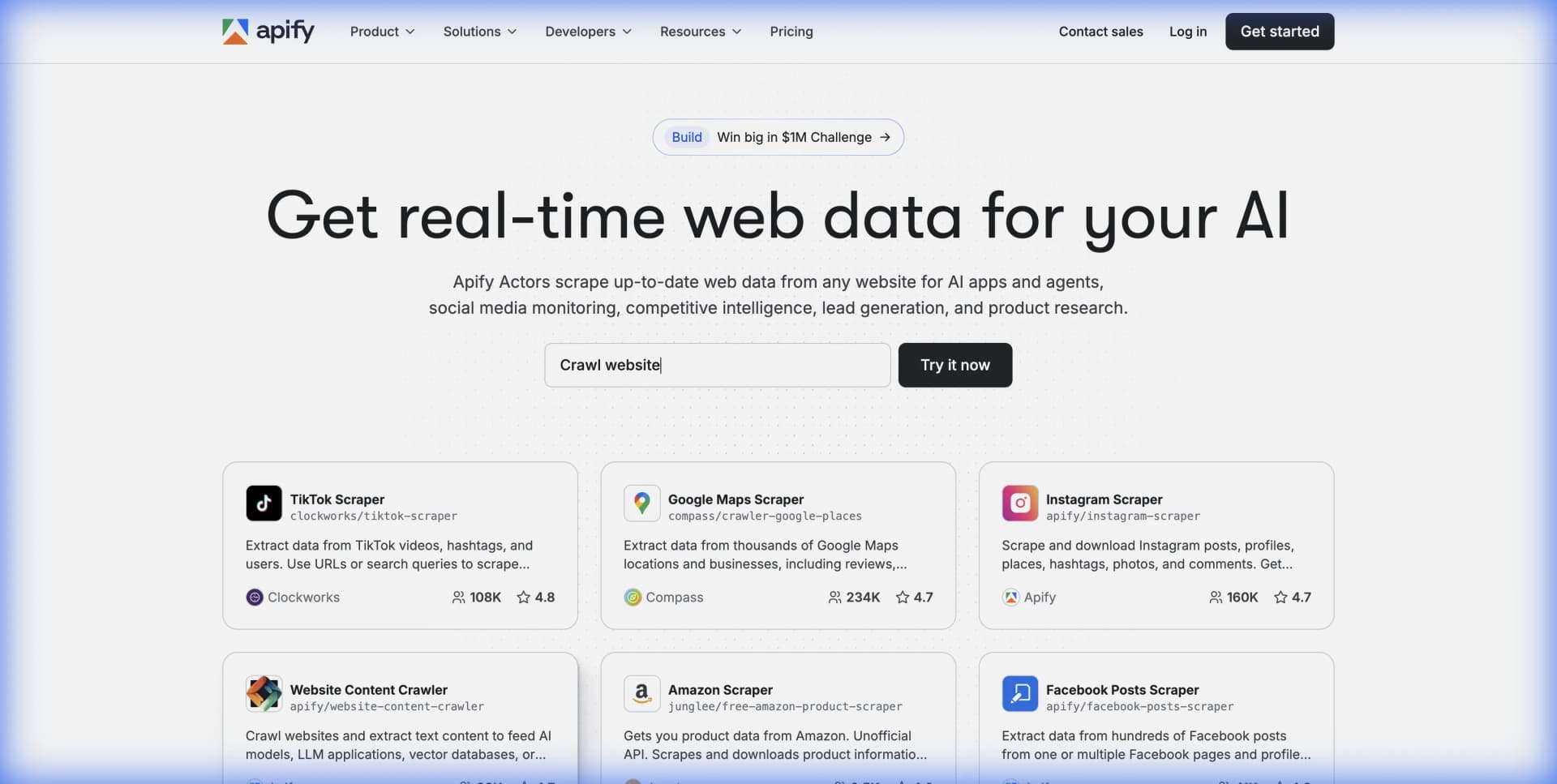
The strongest options are not interchangeable. Lection is browser-first and designed for visible, no-code collection. Apify is a programmable cloud platform built around reusable Actors and usage-based infrastructure. Browse AI focuses on training robots to extract and monitor websites. Octoparse offers a mature visual builder with local and cloud extraction. Import.io remains a strong choice for teams that need a broad extraction platform with managed service options.
| Tool | Best fit | Pricing shape | Main tradeoff |
|---|---|---|---|
| Lection | Analysts and small teams collecting visible browser data | Product plans and workflow limits | Not a general-purpose backend API |
| Apify | Developers building reusable cloud crawlers | Subscription plus platform and Actor usage | Requires comfort with Actors, runs, and compute |
| Browse AI | No-code monitoring and website-to-API workflows | Credit-based plans | Credit cost changes with rows and protected sites |
| Octoparse | Users who want a visual desktop and cloud builder | Free tier plus subscription plans | More builder concepts and manual workflow maintenance |
| Import.io | Larger teams needing extraction, delivery, and support | Query-based subscription tiers | Higher fixed cost and more platform overhead |
This comparison is about finished workflows, not feature-count contests. A platform wins when it produces trustworthy data that the team can rerun, explain, and maintain.
Is Lection a good Import.io alternative for no-code work?
Lection is a good fit when the source page is visible in a browser and the main problem is turning a repeatable browsing task into structured data. You select the fields, identify the repeated records, and define the workflow around the page. That is a different starting point from an enterprise extraction platform. Instead of configuring a large project, you begin with the page and the decision the data needs to support.
This works well for use cases such as collecting local business listings, comparing product prices, building prospect lists, reviewing public job postings, or turning research results into a spreadsheet. Lection can handle pagination, scrolling, dynamic pages, deep links, and exports to common destinations. The browser context also gives the operator a natural place to inspect whether the source is showing the expected data.
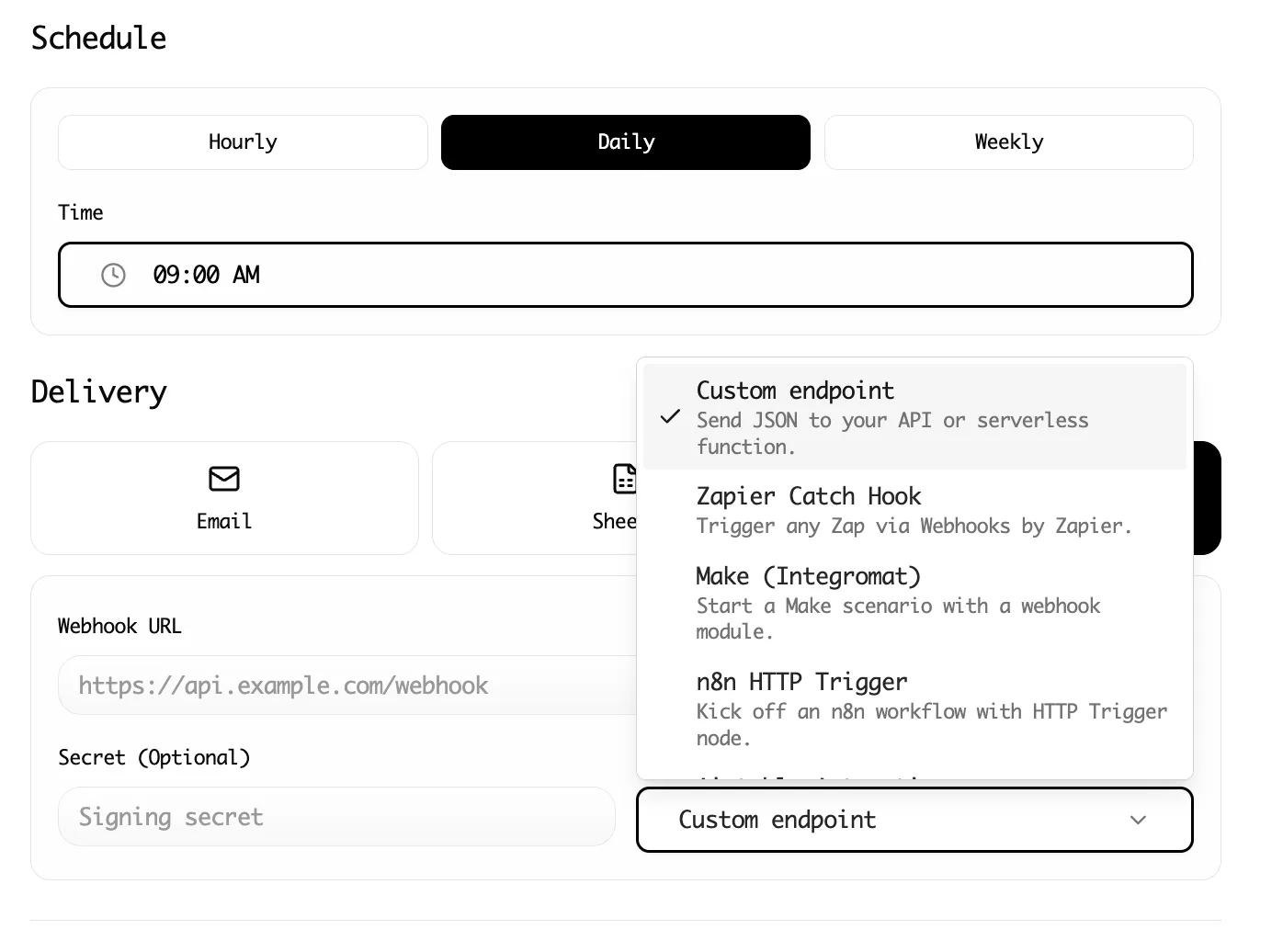
The tradeoff is important. Lection is not designed to be a high-throughput public API that answers thousands of application requests for external customers. If a product needs a standardized JSON endpoint with strict latency requirements, choose an API-oriented provider. If the goal is a reusable research or operations workflow, a browser-first tool can remove a large amount of setup and maintenance.
Lection is especially compelling when the buyer is an analyst, founder, marketer, or operations lead who needs to own the workflow directly. The beginner's guide to no-code web scraping explains the same browser-first approach in more depth.
When is Apify better than Import.io?
Apify is a strong alternative when the team wants a cloud execution layer for custom crawlers, reusable components, and developer-owned automation. Its platform uses Actors, which can be built or selected from the Apify Store. Actors run in the cloud, write to datasets and key-value stores, and can be connected to APIs, webhooks, and other systems.
Apify's official pricing page currently lists a Free plan with $5 of platform usage, Starter at $29 per month with $29 of usage, Scale at $199 with $199 of usage, and Business at $999 with $999 of usage. Compute, storage, proxy use, data transfer, and some Actor pricing affect the final cost. The page lists compute at $0.20 per compute unit on Free and Starter, $0.16 on Scale, and $0.13 on Business.
That model is attractive when each job is different or when the team wants to reuse code across many sites. It is also more involved than a simple monthly query allowance. The operator needs to understand the selected Actor, run duration, memory, storage, retries, proxy use, and the difference between platform usage and an Actor's own pricing.
Choose Apify when flexibility and developer control matter more than a guided interface. Choose a simpler alternative when a nontechnical owner needs to adjust fields or rerun a collection without inspecting code and infrastructure.
Could Browse AI replace Import.io for monitoring?
Browse AI is aimed at training robots to extract and monitor information from websites. That makes it a natural alternative for teams that care about recurring changes rather than a broad extraction platform. A robot can learn a sequence of browser actions, capture rows, and monitor selected data over time.
Browse AI's current pricing page lists a Free plan, a Personal plan at $19 per month billed annually, a Professional plan at $69 per month billed annually, and Premium plans starting at $500 per month billed annually. The product uses credits. Its documentation explains that one credit can represent 10 rows or one screenshot on a standard site, while premium sites can cost two to ten credits for the same type of task.
That credit model is easy to underestimate. A 50-row list may cost five credits on a standard site, but adding 50 detail pages and checking them repeatedly can multiply usage quickly. Protected sites can also consume more credits. Before comparing monthly prices, run a representative sample with the same list depth, detail pages, screenshots, and monitoring frequency.
Browse AI is a good fit when monitoring and a website-to-API workflow are the center of the project. Import.io may be better for broader extraction and managed delivery. Lection may be easier when the operator wants to inspect the live page, collect a focused dataset, and keep the workflow close to normal browser work.
Is Octoparse a simpler alternative?
Octoparse remains relevant for users who want a visual task builder, desktop extraction, cloud runs, templates, scheduling, and exports. Its official pricing page currently shows a Free plan, Standard from $69 per month, and Professional at $249 per month, with Enterprise pricing by request. The displayed price depends on billing settings, so confirm the current total before purchasing.
Octoparse is often a practical choice for a user who wants more control over task steps than a lightweight browser extension provides. It can support local extraction for small projects and cloud extraction for recurring jobs. The tradeoff is the time required to learn its task model, selectors, pagination settings, and cloud execution behavior. A workflow that looks simple in a demo can need careful maintenance when a site changes its layout or interaction sequence.
For beginners, the decision comes down to ownership. If someone is willing to learn a visual automation builder and maintain detailed tasks, Octoparse offers depth. If the user wants the shortest path from a visible page to a structured export, Lection can be easier to operate. Our Octoparse alternatives guide covers that distinction from a beginner's perspective.
What should you test before switching?
Do not choose an alternative from a pricing table alone. Use one real workflow and make the comparison measurable. Pick a source that represents the difficult pages you expect to collect, not an unusually simple demo page.
- Define the exact fields, record count, pagination depth, and detail-page links.
- Run the same sample through Import.io and two alternatives.
- Record time to first trustworthy export, not only time to first successful run.
- Check missing values, duplicates, data types, source URLs, and collection timestamps.
- Repeat the run after changing one page, filter, or field.
- Calculate the monthly cost with retries, screenshots, proxies, storage, and monitoring included.
- Ask a second person to rebuild or rerun the workflow from the documentation.
The last test is often decisive. A workflow that only its original builder understands has a hidden maintenance cost. Keep a small validation set of known pages, and compare every new run against it before sending data to a CRM, dashboard, or customer-facing product.
What legal and operational checks still apply?
An Import.io alternative does not remove responsibility for the source or the data. Review the website's terms, the provider's acceptable-use rules, and the laws that apply to the data and people involved. Our guide to web scraping legality by country and the robots.txt guide are useful starting points, but they are not legal advice.
Collect only what the workflow needs. Use reasonable request rates, preserve source URLs and timestamps, and avoid treating public availability as permission to collect sensitive personal data. If a dataset includes contact information, create a clear retention and deletion process before connecting it to a CRM.
Which Import.io alternative should you choose?
Choose Lection when a nontechnical operator needs a fast, visible, browser-based workflow for structured data. Choose Apify when developers need reusable cloud crawlers, Actors, and detailed control over execution. Choose Browse AI when monitoring and website-to-API robots are central, and make the credit model part of the forecast. Choose Octoparse when a mature visual task builder and cloud extraction justify the learning curve.
Choose Import.io when the team needs a broader extraction platform, higher recurring query volumes, delivery options, and a path to managed data services. Its higher price can be rational when the data pipeline is business-critical and the organization is ready to operate it as infrastructure.
The best alternative is not the one with the most features. It is the one that gets your team from a live page to trustworthy records with a cost, workflow, and ownership model everyone understands.
Ready to start scraping? Install Lection and extract your first dataset in minutes.