Beautiful Soup is often the first tool an analyst encounters when a spreadsheet is not enough. A short Python script can request a page, parse its HTML, and pull out a title, price, link, or table. That first success is satisfying. The second week is different. The page renders its results with JavaScript, the CSS class changes, the script needs to run every morning, and the person who needs the data is not the person who wrote the code.
The right Beautiful Soup alternative depends on what you are trying to replace. If you only need a faster HTML parser, use a parser library. If you need a crawler, use a crawling framework. If you need to extract visible data without maintaining Python, use a visual or no-code workflow. The goal is not to find the most powerful scraper. It is to find the smallest system that produces data you can inspect, repeat, and repair.
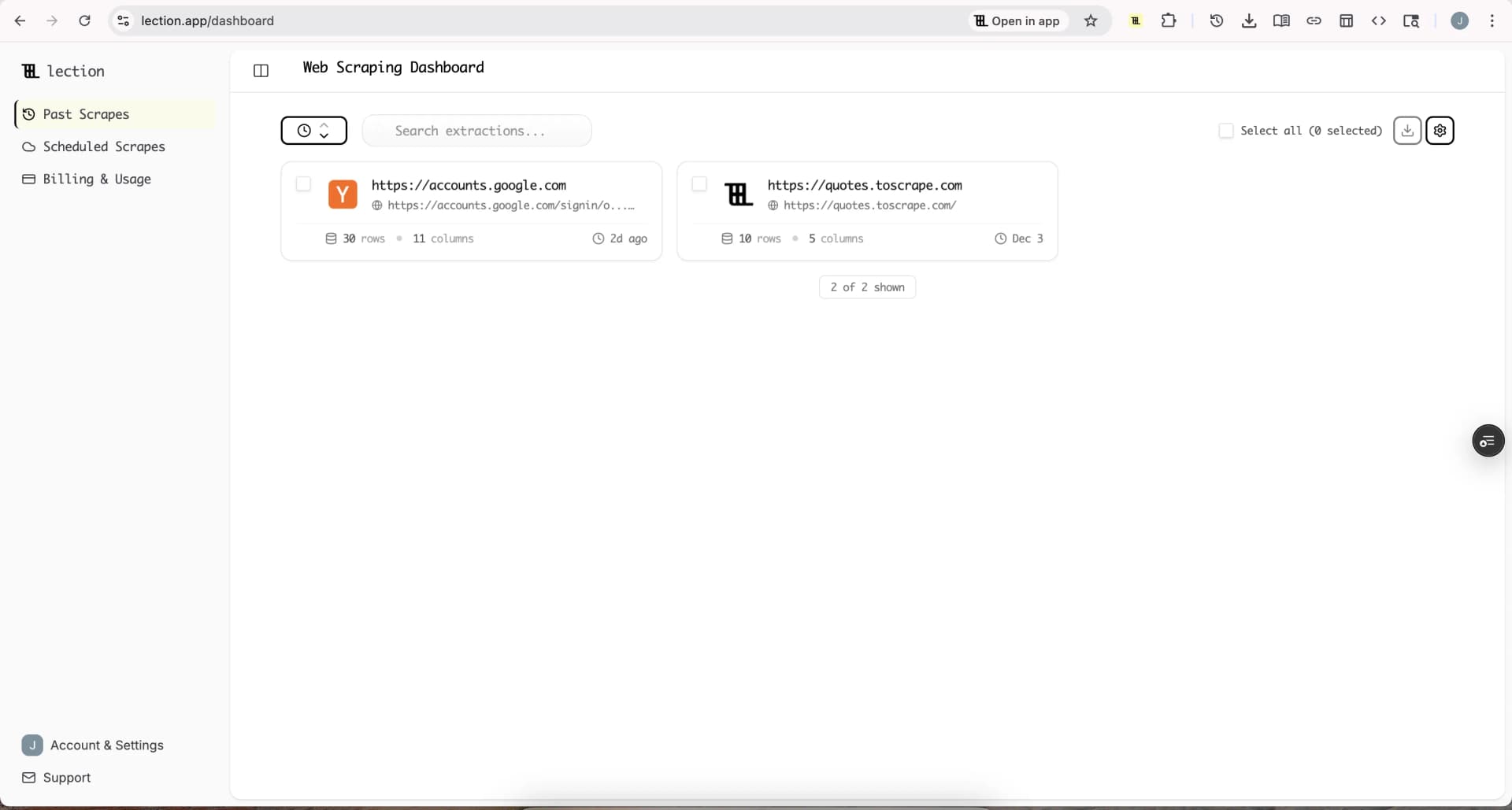
Lection is the AI-native option for fast, accurate scraping right in your browser. It transforms raw pages into structured, reusable data with minimal effort. For analysts, the useful distinction is that the extraction pattern and the resulting fields stay visible instead of becoming a private script that only one teammate can maintain.
What does Beautiful Soup actually do?
Beautiful Soup parses HTML and XML into a navigable tree. Its official documentation describes it as a library for pulling data out of markup, not as a complete hosted scraping platform. It can work with Python's built-in parser, lxml, or html5lib, and it provides convenient methods for finding tags, attributes, and text.
That narrow scope is its strength. An analyst who already knows Python can write a small, transparent transformation without adopting a large platform. Beautiful Soup is also useful when the source is a saved HTML file, an API response, or a page whose content is already present in the response body.
It does not, by itself, provide a browser session, JavaScript rendering, cloud scheduling, retries, proxy management, data export destinations, or a point-and-click interface. You can build those pieces around it, but each added requirement changes the project from a short parsing script into an operational workflow.
When should an analyst look for an alternative?
Look beyond Beautiful Soup when the work has one or more of these characteristics:
- The useful data appears only after JavaScript runs, a button is clicked, or a page is scrolled.
- The collection needs to run on a schedule without a laptop being open.
- A marketing, operations, or research teammate needs to review and adjust the workflow.
- The output must land in Google Sheets, Excel, a CRM, or another shared system.
- A source contains pagination, repeated cards, detail pages, or interactive filters.
- The cost of a broken script is missed research rather than an isolated development task.
The emotional signal is usually familiar. The analyst has a clean notebook, a useful first export, and a growing reluctance to touch the code. Every page redesign now feels like a small incident. That is a sign that the workflow needs a clearer operating model, not necessarily a more complicated parser.
Which Beautiful Soup alternative fits the job?
There are five practical categories. They overlap, but they solve different problems.
| Alternative | Best for | Main tradeoff |
|---|---|---|
| lxml | Fast parsing of known HTML or XML | Still requires code and an input pipeline |
| Scrapy | Larger crawlers owned by developers | More framework and deployment work |
| Playwright | JavaScript-heavy pages and browser testing | Code, browsers, and maintenance remain yours |
| Visual no-code tools | Analysts who want point-and-click extraction | Complex sites may need more tuning |
| Lection | Reusable browser extraction and structured exports | Designed for data workflows, not full test suites |
The first three are code-first choices. They are excellent when a developer owns the repository, understands deployment, and can add tests around the collection. The last two are better when the person defining the data is also responsible for keeping the workflow useful.
Is lxml a better parser than Beautiful Soup?
lxml is a strong alternative when the real issue is parsing speed, XPath support, or XML handling. It is not a replacement for the entire scraping workflow. You still need a request library, an input source, pagination logic, storage, and a way to rerun the job.
Choose lxml when you have a stable HTML or XML feed and want precise, efficient parsing inside a Python application. It is a sensible foundation for a data pipeline that already has code ownership. It is less helpful when the page does not contain the desired records until a browser executes scripts or when an analyst wants to adjust fields without editing Python.
The practical test is simple. Save the page source that your code receives and search it for the value you want. If the records are present in that source, a parser alternative may solve the problem. If they are absent because the page loads them later, you need browser automation or a source-specific endpoint.
Is Scrapy a good alternative for analysts?
Scrapy is a crawling framework for developers building repeatable spiders. It covers spiders, selectors, item pipelines, feeds, concurrency, and extensions. It is a better architectural fit than a collection of unrelated Beautiful Soup scripts when you need to crawl many pages, follow links, enforce throttling, and write structured output.
That power comes with responsibility. Someone must define the project, install dependencies, manage settings, deploy the crawler, inspect logs, and update selectors when the source changes. Analysts can absolutely use Scrapy, especially with engineering support, but it is rarely the easiest first choice for a solo analyst whose deliverable is a refreshed dataset.
Use Scrapy when crawl breadth, code review, and long-term engineering ownership matter. Use a visual workflow when the main requirement is that a researcher can see the page, choose the fields, and correct the extraction without waiting for a software release.
Is Playwright better for JavaScript-heavy sites?
Playwright is a strong choice when the page behaves like an application. It can launch Chromium, Firefox, or WebKit, wait for visible states, click controls, fill forms, and capture content after scripts finish. Developers often choose it for end-to-end tests and browser-based data collection because it provides modern waiting and debugging tools.
For an analyst, the limitation is not capability. It is ownership. A Playwright project still needs code, a runtime, browser binaries, authentication handling, a scheduler, and a repair process. A developer can make that investment worthwhile when the workflow is business-critical and highly customized. A non-developer should not be handed Playwright as if it were a no-code tool.
Choose Playwright when you need detailed browser behavior and have someone who can maintain TypeScript or Python. Choose Lection when the desired result is a structured table and the operator needs to define the fields directly in the browser.
What do visual no-code alternatives offer?
Visual tools let you select an element on a page and describe the fields you want without starting with a code editor. The best ones handle repeated elements, pagination, scrolling, and exports. They can turn a page that looks like a research task into a reusable collection pattern.
The category is not uniform. Some tools are local browser extensions. Others are desktop applications or hosted cloud platforms. Before choosing one, ask where the run happens, who stores the data, whether schedules are included, and how a teammate can review the workflow.
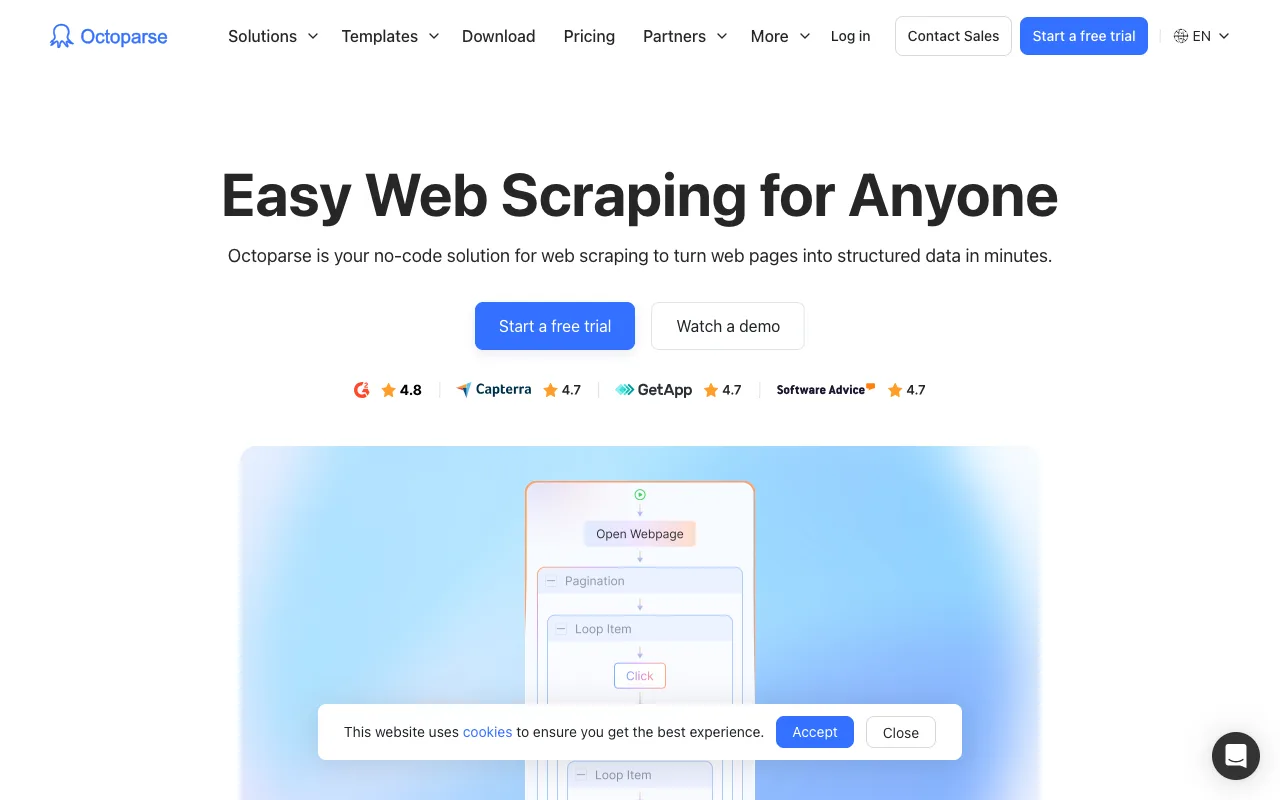
Octoparse is a recognizable visual alternative for analysts who want desktop and cloud options. Its current pricing page lists a free plan with local runs and paid plans that add cloud execution, scheduling, exports, and other capacity. The page currently shows Standard from $69 per month and Professional at $249 per month when billed yearly, while monthly pricing can differ. Treat those figures as a point-in-time reference and verify the plan selector before purchasing.
Visual tools reduce setup, but they do not remove judgment. A selector can still match the wrong repeated element. A “next” control can stop being available. A site can change the order of fields or return a consent dialog before the records. The advantage is that the repair surface is easier to see and hand off.
Why can Lection be a better fit for analysts?
Lection is useful when the job starts with a page in the browser and ends with data someone needs to reuse. You can identify the fields, review the extraction, and export structured results without writing a parser or building a browser runtime. The workflow can also use pagination, scrolling, deep links, validation, and cloud scheduling when the source and permissions support that approach.
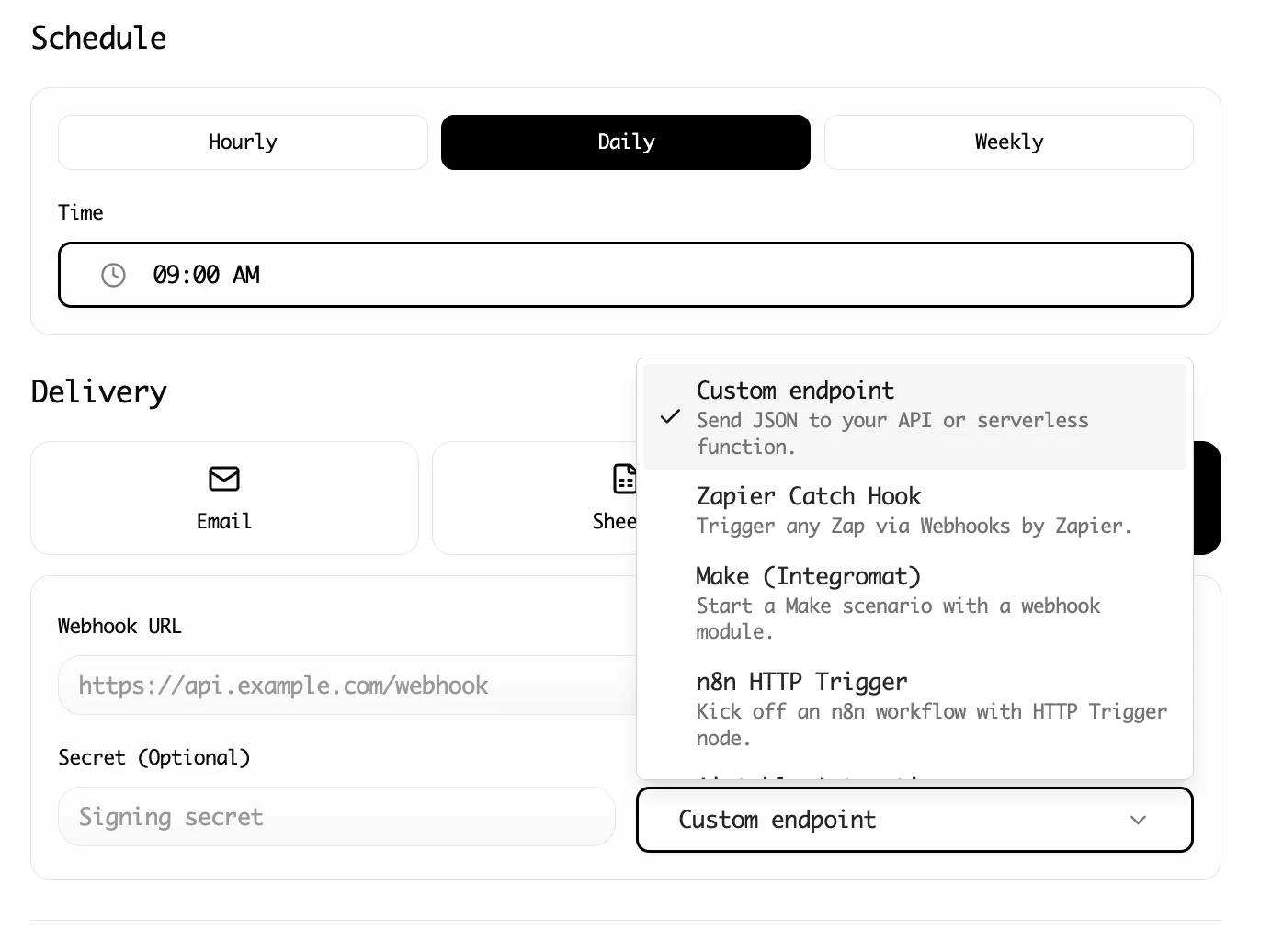
That makes Lection a practical Beautiful Soup alternative for market research, lead research, directory maintenance, product comparisons, content audits, and recurring lists. The browser context matters because it gives the analyst a direct way to compare the extracted row with what a person sees on the page.
The tradeoff is equally important. Lection is not a replacement for a custom Python data pipeline, a high-volume crawler owned by engineering, or a browser test suite. It is a focused option for people who need reliable website data and want the workflow to remain understandable.
Why does the standard approach fail?
The standard approach fails when the first successful export is mistaken for a finished system. An analyst copies a Beautiful Soup snippet, adds a request call, and gets 200 rows. A month later, the source adds a client-side filter. The request still returns a page, the script still exits with code zero, and the spreadsheet quietly contains zero useful records.
Another failure mode is losing source context. A table without the source URL, retrieval date, and field definitions is difficult to audit. A technically correct parser can still produce a poor research asset if duplicate records, missing values, pagination gaps, and stale pages are not checked.
Start with a small schema. Define the record identity, required fields, source URL, collection date, and acceptable blank values. Compare at least five extracted rows with their source pages. Then decide whether the workflow should remain a script, move into a crawler, or become a visible browser extraction.
How should analysts compare costs?
Do not compare only subscription prices. Include the time needed to build the first workflow, repair it after a redesign, run it on a schedule, review the output, and explain it to another person.
A free parser can be the most expensive option if every run depends on one analyst's attention. A paid visual tool can be wasteful if the job is a stable XML feed that lxml handles in a few lines. A cloud platform can be justified when the collection must run while the team is offline, but its concurrency and export limits should be part of the decision.
For a small evaluation, record four numbers: setup minutes, repair minutes after a deliberate page change, human review minutes per run, and the percentage of required fields that are populated. Those measurements tell you more than a feature checklist. The best alternative is the one that lowers recurring friction without hiding data quality problems.
What legal and operational checks matter?
An alternative tool does not change the rules around the source. Before collecting, read the site's terms, review robots.txt guidance, and consider the data's intended use. Avoid collecting sensitive personal information unless you have a clear lawful basis and a documented need. Keep requests narrow and respectful, and do not treat a successful browser request as permission to republish everything you can see.
Preserve a record of the source, the fields collected, the date of collection, and the reason the dataset exists. If you are building a public directory or using the data for outreach, document how people can request corrections or removal where applicable. These controls are useful whether the workflow is Beautiful Soup, Scrapy, Playwright, or a no-code tool.
Troubleshooting and edge cases
If a parser returns empty fields, inspect the raw response before changing selectors. The value may be loaded by JavaScript, hidden behind an interaction, or represented in an embedded JSON object. If a visual extractor returns duplicates, confirm whether the page repeats the same item in a featured section and a normal results section. If pagination stops early, test the next control on the final page and record how many pages the workflow actually visited.
If the output changes shape, compare the current rows with a saved sample rather than accepting the new file. Check column names, data types, URL patterns, blank-field rates, and row counts. When a scheduled run fails, keep the last trusted snapshot available so a temporary outage does not erase the working dataset.
Which alternative should you choose?
Choose lxml when you need a faster parser for known markup. Choose Scrapy when developers own a broad crawl. Choose Playwright when custom browser behavior is central and code ownership is available. Choose a visual platform when an analyst needs guided extraction with some local or hosted automation. Choose Lection when you want a reusable, browser-based data workflow that stays accessible to the people doing the research.
Beautiful Soup is still a good tool. An alternative becomes useful when parsing is no longer the hard part. If the hard part is rendering, scheduling, handoff, validation, or recurring maintenance, choose a workflow that addresses that specific problem. The calmest system is the one that leaves you with data you can explain and a process someone else can continue.
Ready to start scraping? Install Lection and extract your first dataset in minutes.
Related Reading
- Beautiful Soup Alternatives for Analysts
- ScraperAPI Alternatives for 2026
- SerpApi Alternatives for 2026
- What Is No-Code Web Scraping? (Complete Explainer)
- Beginner's Guide to Web Scraping (No Coding Required)
- Selenium Alternatives for Non-Developers
- Web Scraping Glossary: Terms Explained
- Explore all tutorials and guides