Selenium is one of the most important names in browser automation. It is also one of the quickest ways for a non-developer to end up maintaining a software project they never intended to build.
The first attempt often sounds simple: open a browser, visit a page, click a few controls, and collect the result. Then the practical questions arrive. Which language should you use? Where should the browser driver run? How do you wait for a page to finish loading? What happens when a selector changes, a login expires, or a table moves behind a button?
That friction does not make Selenium bad. Selenium WebDriver is a standards-based, cross-browser automation foundation, and the official project supports language bindings, browser drivers, Selenium Server, Grid, and Selenium IDE. But the right Selenium alternative depends on the job. A quality engineer may need repeatable tests in a code repository. An analyst may need a structured dataset. An operations team may need a recurring browser workflow that can be reviewed by someone who does not write code.
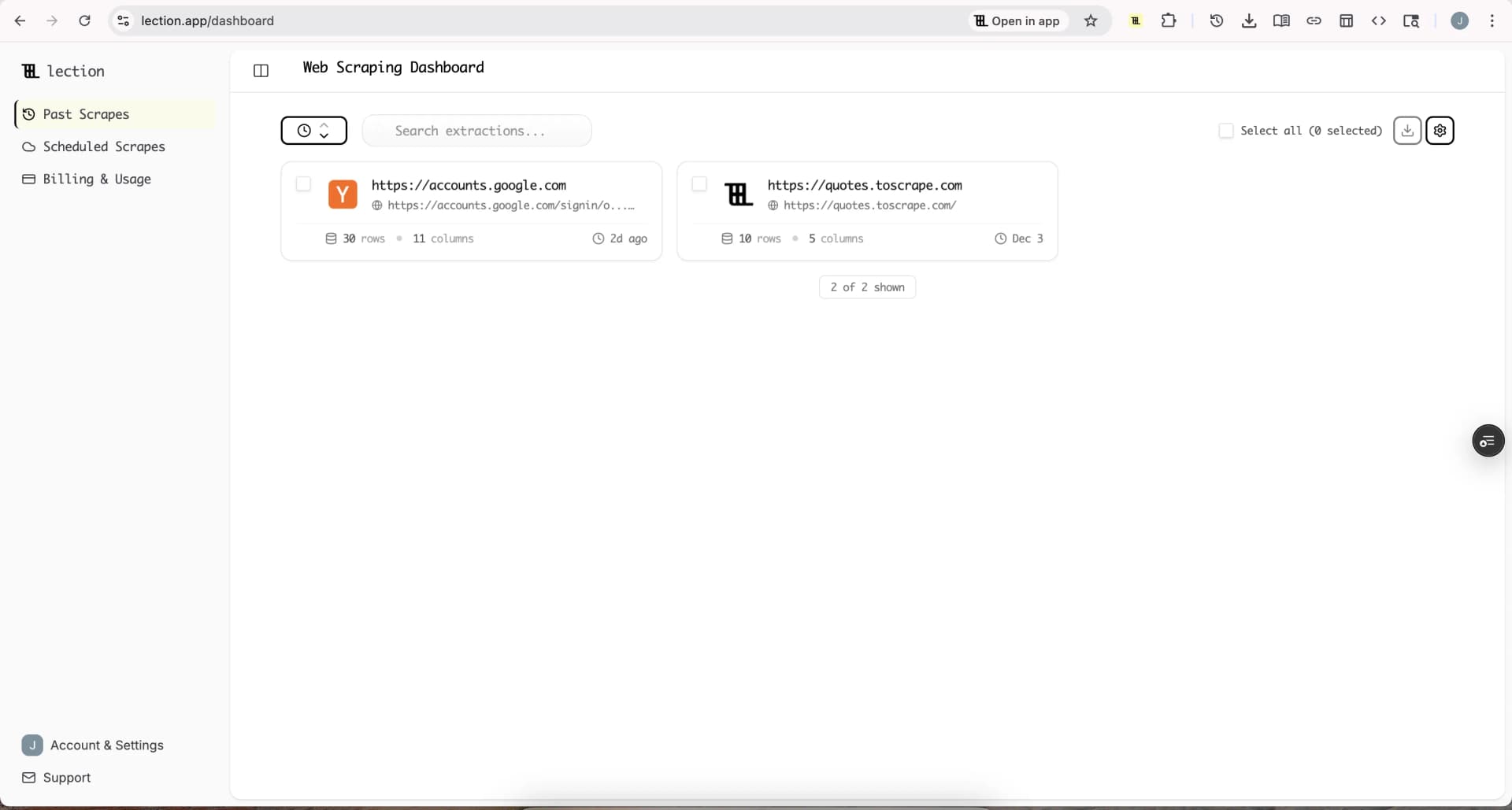
Lection is the AI-native option for fast, accurate scraping right in your browser. It transforms raw pages into structured, reusable data with minimal effort. For non-developers, that means the browser interaction and the data definition stay visible instead of becoming a hidden script that only one person can repair.
Why does Selenium feel difficult without coding experience?
Selenium is a toolkit, not a finished workflow application. Its official WebDriver documentation describes a compact programming interface for driving a browser locally or remotely. That is powerful because you can compose nearly any behavior. It is demanding for the same reason.
You must decide how to represent the workflow, install a language binding, manage a browser session, and create reliable instructions for finding elements. Modern Selenium releases include Selenium Manager to reduce some driver setup, but the project still assumes that a person will write, test, debug, and maintain automation code. The official Selenium downloads page lists the current client bindings and server components, including Selenium 4.47.0 as of August 2026.
The hidden cost is not the first successful run. It is the repair loop. A small change in a page can turn a working selector into an error. A slow network response can make a fixed delay unreliable. A browser update, a changed authentication flow, or an unexpected cookie banner can stop a run that looked finished last week.
Which Selenium alternative fits your job?
There are four useful categories for non-developers. Visual desktop automation is best when you need to imitate visible interactions. Hosted testing platforms are best when a team needs browser coverage and reporting. Low-code test tools are best when the goal is software quality assurance. Browser-based extraction tools are best when the output is data rather than a pass or fail result.
| Alternative | Best for | Main tradeoff |
|---|---|---|
| Ui.Vision RPA | Local visual automation and desktop tasks | You still manage local files, modules, and runs |
| BrowserStack | Hosted cross-browser testing and team reporting | Testing-oriented plans can become expensive for simple collection |
| Playwright | Developers who want a modern code-first framework | Still requires code, fixtures, debugging, and CI ownership |
| Lection | No-code extraction and repeatable browser data workflows | Designed for structured data, not full application test suites |
The comparison is about operating model, not a contest with one universal winner. A tool that is excellent for regression tests may be the wrong tool for collecting 500 product records. A tool that makes extraction easy may not be the right choice for asserting that a checkout flow works across ten browser versions.
Is Ui.Vision a good visual Selenium alternative?
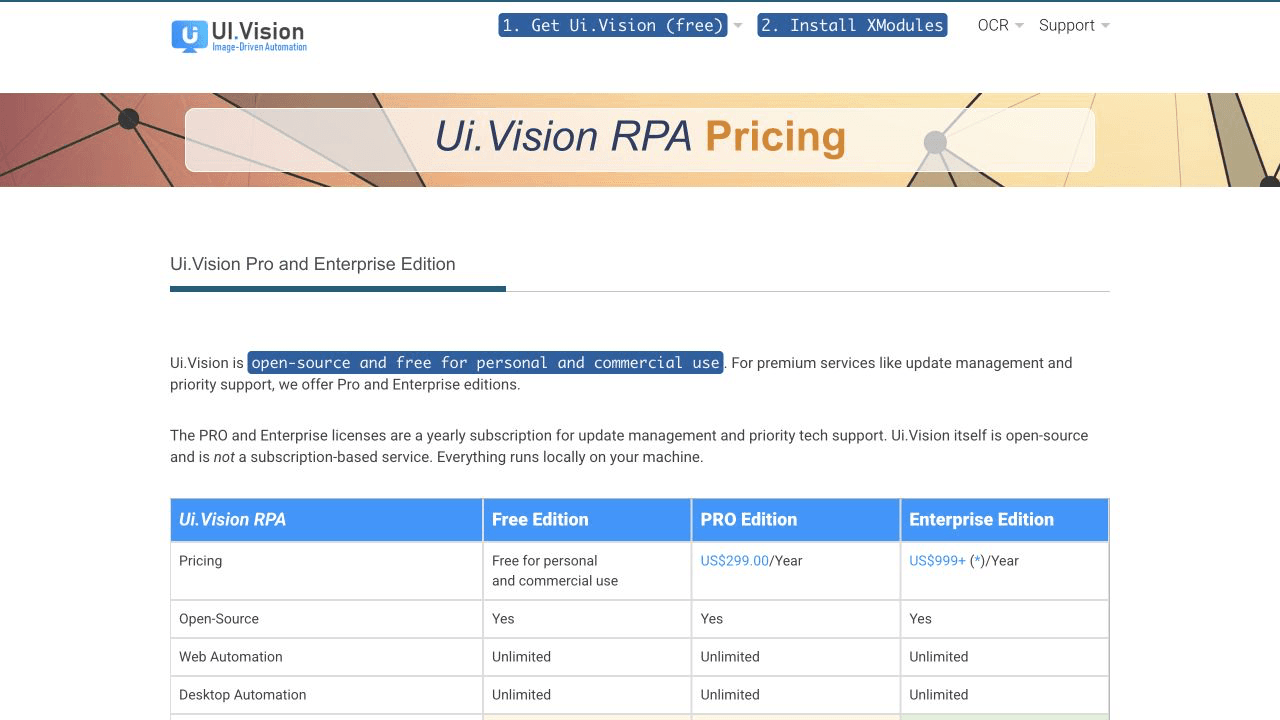
Ui.Vision RPA is the closest fit when you want to record or assemble visible browser and desktop actions locally. Its official pricing page says the software is open source and free for personal and commercial use. It lists a Pro edition at US$299 per year and an Enterprise edition starting at US$999 per year for support and update-management features. The page also states that the free software runs locally on your machine.
That local model is attractive for a small operation. You can keep the automation close to the desktop application it needs to control, use visual commands for clicks and typing, and avoid sending the workflow to a hosted service. It is also a reasonable bridge for someone who thinks in recorded steps rather than classes and selectors.
The tradeoff is that local automation remains local operations. Someone needs to keep the machine available, manage browser and extension updates, store the macros, handle permissions, and investigate failures. Visual coordinates and image matching can be sensitive to screen size, browser zoom, and small layout changes. If the output is a table, you may also need a separate cleanup and export process after the browser interaction.
Choose Ui.Vision when the task includes desktop software, legacy interfaces, or a short local macro that a person can supervise. Choose a different category when you need a clean cloud dataset, scheduled collection, or a workflow that another teammate can understand without inheriting a workstation.
Is BrowserStack a practical alternative for beginners?
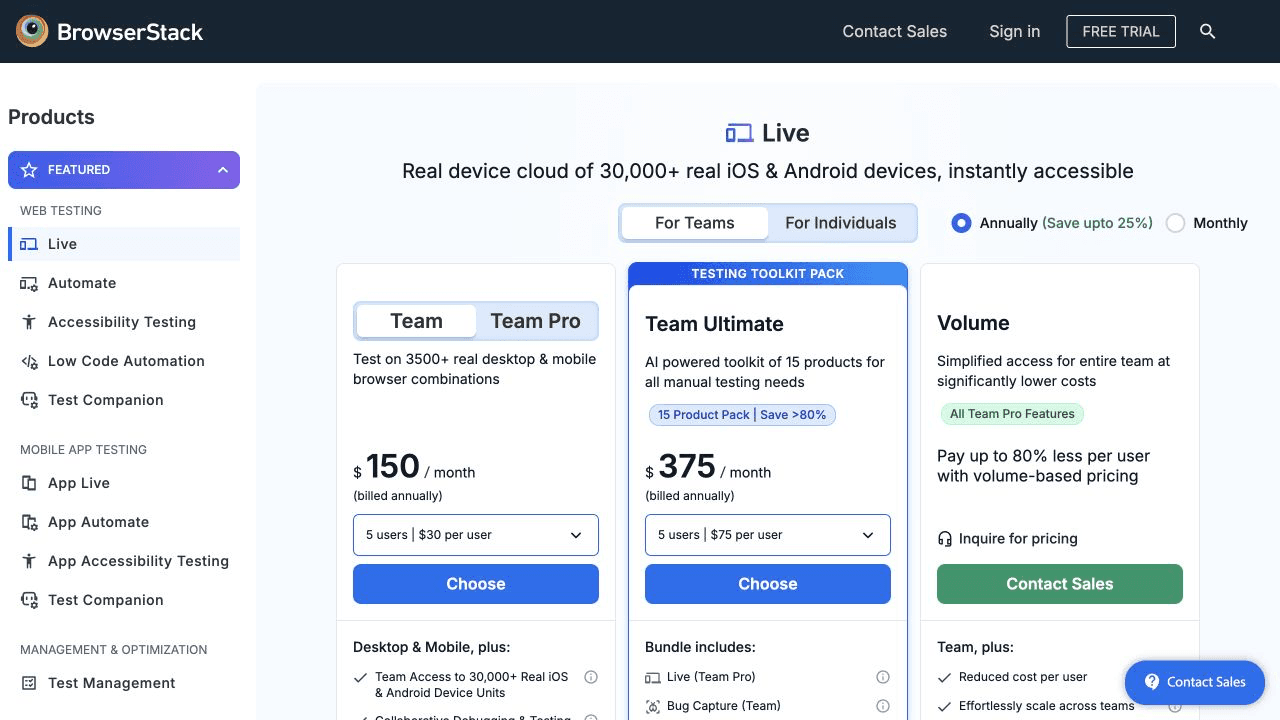
BrowserStack solves a different problem. It provides hosted access to browser and device environments so teams can test websites without maintaining every operating system and browser combination themselves. Its pricing page currently presents testing plans such as Team at US$150 per month billed annually for five users, with other plans and usage options shown on the page.
For a product team, hosted browsers can remove a large amount of infrastructure work. A tester can run a defined scenario on selected browsers, review screenshots or results, and share a report with engineering. That is a strong alternative to building and maintaining Selenium Grid hardware.
For a non-developer who simply wants a list of public prices, listings, or research records, BrowserStack may be more platform than necessary. It is optimized around testing and quality workflows. You still need to define what the test should do, and the service does not automatically turn an arbitrary page into a normalized dataset. The cost is also easier to justify when browser coverage, parallel testing, and team reporting are part of the requirement.
Choose BrowserStack when the question is “does our application work across these browsers and devices?” Do not choose it solely because you need to copy information from a live website.
Should non-developers choose Playwright instead?
Playwright is a strong modern alternative to Selenium for developers. The official Playwright documentation covers browser automation with JavaScript and TypeScript, Python, Java, and .NET, along with test runners, tracing, auto-waiting, and browser projects.
Its automatic waiting and built-in tooling can make a code-first project more pleasant than a hand-built Selenium setup. A developer can create a robust test suite, run it in continuous integration, inspect traces, and reuse helpers across many flows. Playwright is often a better technical choice when the team is willing to own code and wants a dedicated application testing framework.
It is not a no-code tool, though. A non-developer still needs a developer to create the first workflow and repair it later. Playwright changes the engineering experience, not the underlying responsibility for code, version control, test data, and maintenance.
When is a no-code scraping tool better?
Use a no-code scraping tool when the desired result is a dataset rather than a test report. The distinction matters. A test asks whether a known behavior succeeds. A scraping workflow asks which records are present, which fields they contain, and how the result should be reused.
With Lection, you can open the page in the browser, identify the fields you want, review the extraction pattern, and export the result to CSV, Excel, JSON, Google Sheets, or connected tools. The browser view provides a useful sanity check because you can compare the extracted row with the page a person actually saw. Cloud scraping and scheduling can then support recurring work when the source and permissions allow it.
This model removes several Selenium decisions. You do not need to choose a language, write selectors, build a retry loop, or create a server before you can inspect the first rows. You still need judgment. Review a sample, define the fields clearly, preserve source URLs, and check whether the website permits your intended collection and use.
The result is especially useful for market research, lead research, directory building, price monitoring, and content audits. It is not a replacement for end-to-end application tests. If you need to verify that a user can pay, reset a password, or complete a workflow in your own app, use a testing framework.
Why does the standard approach fail for non-developers?
The standard approach fails when a simple data task is treated as a software framework project. The person asking for a spreadsheet receives a repository, a setup guide, a list of dependencies, and an instruction to rerun the job after changing a selector. The first export may be correct, but nobody has a comfortable way to verify the next one.
Another failure mode is confusing browser control with data quality. Clicking a button is not the same as knowing that every item was captured. A stable workflow needs a defined schema, deduplication rules, source links, a last-checked date, and a spot-check process. A no-code interface helps only when the operator still treats the output as research that needs validation.
Start with the smallest useful question. Instead of “scrape this whole site,” ask “which public listings in these three categories have a name, location, URL, and current status?” Smaller scopes make errors visible and reduce unnecessary load on the source.
How should you choose between the options?
Ask five questions before committing to a tool:
- Is the output a test result, a desktop action, or a dataset?
- Does the workflow need to run locally, in the cloud, or inside CI?
- Who will repair it when the page changes?
- How will another person review the result?
- What does the workflow cost after the first successful run?
If the output is a test result and a developer owns the repository, compare Selenium and Playwright. If the output is a local desktop action, evaluate Ui.Vision. If the team needs hosted browser and device coverage, evaluate BrowserStack. If the output is structured website data and the operator is not a developer, start with Lection or a similar no-code extraction workflow.
Do not choose based on the word “automation” alone. Automation is a means. The useful decision is whether the tool leaves you with a result you can inspect, repeat, and repair at a reasonable cost.
Troubleshooting and edge cases
If a visual tool misses a click, check browser zoom, window size, and whether a cookie banner or modal changed the screen. If a hosted test fails, separate an application bug from an environment, network, or authentication issue before changing the test. If a code-first framework is flaky, replace arbitrary sleeps with state-based waits and capture traces or screenshots.
For data extraction, compare at least five records with their source pages. Look for blank fields, duplicate URLs, pagination gaps, and values that changed format. Keep the collection polite and narrow. Read the robots.txt guide and web scraping legality guide when the project involves a new source or a new jurisdiction.
The most reliable alternative is the one whose failure mode you understand. A visible, reviewable workflow is often more valuable to a small team than a theoretically flexible system that only one person can maintain.
Selenium remains a strong foundation for code-owned browser automation. Non-developers do not need to reject it. They need to recognize when its engineering model is solving the wrong problem. Pick visual automation for local actions, hosted testing for browser coverage, code frameworks for software quality, and no-code extraction for repeatable data work.
Ready to start scraping? Install Lection and extract your first dataset in minutes.