ScraperAPI is a sensible starting point when you want to send a URL to an API and receive HTML or structured output without managing proxy infrastructure yourself. It handles rotating proxies, JavaScript rendering, retries, geotargeting, and anti-bot features behind a developer-friendly request model. That convenience is real, but it does not make ScraperAPI the right fit for every workflow.
The main question is not which provider has the longest feature list. It is what you need the system to do after the first successful request. A developer building a service may want a programmable API and predictable response handling. An analyst may want to select fields in a browser, review the result, and send it to a spreadsheet. An enterprise data team may want automatic extraction, site-specific parsers, a service-level agreement, or a dedicated support relationship.
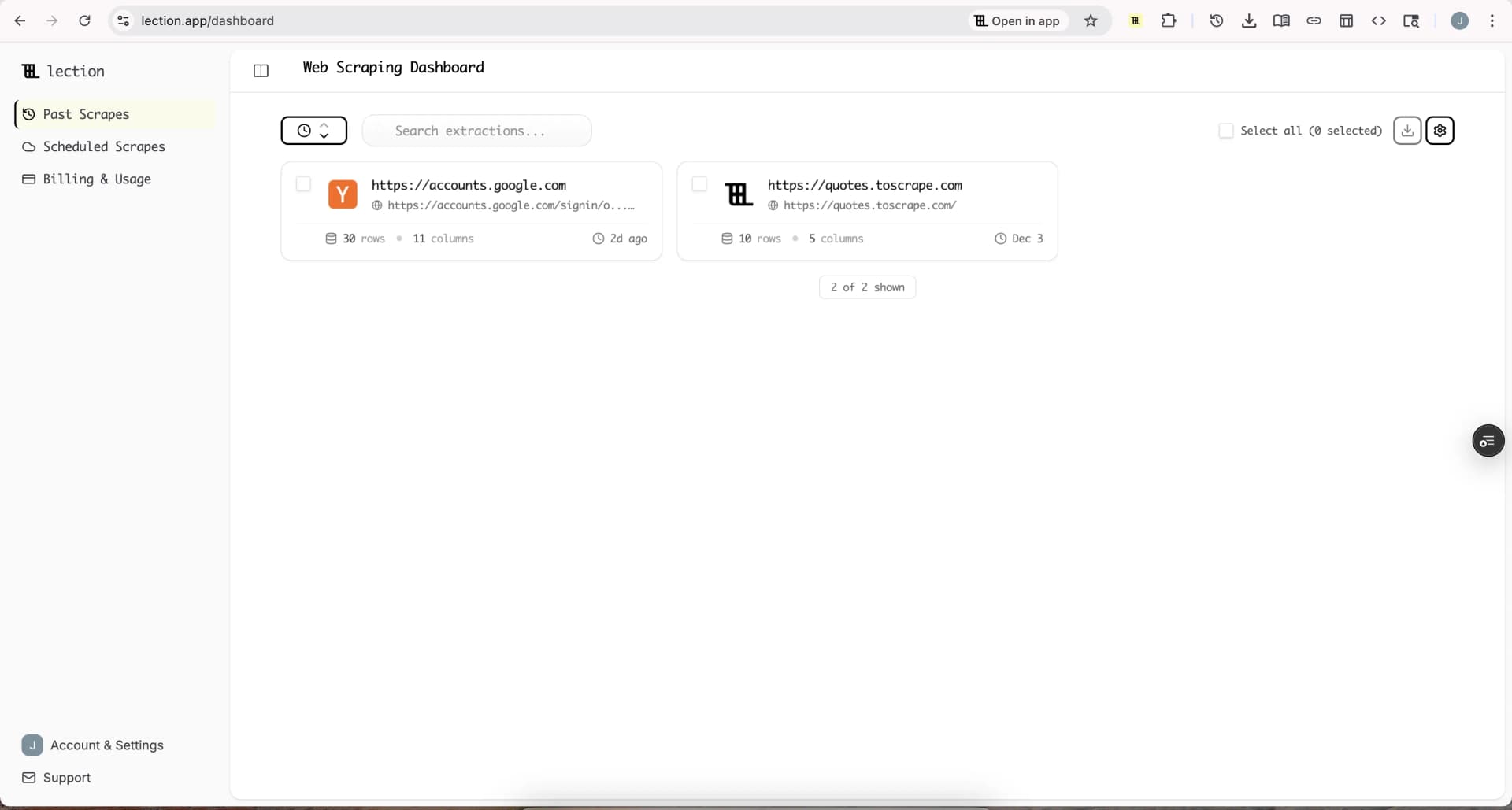
Lection is the AI-native option for fast, accurate scraping right in your browser. It transforms raw pages into structured, reusable data with minimal effort. The useful distinction is that the operator can define and inspect the workflow where the source is visible, rather than turning every change into an API integration task.
Why look beyond ScraperAPI?
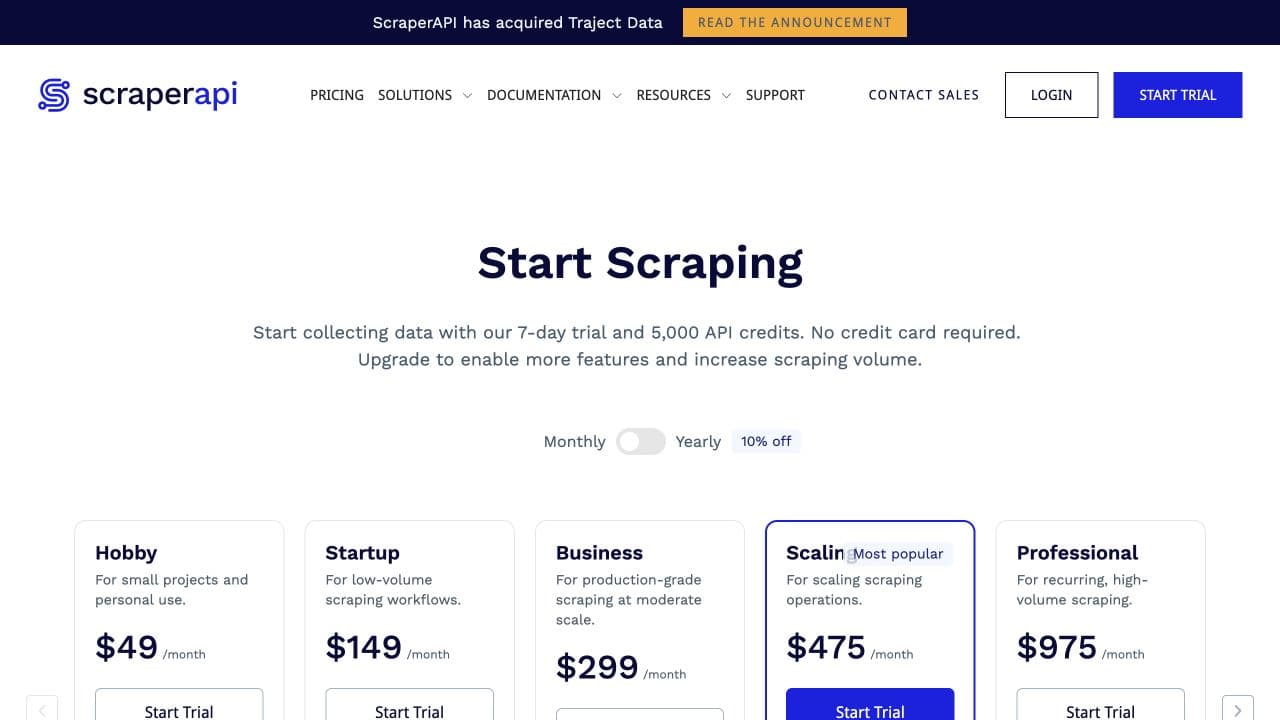
ScraperAPI's current pricing is based on API credits rather than a simple one-request, one-page rule. Its pricing page lists a free plan with 1,000 credits, a seven-day trial with 5,000 credits, and paid plans beginning at $49 per month for 100,000 credits. The Hobby plan includes 20 concurrent threads and US and EU geotargeting, while larger plans add more credits, concurrency, and global geotargeting. Check the current ScraperAPI pricing page before making a purchase because plan limits and offers can change.
The credit model also reflects site complexity. According to the ScraperAPI credit documentation, a normal request costs one credit, while Amazon requests cost five, Google and Bing requests cost 25, and LinkedIn requests cost 30. Rendering, premium routing, screenshots, and bot-protection bypass can add more credits. That can be reasonable when the API saves engineering time, but it makes a monthly page-count comparison misleading.
There are four common reasons to evaluate an alternative:
- The people collecting the data do not want to write or maintain API code.
- The project needs a visual workflow with pagination, scrolling, forms, or detail-page links.
- The budget is easier to manage with pay-as-you-go or per-result pricing.
- The team needs structured extraction, a marketplace of ready-made actors, or deeper enterprise support.
The emotional friction matters too. A request can work in a test script and still leave the analyst wondering where the output went, whether a field is missing, or who will repair the integration when the target page changes. A good alternative reduces that uncertainty instead of moving it to a different dashboard.
Which ScraperAPI alternatives are worth considering?
The strongest alternatives solve different problems. ScrapingBee is a straightforward API option for developers who want HTML responses and browser rendering. Apify is a broader platform built around reusable Actors and datasets. Zyte API automatically chooses among request methods and offers automatic extraction. Oxylabs Web Scraper API is oriented toward structured results and high-volume collection. Lection focuses on visible, no-code browser workflows and reusable exports.
| Alternative | Best fit | Pricing shape | Main tradeoff |
|---|---|---|---|
| ScrapingBee | Developers needing a simple scraping API | Credit-based plans | Still requires code and an output pipeline |
| Apify | Teams building or reusing crawlers | Platform usage plus Actor pricing | More platform concepts to learn |
| Zyte API | Automatic extraction and adaptive access | Usage and site-complexity tiers | Exact cost depends on the target and method |
| Oxylabs Web Scraper API | High-volume structured data | Per-result pricing and plans | Better fit for technical or enterprise teams |
| Lection | Analysts and operators using browser workflows | Product plan and workflow limits | Not intended to replace a custom backend |
The table is a starting point, not a universal ranking. A low API price can be expensive if it leaves you maintaining selectors, exports, scheduling, and monitoring. A more capable platform can be wasteful if you only need a stable page once a week.
Is ScrapingBee a good alternative?
ScrapingBee is a close comparison when the requirement is still an API. Its documentation describes an HTML API that can return original HTML, rendered page content, or text, with request options that change credit usage. The service is attractive to developers who want a focused endpoint rather than a larger crawler platform.
The tradeoff is that ScrapingBee does not remove the rest of the application work. You still need to write the request, handle authentication, parse the response, store the result, and decide what happens when a field is absent. Its credit system also means that rendering and specialized features can change the effective cost of a page. Read the provider's credit system explanation before comparing plans only by headline credits.
Choose ScrapingBee when a developer owns a small number of API integrations and wants a focused service. Choose a browser-based tool when the person who understands the source needs to maintain the workflow without opening a repository.
Is Apify a better fit for larger crawlers?
Apify is a platform rather than only a proxy-backed request endpoint. Its reusable Actors can crawl sites, transform data, and write results into datasets or other destinations. That makes it a strong fit for a team that wants to package a crawler as a reusable service, run it on a schedule, or use an existing Actor from the Store.
The cost model needs careful reading. Apify's Actor documentation explains that Store Actors may use pay-per-event, pay-per-usage, or rental pricing. Platform resources such as compute and data transfer can also matter, and some Actors include their own pricing on top of usage. This flexibility is useful for a product team, but it creates more variables than a simple monthly API plan.
Apify is a strong choice when developers need code, execution history, datasets, webhooks, and a marketplace of specialized crawlers. It may feel heavy for an analyst whose goal is to select a list on a page and export a clean spreadsheet. In that case, start with the smallest visual workflow that can produce the required fields and keep a saved sample for validation.
When does Zyte API make more sense?
Zyte API is designed around automatic technology selection. Its current documentation says the API can use different request methods and assigns a target combination to one of five request tiers. The target website and whether the request is HTTP or browser-based affect the base price. Automatic extraction adds a separate cost per data type, while screenshots and network features have their own charges.
That model is useful when the goal is to let the provider choose the most cost-efficient access method for each site. The Zyte API pricing documentation lists a standard pay-as-you-go plan with an initial free credit, a monthly spending limit, and charges only for successful responses. Zyte also offers automatic extraction for data types such as products, articles, jobs, and search results.
The tradeoff is predictability. A workflow that touches several domains may have different effective costs per page, and a browser-rendered request can be much more expensive than a simple HTTP response. Zyte is a good candidate when automatic extraction and adaptive access are worth that complexity. It is less attractive when a small team needs a fixed, easy-to-explain monthly budget.
Should you choose Oxylabs Web Scraper API?
Oxylabs Web Scraper API is aimed at teams that want structured results across e-commerce, search, travel, and other sources. Its current pricing page lists a free trial of up to 2,000 results, then a Micro plan beginning at $49 per month for up to 98,000 results. The page also publishes different per-1,000-result rates for Amazon, Google, other sites, and JavaScript-rendered requests.
This result-based model can be easier to estimate than a credit system when one successful result maps closely to one row in your dataset. The Oxylabs Web Scraper API pricing page also makes the distinction between successful results without JavaScript and successful results with JavaScript visible in the plan details.
Oxylabs makes the most sense when you have high-volume collection, technical ownership, and a need for a data acquisition vendor with enterprise support. It is not automatically the best choice for a one-person research workflow. The larger the system, the more important it becomes to measure total operating cost, including review time and repair work.
Where does Lection fit?
Lection is a better fit when the work begins with a person looking at a page rather than an engineer designing an API integration. You can point to the information you need, handle repeated elements, follow links, work with dynamic pages, and export structured results. The workflow is designed to stay reusable, so a successful extraction can become a repeatable research process instead of a one-off copy-and-paste session.
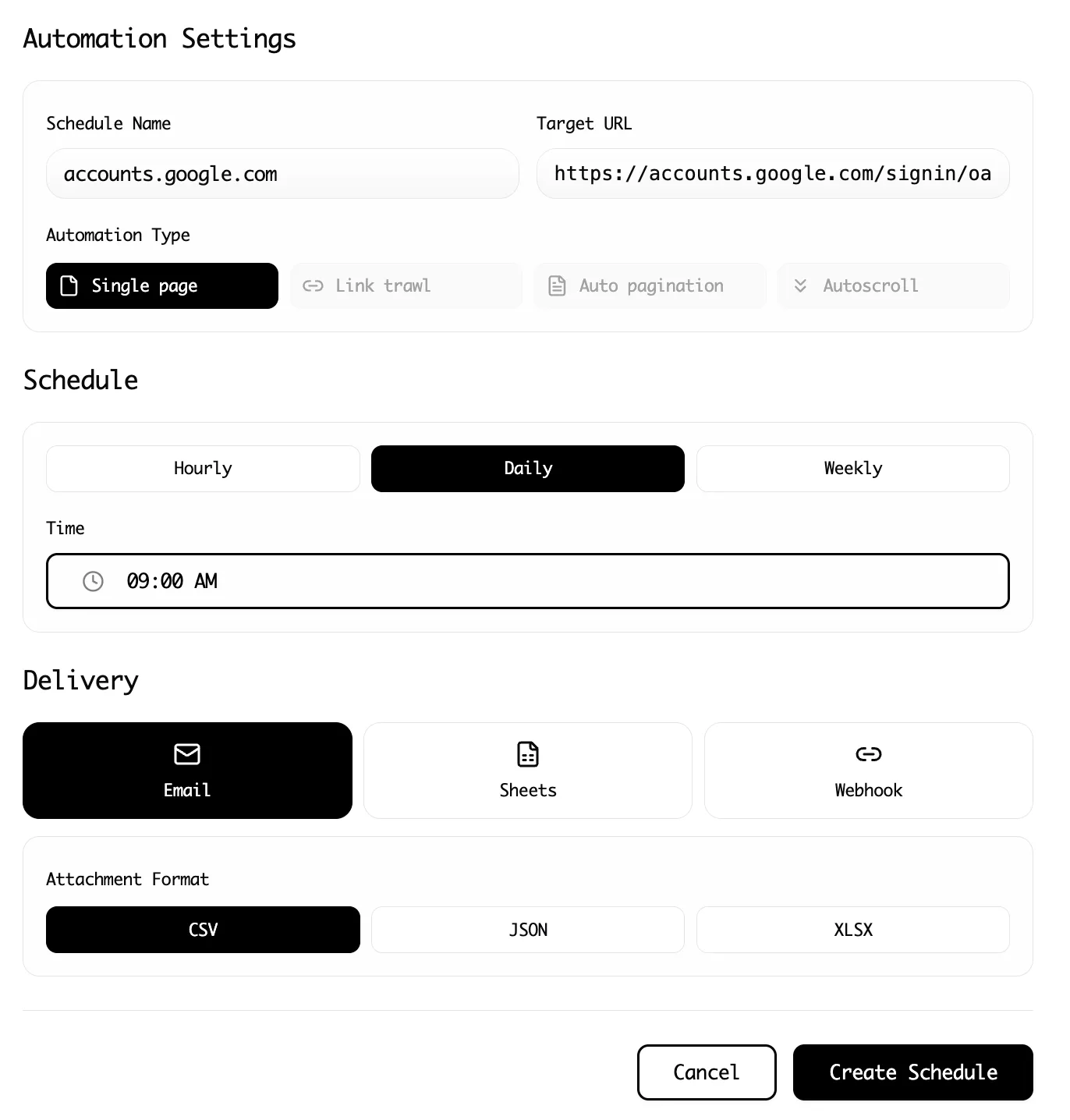
That positioning matters for teams that need cloud scraping, scheduled runs, spreadsheet exports, or shared operating knowledge. Lection can also be useful alongside an API. For example, an analyst can use a browser workflow to validate the fields and sample records before a developer turns the stable requirement into a service.
The limitation is equally important. Lection is not a general-purpose backend, an API gateway, or a replacement for a developer-owned crawler with custom business logic. If your product must process millions of requests, enforce complex application rules, or expose a public data API, a programmable platform may be the right foundation. If your problem is getting reliable data from a changing website without adding another maintenance project, a browser-first tool deserves a serious evaluation.
How should you compare the alternatives?
Run a small, identical evaluation against two or three providers. Use one real source, not a toy page, and define the output before you start. A useful test might include 100 listing pages, five detail-page fields, one JavaScript interaction, and one export destination.
Measure more than response time:
- Record setup time from an empty account to the first valid dataset.
- Count the percentage of required fields populated correctly.
- Test pagination and detail links separately from the first page.
- Change one selector or source-state assumption and measure repair time.
- Calculate the effective cost after rendering, premium routing, and retries.
- Ask whether another person can understand and rerun the workflow.
Keep at least five source records beside the resulting rows. Check names, URLs, prices, dates, blank fields, duplicate rows, and the order of columns. If the workflow is scheduled, retain the last trusted export so a temporary outage does not silently replace good data with an empty file.
What legal and operational checks still apply?
An alternative service does not change your obligations toward the source or the people represented in the data. Review the site's terms, read its robots.txt, and consider whether the collection and intended use have a lawful basis. The Lection guide to web scraping legality and robots.txt guide are useful starting points, but they are not legal advice.
Collect only what you need, use respectful request rates, and avoid sensitive personal data unless the purpose and safeguards are clear. Keep a record of the source, collection date, fields, and intended use. A reliable technical workflow should make that record easier to maintain, not make accountability disappear behind an API key.
Which ScraperAPI alternative should you choose?
Choose ScrapingBee when you need a focused developer API. Choose Apify when reusable crawlers, datasets, and platform execution are central. Choose Zyte when automatic extraction and adaptive site access justify variable pricing. Choose Oxylabs when high-volume, structured results and enterprise support matter. Choose Lection when analysts need a visible, reusable, no-code workflow that works in the browser.
ScraperAPI remains a practical option when its API model, credit economics, and concurrency limits match your workload. The best alternative is not the provider with the most impressive feature list. It is the one that leaves you with accurate rows, a cost you can explain, and a maintenance process that does not depend on one person remembering how the system works.
Ready to start scraping? Install Lection and extract your first dataset in minutes.