Instagram shows you a follower count and a scrolling list, and that is all. If you want to sort followers, check who is verified, compare your list with a partner's, or hand a list to a teammate, you need the usernames in a spreadsheet. There is no export button in the app.
This guide walks through exporting an Instagram followers list to Google Sheets with the free Instagram Followers Exporter and the Lection Chrome extension, no code involved. It also explains how to refresh the sheet on a schedule and what the tool cannot do.
What you get in the sheet
The exporter returns one row per follower with these columns:
| Column | What it holds |
|---|---|
| Username | The follower's handle |
| Full Name | The name on their profile |
| Profile URL | A link to their profile |
| Verified | Whether the account is verified |
It is a plain list of accounts. It does not include follower counts, bios or email addresses for each person.
Why does the manual route fail?
The followers list is a pop-up that loads a few dozen accounts at a time. Scrolling through a few thousand followers by hand takes a long time, and the list does not stay selectable in a useful way. Third-party "followers report" apps tend to ask for your password or push a subscription, and Instagram's own data download is built for your account archive, not for a clean, sortable table of followers.
The Lection tool takes a different route. It runs inside your browser, with your existing Instagram session, and asks Instagram for the list page by page, the same way the website does.
Before you start
- Desktop Chrome with the free Lection extension.
- You must be logged in to Instagram in that browser. Instagram's followers endpoint does not answer anonymous requests.
- The username of the account you want. Your own works, and so does any public account.
Step by step: Instagram followers to Google Sheets
- Open the Instagram Followers Exporter and install the extension if prompted.
- Check that you are logged in to Instagram in the same browser.
- Type the username, with or without the @.
- Run the tool. The first batch of followers appears in a preview.
- Click Load More to page through the rest. Instagram can rate-limit long sessions, so load in reasonable batches and pause if you see an error.
- Download as CSV or Excel.
- In Google Sheets, choose File, then Import, then Upload and pick the file. Choose "Insert new sheet(s)" to add it as a tab, or "Replace spreadsheet" for a fresh start.
Useful things to do with the sheet
- Spot verified accounts. Filter the Verified column to find notable followers.
- Compare two lists. Export a competitor's or partner's followers into a second tab and use
=COUNTIF()or=MATCH()to find accounts that follow both. Be careful about how you use the result. - Take a snapshot. Keep a dated tab each month so you can see who joined or left. Sheets can compare two tabs with a formula such as
=ISNA(MATCH(A2, 'May'!A:A, 0)). - Hand off outreach lists. Share the Profile URL column with a community manager who reviews accounts one by one.
Keep it updated automatically
A follower list goes stale quickly. To get a fresh list on a cadence, you can schedule the saved scrape and deliver it to Google Sheets. This needs the Standard plan or the 30-day trial, since the free plan sends scheduled results by email only.
The flow, per the Google Sheets integration page:
- Run the scrape and save it.
- In Scheduled Scrapes, create a schedule for it with an Hourly, Daily or Weekly cadence and your timezone.
- Under Delivery, choose Sheets and click Connect Google Sheets.
- Select a spreadsheet or create one, then pick "Create new tab each run" with a prefix for dated snapshots, or append to one tab.
- Save, then click Run now to check the first delivery.
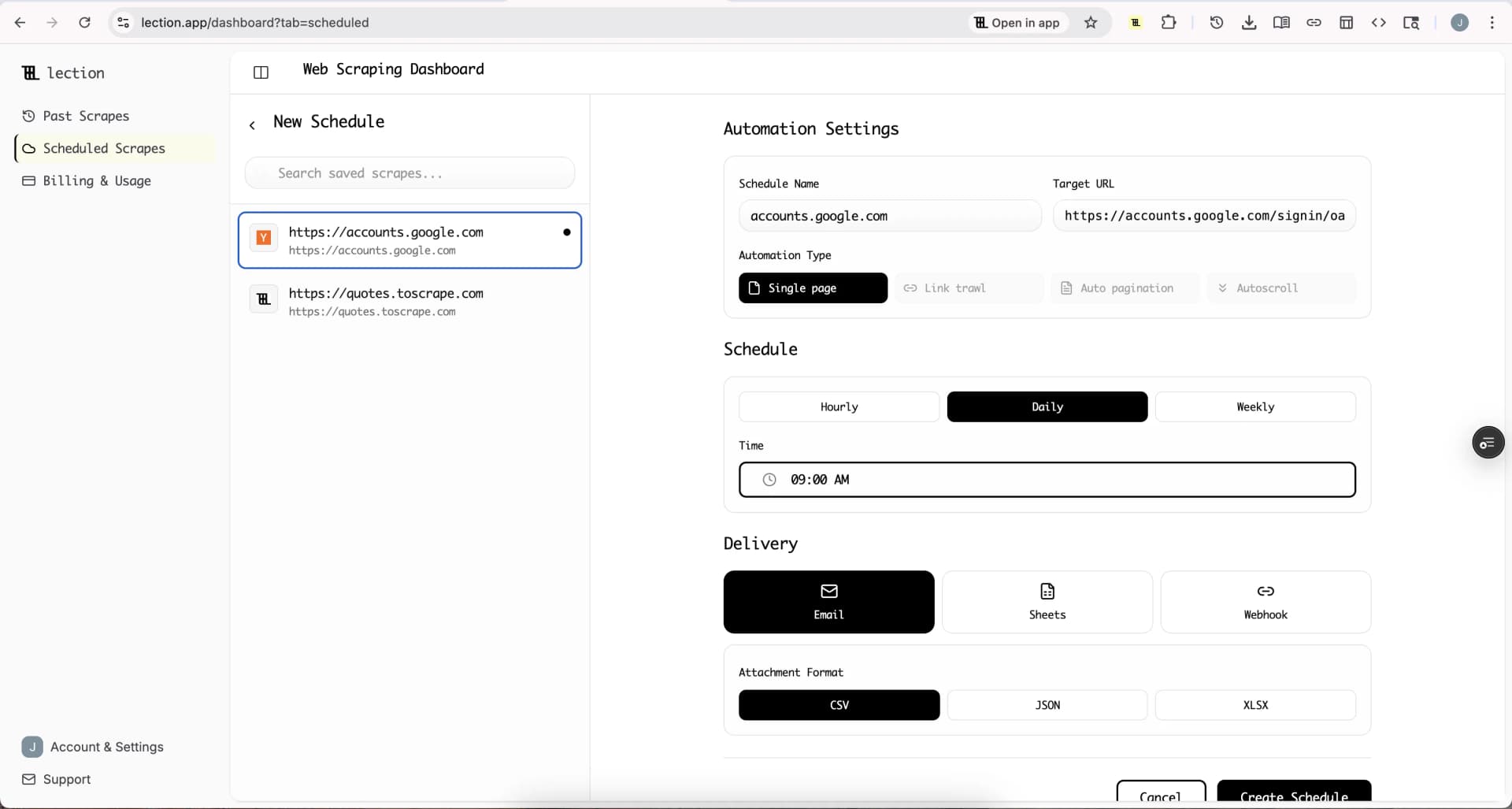
For followers, "Create new tab each run" is usually the better choice. Sheets delivery appends rows and does not look for existing ones, so appending a full list every week would repeat every follower. Separate tabs give you clean snapshots to compare.
Start the 30-day Standard trial. It is free for 30 days, then $29 per month, a card is required, and it is for first-time subscribers only.
Honest limitations
- Login required. The tool uses your own Instagram session. It cannot read a private account unless you are an approved follower.
- Instagram sets the pace. There is no cap in the tool, but Instagram may rate-limit after many requests. The tool's own FAQ recommends loading in batches. Heavy use could affect your account, so go gently.
- Accounts only. You get usernames, names, profile links and the verified flag. Nothing like email addresses.
- Sessions can expire. A scheduled run can fail if Instagram stops accepting the saved session. Check the run status in Scheduled Scrapes.
- People's data. A followers list is personal data. Use it in line with Instagram's terms and local privacy rules. Our scraping legality overview is a good starting point.
Troubleshooting
Nothing loads. Log in to Instagram in the same Chrome profile and reload the tool.
The extension asks for an update. Open chrome://extensions, click Update, and run again.
Fewer followers than the profile shows. Large accounts, restricted accounts and rate limits can all shorten the list. Run in smaller batches.
FAQ
Can I export Instagram followers to Google Sheets for free? Yes, via CSV and File, Import. Automatic delivery to Sheets needs Standard or the trial.
Can I export a private account's followers? Only if you are an approved follower, because the tool shows what your session can see.
Does the export include emails? No.
Will Instagram ban me? The tool uses the same web requests as the site at a natural pace, but heavy use can trigger rate limits. Keep batches modest.
What about the accounts someone follows? Use the Instagram Following Exporter. For comment data, see the guide on exporting Instagram comments to Google Sheets.