Airbnb research usually starts as a quick sanity check and turns into a spreadsheet problem. A host wants to compare nightly rates across a neighborhood. An investor wants to understand how premium listings position themselves before buying a property. A travel startup wants to see which amenities show up most often in a target city. Ten minutes later, someone is opening listing after listing, copying titles into a sheet, retyping prices, and trying to remember which filters were active on page two.
That process breaks faster than most teams expect. Airbnb search results change when dates change, when guest count changes, and when filters tighten around amenities or booking settings. If you collect data by hand, you are not only moving slowly. You are also creating a dataset that is hard to reproduce, hard to refresh, and hard to trust.
Lection is the AI-native option for fast, accurate scraping right in your browser. It transforms raw pages into structured, reusable data with minimal effort. For Airbnb market research, that matters because you can work from the exact listing pages and search result views your team already reviews, then export the fields that matter without turning the project into a one-off engineering task.
Why Airbnb listing data matters
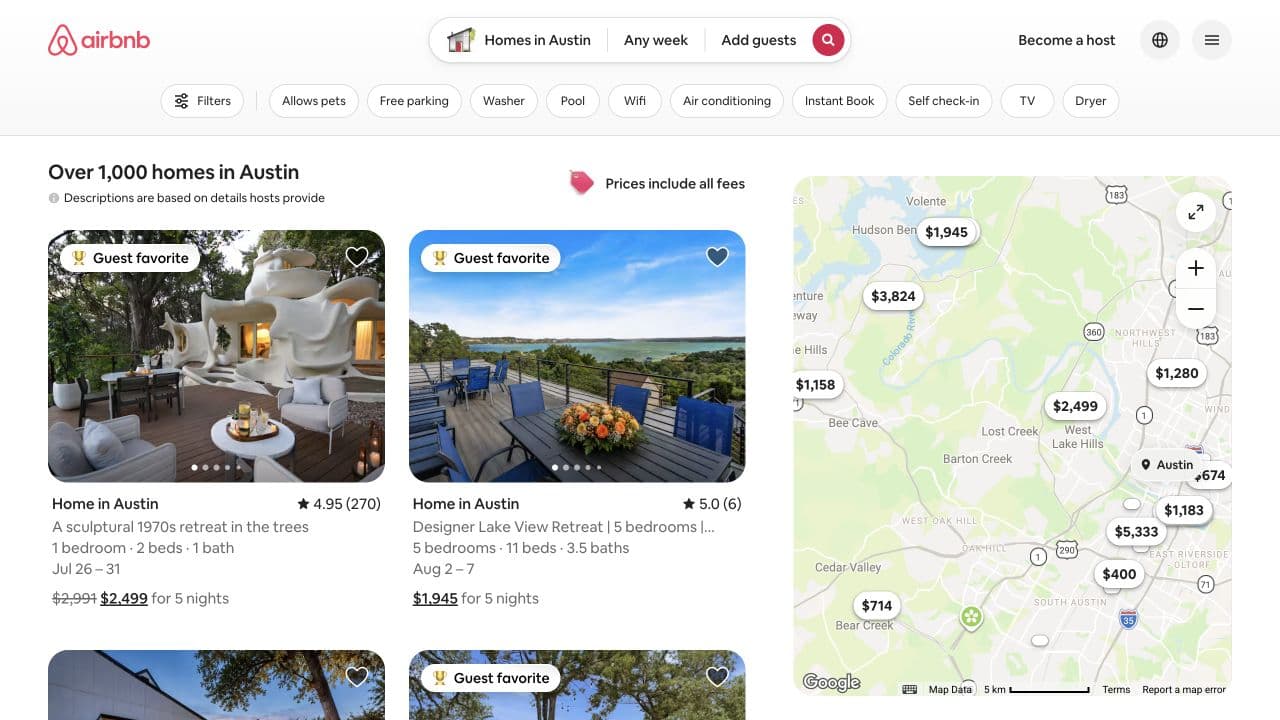
Airbnb search pages compress a surprising amount of market signal into a single view. You are not only looking at pretty property photos. You are looking at price positioning, review strength, amenity patterns, neighborhood clustering, booking friction, and the way hosts package value.
What the platform shows today
As of July 18, 2026, Airbnb's Help Center explanation of search results says guests can filter homes by type of place, price range, amenities, booking options, and accessibility features. The same help page also notes that homes shown on the map can differ from the homes shown in the list. That detail matters for research because a screenshot or export is only meaningful if you keep the same dates, guest count, filters, and view assumptions throughout the run.
Why the dataset is useful
A structured Airbnb export helps with practical questions like:
- which neighborhoods command the highest total trip price
- which amenities show up most often in top-rated listings
- whether larger homes cluster around a certain nightly price band
- how listing titles and descriptions frame premium positioning
- which properties are consistently visible for a given search
If your team already studies property markets through Zillow listings or automates recurring datasets into Google Sheets, Airbnb can become another high-signal layer in the same research stack.
Why does the standard approach fail?
The default workflow feels harmless because each individual action is simple. The damage shows up later, when the dataset needs to be refreshed, shared, or defended.
Manual copying collapses on page three
The first page of results is manageable. By the third page, quiet errors start to pile up. Someone pastes a total trip price into a nightly rate column. A listing URL is missed. A "Guest favorite" badge is noted on one property but not another. Then the team changes dates and accidentally compares weekend pricing to weekday pricing in the same sheet.
This is where market research stops being research and becomes low-trust data entry. The work feels complete because the spreadsheet has rows. But the underlying collection process is too inconsistent to support real decisions.
Simple scripts miss browser context
Airbnb is not a static directory page. Search results are shaped by browser-rendered content, map interactions, fee-inclusive pricing, dates, occupancy, and filters. A lightweight script can be useful if you already have engineering support and a tightly scoped collection job. Many teams do not. They need to capture what the live browser is actually showing today, not spend a week maintaining selectors and session logic.
That is also why browser-native workflows matter. The research question usually begins on a visible search page, not in an API schema.
What should you extract from Airbnb?
Before you scrape, decide what question the dataset needs to answer. A smaller, disciplined schema beats a bloated export full of fields nobody uses later.
For most Airbnb market research projects, start with:
- listing title
- listing URL
- city or neighborhood label
- total displayed trip price
- displayed nightly price, if shown separately
- cleaning fees or fee-inclusive pricing notes, if visible
- rating and review count
- number of bedrooms, beds, and baths
- amenity highlights
- badges such as Guest favorite or Superhost, when visible
- search date, check-in date, check-out date, and guest count
Those last context fields matter more than they look. Without them, you cannot tell whether price changes came from the market or from your own search settings.
How to scrape Airbnb listings with Lection
The safest way to keep Airbnb research reliable is to scrape the same page your team is using to evaluate the market.
Start with one fixed search scenario
Pick the exact scenario you want to measure before you open Lection. For example:
- two guests in Austin for a five-night stay
- family-sized homes in Scottsdale with a pool
- one-bedroom listings in Lisbon with self check-in
Do not start broad and improvise later. A consistent search scenario is the difference between a dataset you can revisit next week and a sheet that reflects one messy afternoon.
Stay on the Homes results view
Airbnb's current product surface spans more than one travel category. If your goal is short-term rental analysis, stay anchored to homes. Keep dates, guest count, and filters stable. Avoid mixing list observations with map-only discoveries unless your team explicitly wants both.
This is the same discipline that makes scheduled recurring scrapes work over time. Consistency beats breadth.
Capture visible card data first
On the results page, teach Lection the visible fields first: title, price, rating, review count, bedroom count, badge text, and link. This gives you a broad market map before you spend time visiting individual listings.
Because Lection works in the browser, you can verify the output while looking at the live page. That helps when Airbnb adjusts labels, rearranges pricing, or changes the way map and list modules load.
Enrich only the listings that matter
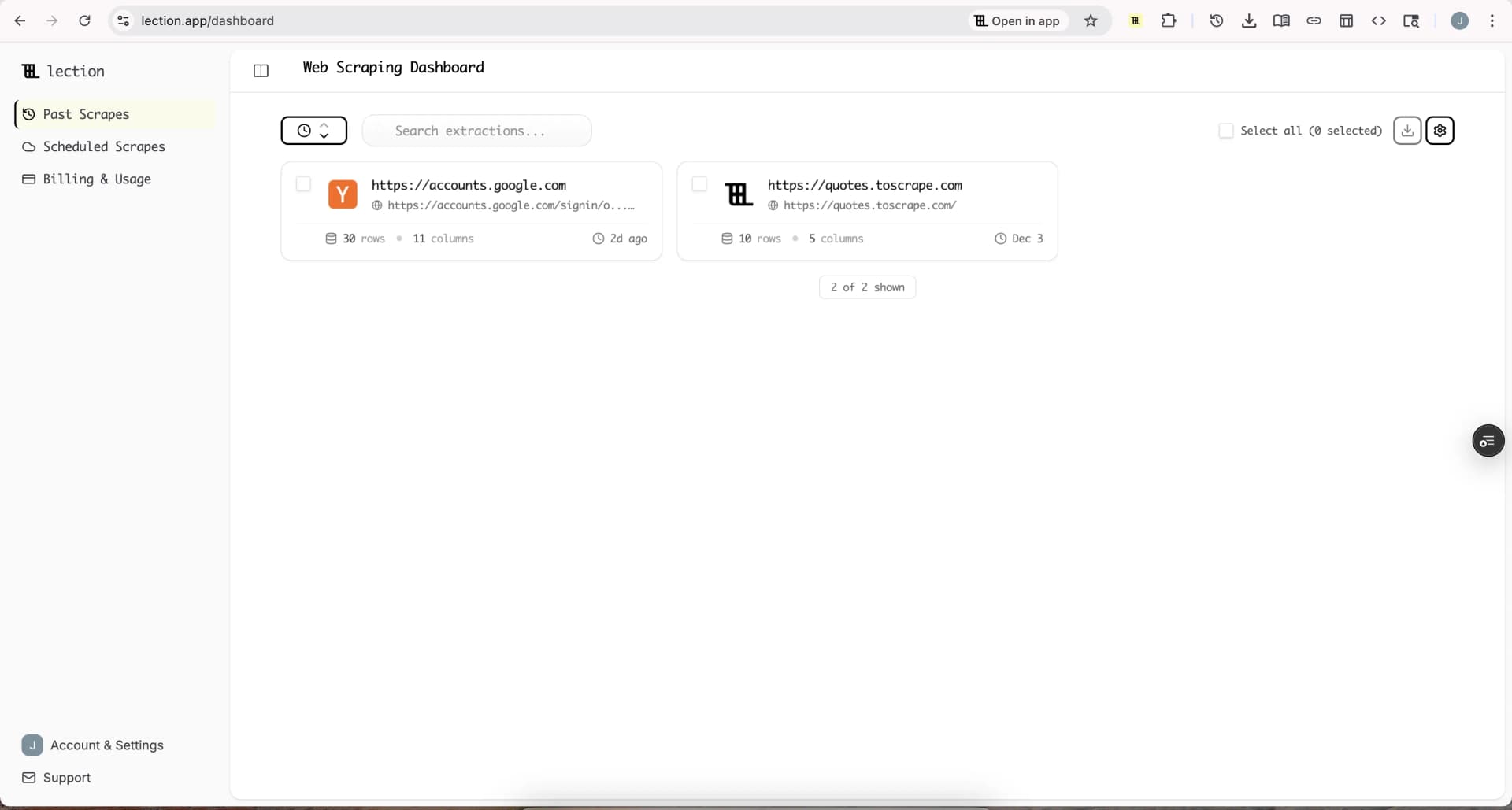
Once the first export is clean, run a second pass for deeper detail on a selected subset of listings. That subset might be:
- the top 25 most expensive listings in a target neighborhood
- the highest-rated listings under a certain budget
- listings with unusual amenities or premium branding
- homes that appear repeatedly across multiple searches
Use deep-link enrichment for details like:
- longer property descriptions
- amenity lists
- host metadata that is visible on the listing page
- cancellation terms or booking signals that matter to your analysis
This two-step workflow keeps the first scrape fast and the second scrape intentional.
Export into the system that owns the decision
Airbnb research becomes useful only after the data lands somewhere your team already works. Common destinations include:
- Google Sheets for quick sorting, charts, and review
- Airtable for qualification and assignment
- Notion for research repositories
- CSV or Excel for offline analysis
If the output needs to stay fresh, connect the workflow to the same operational system you use for automated spreadsheet updates or recurring exports from other sites.
Schedule recurring refreshes when the market moves quickly
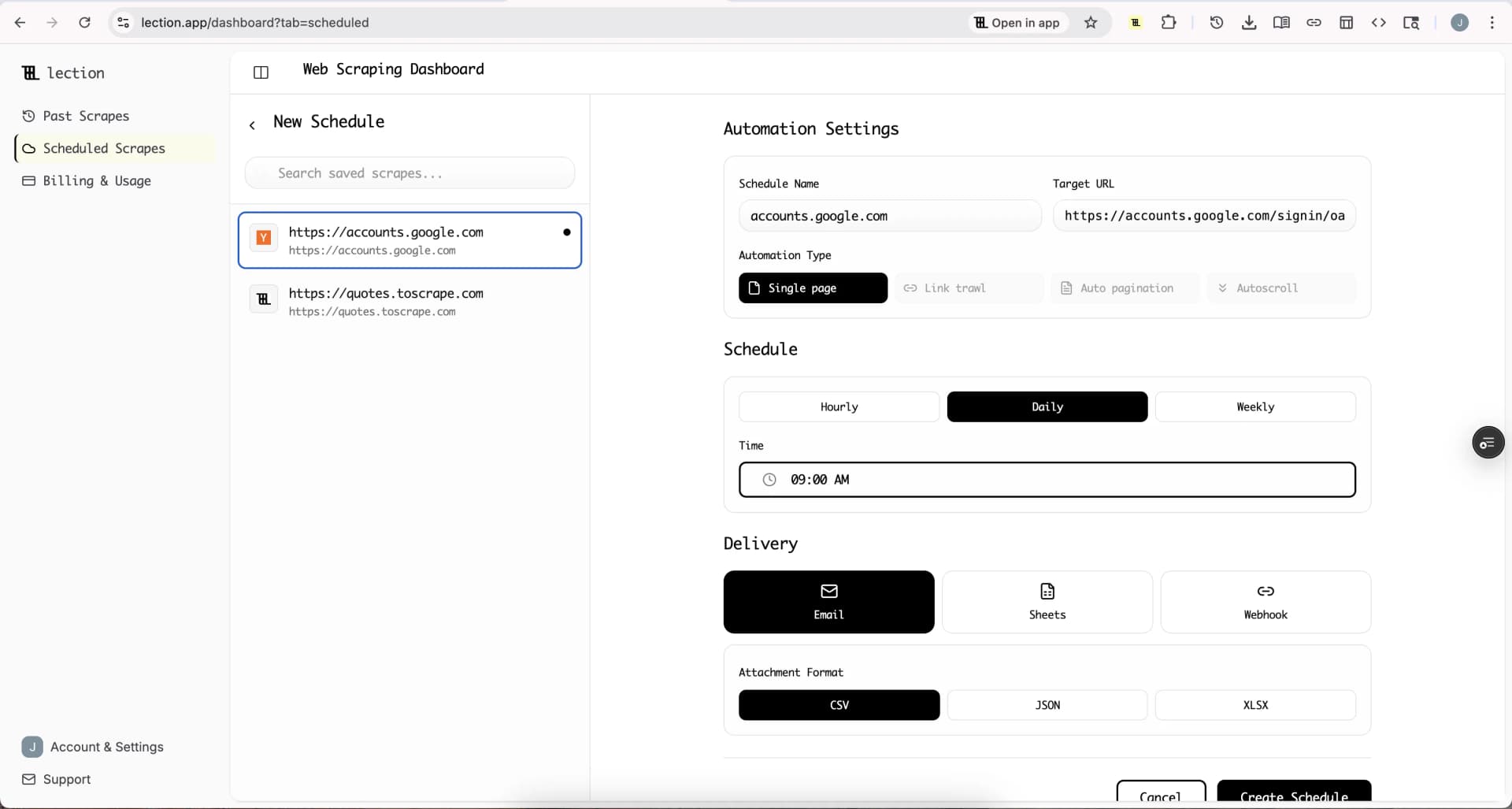
Short-term rental markets can shift fast around events, seasonality, and weekends. If your team monitors the same city repeatedly, set up a recurring cloud job so the page is re-collected on a predictable cadence.
That is where Lection's cloud execution matters. You define the fields once, keep the search fixed, and let the run refresh on schedule instead of rebuilding the dataset by hand each time.
Troubleshooting and edge cases
Airbnb research is straightforward only when the search setup stays disciplined. Most errors are really context errors.
The map and list do not match
This is normal, and Airbnb says so in its search-results help documentation. If you are building a dataset from list cards, keep the list as the source of truth for that run. Treat map markers as a separate surface unless you deliberately capture them too.
Prices change when you change dates or guest count
This is also expected. Do not compare two exports unless the check-in date, check-out date, guest count, and filters match. Store those inputs alongside the rows so the sheet explains itself later.
Duplicate listings appear across searches
This happens when you scrape overlapping neighborhoods, multiple date windows, or slightly different amenity filters. Keep the listing URL as a stable identifier and add a search-scenario column so you can deduplicate or segment later.
Some listing details disappear mid-run
Availability changes in real time. A listing can leave the results set, change price, or stop matching your filter while you are collecting data. If a listing is strategically important, rerun the same search and compare the second snapshot rather than patching the row manually.
Compliance questions come up
Airbnb's Terms of Service say users must not use bots, crawlers, scrapers, or other automated means to access or collect data or otherwise interact with the Airbnb Platform. That means you should review the terms carefully, keep your work focused and proportionate, and involve counsel if you are planning a larger commercial program. For broader context, pair that review with our guides to robots.txt for web scrapers and web scraping legality by country.
What teams do with the export after collection
The export is not the goal. The decision is the goal.
Revenue and market teams use Airbnb datasets to compare price bands and amenity patterns across neighborhoods. Real estate researchers use them to understand how short-term rental positioning differs from long-term housing comps. Travel operators use them to spot premium experience clusters, review density, and supply gaps in specific markets.
The point is not to hoard more rows. The point is to build a dataset that can be refreshed, segmented, and defended when someone asks, "Why do we believe this market looks like this?"
Conclusion
Airbnb market research becomes far more useful when it stops living in screenshots and browser tabs. A clean export lets you compare neighborhoods, pricing, and listing quality with enough structure to revisit the analysis later.
Lection keeps that workflow close to the live page, which makes the data easier to validate and much easier to reuse. It is a practical way to turn visible Airbnb search results into something your team can sort, score, and refresh.
Ready to start scraping? Install Lection and extract your first dataset in minutes.