GitHub is where product teams, founders, developer marketers, and technical researchers go when they want to see what a software market actually looks like. Search results tell you which projects dominate attention. Repository pages show how maintainers describe the problem, how active the codebase is, what language choices they made, and how the community responds over time.
The trouble is that useful GitHub research rarely stays inside one browser tab. The moment you identify a promising list of repositories, you usually need the data somewhere else: a spreadsheet for scoring, Airtable for qualification, Notion for a research brief, or a tracker shared with the rest of the team. That is where the manual workflow starts to break. People open repository after repository, copy names and star counts into a sheet, lose track of which filters were active, and end the session with a dataset nobody fully trusts.
Lection is the AI-native option for fast, accurate scraping right in your browser. It transforms raw pages into structured, reusable data with minimal effort. For GitHub research, that matters because you can work directly from the live search results and repository pages your team already reviews, then turn those pages into a clean dataset without writing a one-off script first.
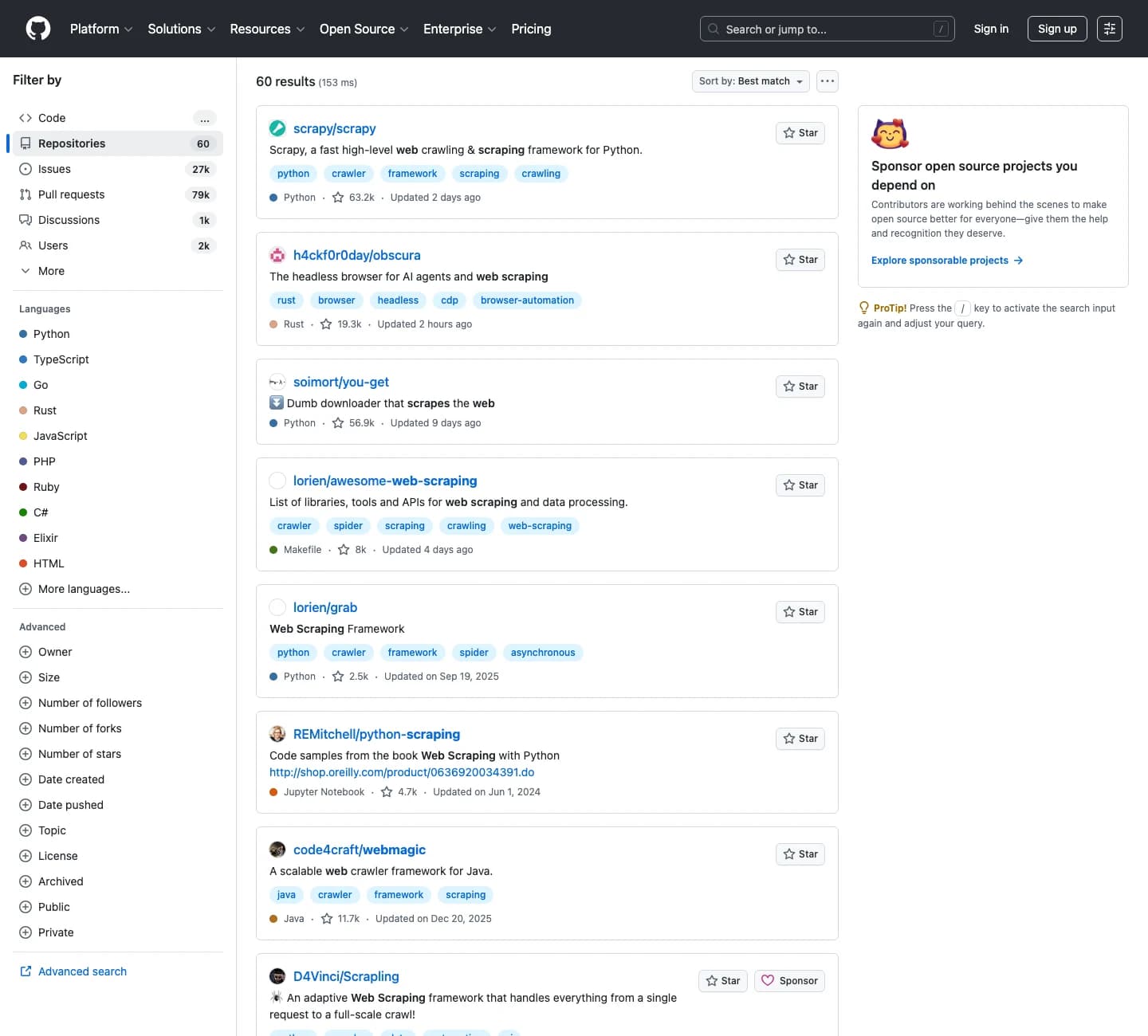
Why GitHub repository data matters
GitHub repository pages contain signals that are unusually useful because they combine technical detail with community behavior. You are not only looking at a project name. You are looking at whether the repo is active, how it is tagged, what language it uses, whether people star it, and whether its maintainers still update it.
GitHub search is already a research surface
As of July 16, 2026, GitHub's docs tell users to search at github.com/search and use the left sidebar to filter results by type and narrow the list. The same docs explain that topics help people find and contribute to projects, which makes them useful fields to capture during competitive research.
That matters for practical workflows like:
- tracking developer tools in a category
- building a list of open-source alternatives to a paid product
- monitoring which repos in a niche are gaining attention
- comparing how competitors position their projects
- sourcing example repositories for tutorials, demos, or internal enablement
If your team already combines browser research with company data from Crunchbase or discussion signals from Reddit, GitHub can become one of the highest-signal sources in that stack.
Repository metadata is often more valuable than a raw clone
A cloned repo gives you code. A structured GitHub dataset gives you context. For research work, that context is usually what you actually need:
- repository name and owner
- description and problem framing
- stars, forks, and visible activity signals
- primary language
- topics and tags
- last updated date
- license and archived status when relevant
That makes GitHub especially useful for market mapping. A 150-row export with the right fields can tell you far more than a folder full of cloned repositories nobody has time to inspect.
Why does the standard approach fail?
Manual GitHub research feels easy at the start because each individual click is simple. The failure shows up later, when the list grows and the dataset needs to be trusted by someone other than the person who collected it.
Manual copying breaks once the list matters
The first ten repositories are manageable. The next fifty are where the quiet errors begin. Someone copies the wrong star count after the page refreshes. A description gets pasted into the wrong row. A repo link points to an organization page instead of the repository itself. Hours later, the sheet looks complete but still needs cleanup before anyone can use it.
That is costly because GitHub research often feeds higher-value work. Growth teams use it to understand competitors. Product teams use it to identify integration partners. Developer marketing teams use it to prioritize ecosystem plays. A messy list slows all of that down.
One-off scripts are fragile for browser-first audits
GitHub exposes a strong API, but many teams are not ready to turn every research question into an engineering task. They just need a reliable way to capture what they can already see in the browser today.
That is where many scripts become overkill. A small script may work for a narrow query, but then someone changes the search, wants an extra column, or needs a second pass on repository pages. Now the workflow depends on whoever remembers how the script works.
The API is excellent, but not always the first step
GitHub's official rate limit documentation says authenticated requests generally get a 5,000-request-per-hour primary limit, while search has its own separate rate-limit bucket. That is useful when you need production data collection.
But for a one-day competitive review or a fast market scan, the browser view is often the best place to start. You can see the exact query, validate the results visually, and decide which fields matter before you commit to a heavier API workflow.
What should you extract from each repository?
Before you scrape, decide what will make the dataset actionable after export. A shorter schema that answers a real question beats a long schema full of fields nobody uses.
For most GitHub research projects, start with:
- repository name
- owner or organization
- repository URL
- short description
- primary language
- star count
- fork count if visible
- topics
- last updated date
- archived status
- notes or fit score
If the goal is partnership or acquisition research, add columns for company, product category, and contact owner. If the goal is content research, add columns for tutorial angle, feature pattern, or example worth reviewing later. If the goal is trend monitoring, add a scrape date so you can compare snapshots over time.
How to scrape GitHub repositories with Lection
The easiest way to keep GitHub research reliable is to scrape the page the same way you review it.
Start with a narrow repository query
Open the exact search you care about first. That might be a keyword search, a topic page, or a query filtered down to a language or use case. Keep the question specific.
For example:
- open-source CRM projects in TypeScript
- browser automation tools with active maintenance
- repositories tagged for RAG, agents, or observability
- projects with a permissive license and strong recent activity
This is the same discipline that makes web scraping checklists effective. The clearer the question, the cleaner the export.
Capture list-page fields before you go deeper
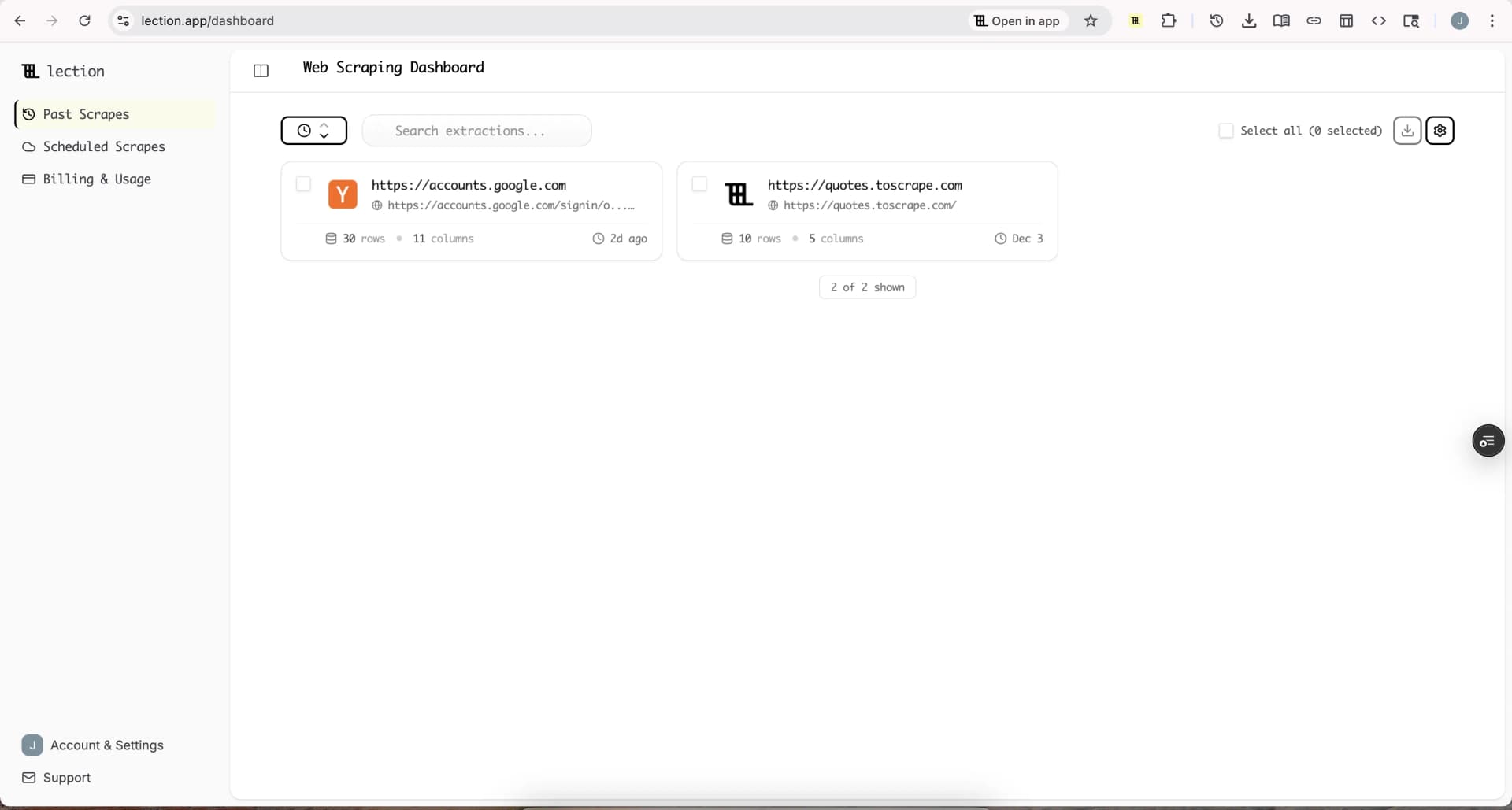
On the search results page, teach Lection the visible fields first: repository name, owner, description, language, stars, topics, and last updated date. This gives you a broad map of the space before you spend time on deeper enrichment.
Because the extraction happens in the browser, you can validate each field while looking at the live page. That matters on GitHub because search results can change based on filters, sorting, signed-in state, and fresh repository activity.
Follow repository pages only when the list proves useful
Do not force a single pass to do everything. Once the broad search export is clean, run a second pass only on the repositories that deserve more attention.
Use that second pass for fields like:
- README positioning
- installation method
- license details
- contributor count
- release cadence
- documentation quality
This two-step structure keeps the first scrape fast and the deeper enrichment intentional. It also makes your notes easier to trust because you know exactly which repositories received closer review.
Export into the workflow that owns the decision
The data becomes useful only when it lands in the system your team already uses. For many teams that means:
- Google Sheets for scoring and sorting
- Airtable for qualification and assignment
- Notion for a reusable market research database
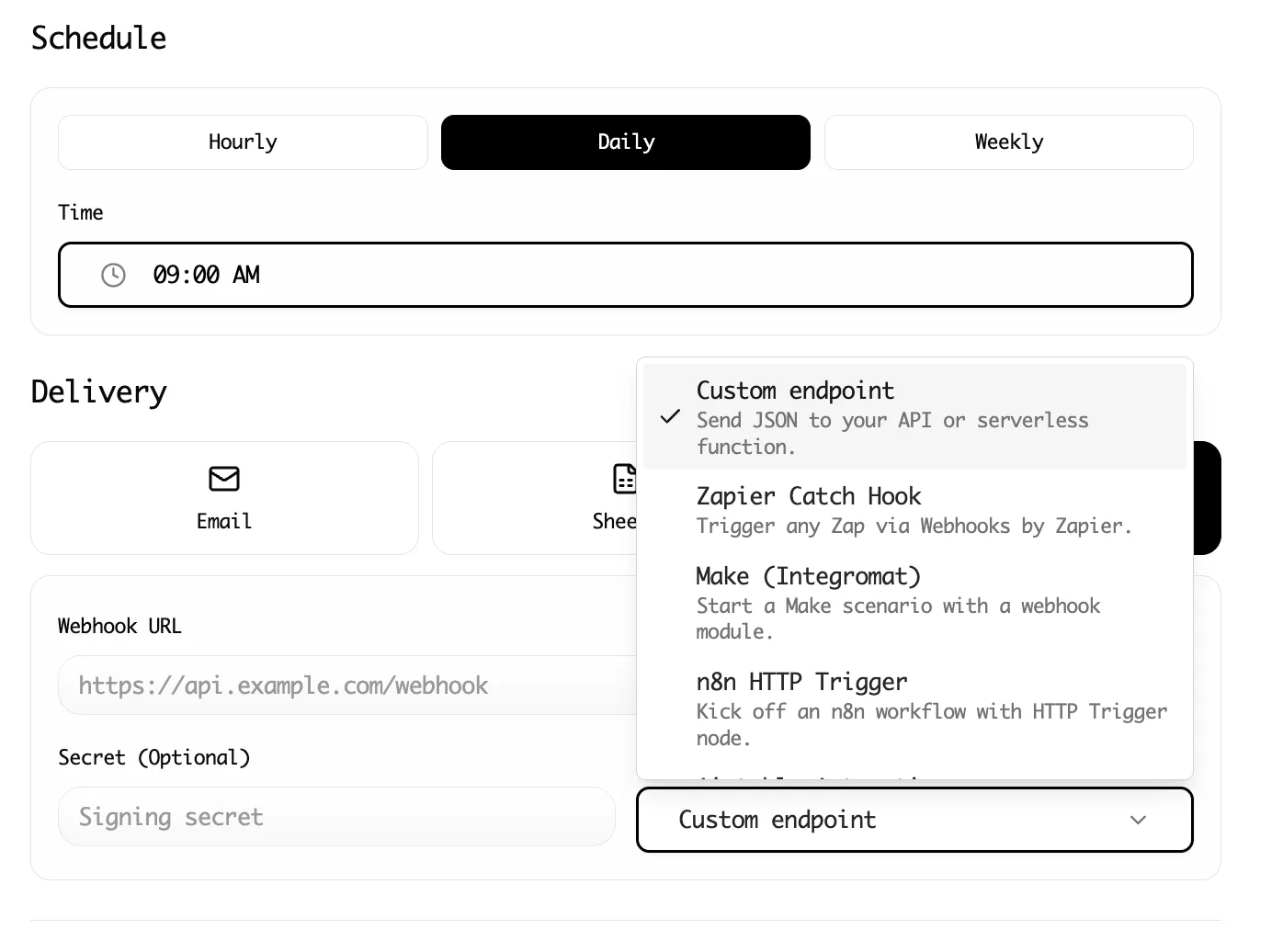
- automation tools for recurring refreshes
That handoff matters. If your team already routes scraped data into Notion or builds repeatable flows with Make, GitHub research can plug into the same system instead of living in a forgotten CSV.
When should you use the API instead?
GitHub is unusually clear that API collection and scraping are not the same thing. Its acceptable use policy defines scraping as automated extraction from the service and distinguishes that from collection through the API.
That means the browser workflow is best for lightweight, visible research where you need to see and validate the exact page. The API is a better fit when you need:
- large recurring pulls
- exact structured metadata at scale
- predictable rate-limit handling
- integration into an existing engineering system
If you are monitoring a set of repositories every day, use the API and follow GitHub's published limits and best practices. If you are doing a fast exploratory audit and need browser-visible context, a no-code browser workflow can help you validate the right schema before you operationalize anything.
Troubleshooting and edge cases
GitHub is cleaner than many websites, but research workflows still drift if you do not plan for a few predictable issues.
Search results change while you work
Repositories gain stars, get archived, or receive fresh commits while your list is open. Record the scrape date and keep the search query fixed during a run. If the project matters, rerun the same query later instead of patching rows by hand.
Topics are inconsistent across repositories
Some maintainers classify their repositories carefully. Others barely tag them. Treat topics as directional metadata, not perfect taxonomy. Use them to cluster results, then add your own normalized category column after export.
Forks and archived projects create noise
A popular search can mix active primary repositories with stale forks and archived experiments. Add archived status and a quick relevance note to your sheet. That makes the cleanup phase dramatically faster.
README text is too broad for a one-pass scrape
This is common. README pages are long and not every section matters. Instead of trying to capture everything, focus on the first descriptive block, setup hints, or the feature section that supports your research question. Structured data beats raw bulk every time.
Conclusion
GitHub repository research is valuable because it shows both what a project claims to do and how the ecosystem responds to it. The challenge is getting those signals out of the browser without turning the process into low-trust spreadsheet work.
Lection keeps the workflow close to the page, which makes GitHub research easier to validate, easier to enrich, and easier to route into the rest of your stack. That is the difference between a one-off audit and a reusable research system.
Ready to start scraping? Install Lection and extract your first dataset in minutes.