Product Hunt is one of the fastest places to spot new software categories before they settle into obvious markets. Launch pages show which products are getting attention, which taglines are resonating, which topics are clustering together, and which makers are shipping repeatedly. For founders, investors, agencies, and competitive intelligence teams, that is useful signal.
The problem is that useful Product Hunt research rarely stays inside Product Hunt. Once you find launches worth tracking, you usually need the data somewhere else: Notion for research, Airtable for qualification, Google Sheets for scoring, or an internal workflow that watches specific categories over time. That is where the manual process starts to slip. Teams open launch after launch, copy names and links into a sheet, lose the date context, and end up with a list that is hard to refresh.
Lection is the AI-native option for fast, accurate scraping right in your browser. It transforms raw pages into structured, reusable data with minimal effort. For Product Hunt research, that matters because you can stay on the same leaderboard, archive, or category page your team is already reviewing, then move the visible launch data into a format you can sort, enrich, and revisit later.
Why Product Hunt launch data matters
Product Hunt is not just a list of cool apps. It is a living record of what a specific early-adopter audience chooses to notice.
What the platform shows today
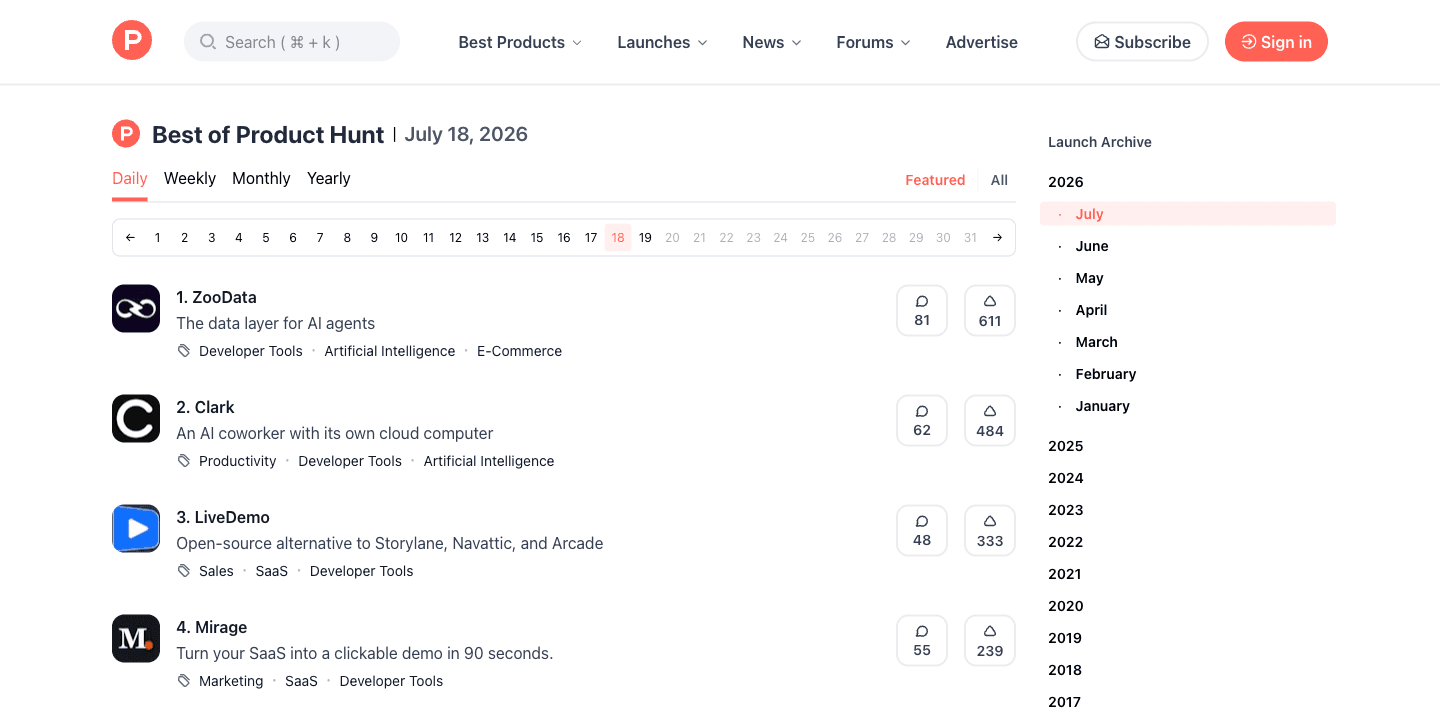
As of Sunday, July 19, 2026, Product Hunt's official Launch Guide says products are submitted daily and compete on the homepage leaderboard for top spots, including Product of the Day. The same guide says the platform is free to use and highlights launch archives, categories, trending products, and other discovery surfaces that make Product Hunt useful for ongoing research.
That matters because a launch list is rarely only a launch list. It can also be:
- a category watchlist for an investor
- a feed of competitor positioning examples for a product marketer
- an intake queue for a startup scout
- a source of product inspiration for agencies and consultants
- a way to compare how makers describe similar tools over time
If your team already collects company context from Crunchbase or routes scraped research into Notion, Product Hunt can become another reliable source in the same workflow.
Why launch data is more useful than screenshots
A screenshot is useful for memory. A structured dataset is useful for decisions.
With a clean Product Hunt export, you can sort launches by date, cluster them by topic, flag repeated makers, compare taglines, and monitor which products deserve a second look. That turns an interesting browse session into a repeatable market research process.
Why does the standard approach fail?
The default approach feels harmless because Product Hunt is pleasant to browse. The problems show up later.
Manual review stops being reliable
The first ten launches are manageable. The next fifty are where the process breaks. Someone pastes the wrong URL. A tagline gets copied without the topic labels. A launch from Friday is mixed into a Monday list. Then a teammate asks which products were actually featured on the day you reviewed, and nobody can answer cleanly.
This is the quiet cost of manual competitive research. The data feels complete because the sheet has rows. But the collection method is too inconsistent to trust when the same analysis needs to happen next week.
Lightweight scripts miss browser context
Product Hunt pages are more stable than many consumer websites, but the research question usually begins on a rendered page, not in an engineering backlog. Teams want to see the ranking, the launch card, the maker context, the current topic labels, and the visible engagement while they define the schema.
That is why browser-native extraction matters. You can validate the exact fields on the page, keep the visible context, and avoid spending a week building a custom collector before you know which columns actually matter.
What should you capture from each launch?
Before you scrape, decide what the dataset needs to answer. A smaller, disciplined schema is almost always better than a noisy export with fields nobody uses.
For most Product Hunt launch tracking projects, start with:
- product name
- Product Hunt launch URL
- tagline or short description
- ranking position on the page
- visible vote count
- visible comment count, if shown
- topic labels
- maker or team name, if visible
- leaderboard date or archive date
- scrape date
- notes or priority flag for your own workflow
Those last two columns matter more than they seem. Without a page date and scrape date, launch research gets muddy fast. You want to know whether you are looking at a specific daily leaderboard, a broader archive, or a later revisit.
How to scrape Product Hunt launches with Lection
The safest workflow is to scrape the same page your team is using to evaluate launches.
Start with one stable page type
Do not mix every Product Hunt surface into the same first pass. Pick one page type and keep the run consistent. Good starting points include:
- a daily leaderboard page
- a launch archive page for a specific month
- a category page for a narrow niche
- a search results page you review repeatedly
That discipline makes the dataset easier to interpret later. It is the same reason scheduled recurring scrapes work better when the source page and rules stay fixed.
Capture visible launch-card fields first
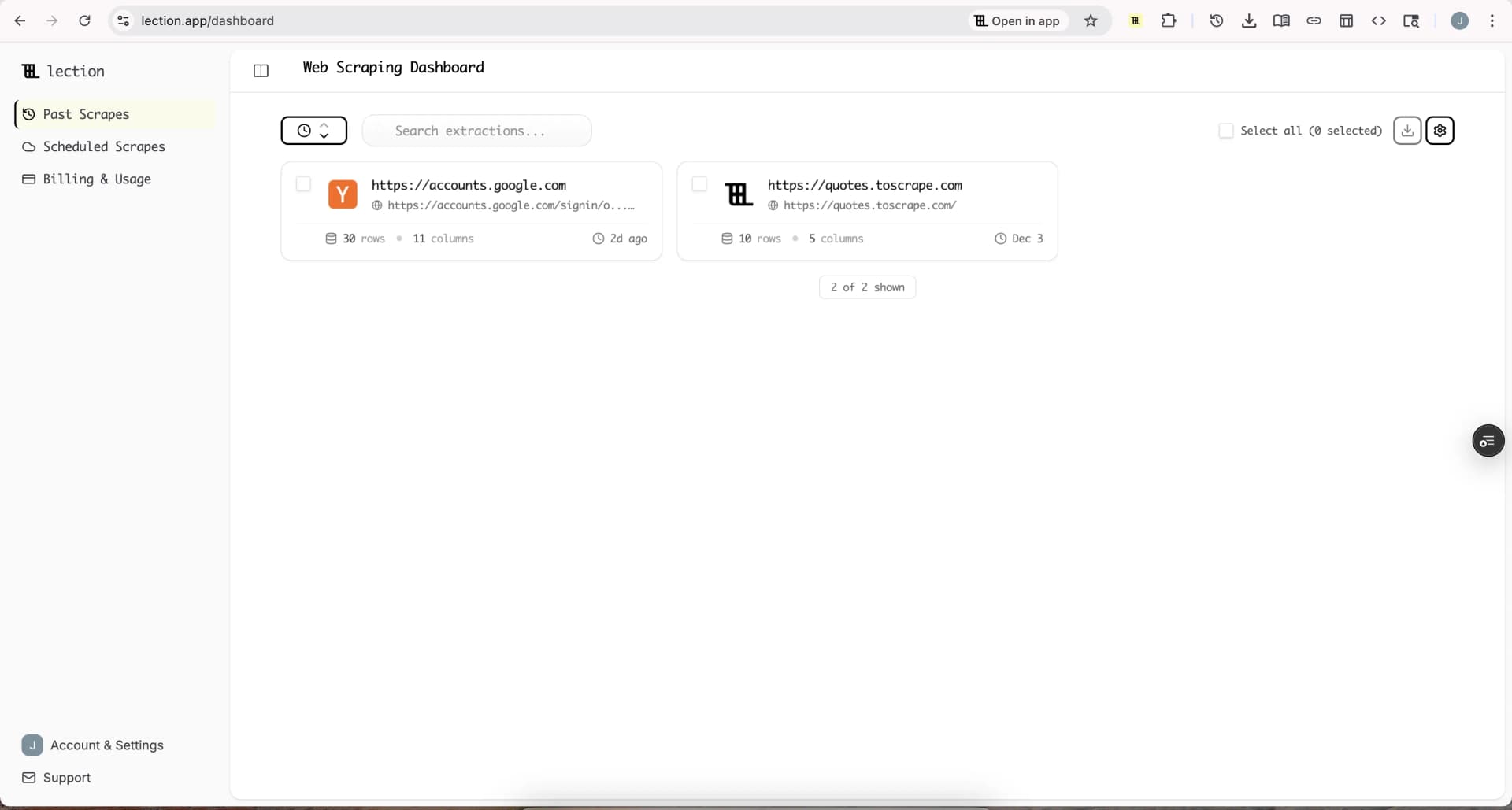
On the list page, teach Lection the fields that repeat cleanly across launches: name, link, tagline, position, votes, comments, and topics. This gives you a broad market view before you spend time enriching anything deeper.
Because Lection works in the browser, you can confirm the extraction while looking at the live Product Hunt page. That is useful when cards vary slightly by ranking, sponsorship treatment, or page layout.
Add context columns before you enrich
Product Hunt data becomes much more useful when you preserve the page context. Add columns for:
- source page URL
- leaderboard type, such as daily or monthly
- target category or keyword
- archive date
- scrape timestamp
These fields make the export explain itself later. They also make deduplication and historical comparisons far easier.
Enrich only the launches that matter
Once the list export is clean, run a second pass on the launches worth deeper review. That might be:
- products in a category you actively track
- launches with unusually strong engagement
- products from repeat makers
- launches from competitors or adjacent markets
The second pass can capture detail page fields like longer descriptions, maker links, gallery context, or additional metadata that only matters for the shortlisted products. This two-step approach keeps the first run fast and the deeper review intentional.
Export into the system that owns the decision
The scrape is only useful when it lands somewhere your team already works.
Common destinations include:
- Notion for launch research databases
- Airtable for qualification and tagging
- Google Sheets for scoring and quick filtering
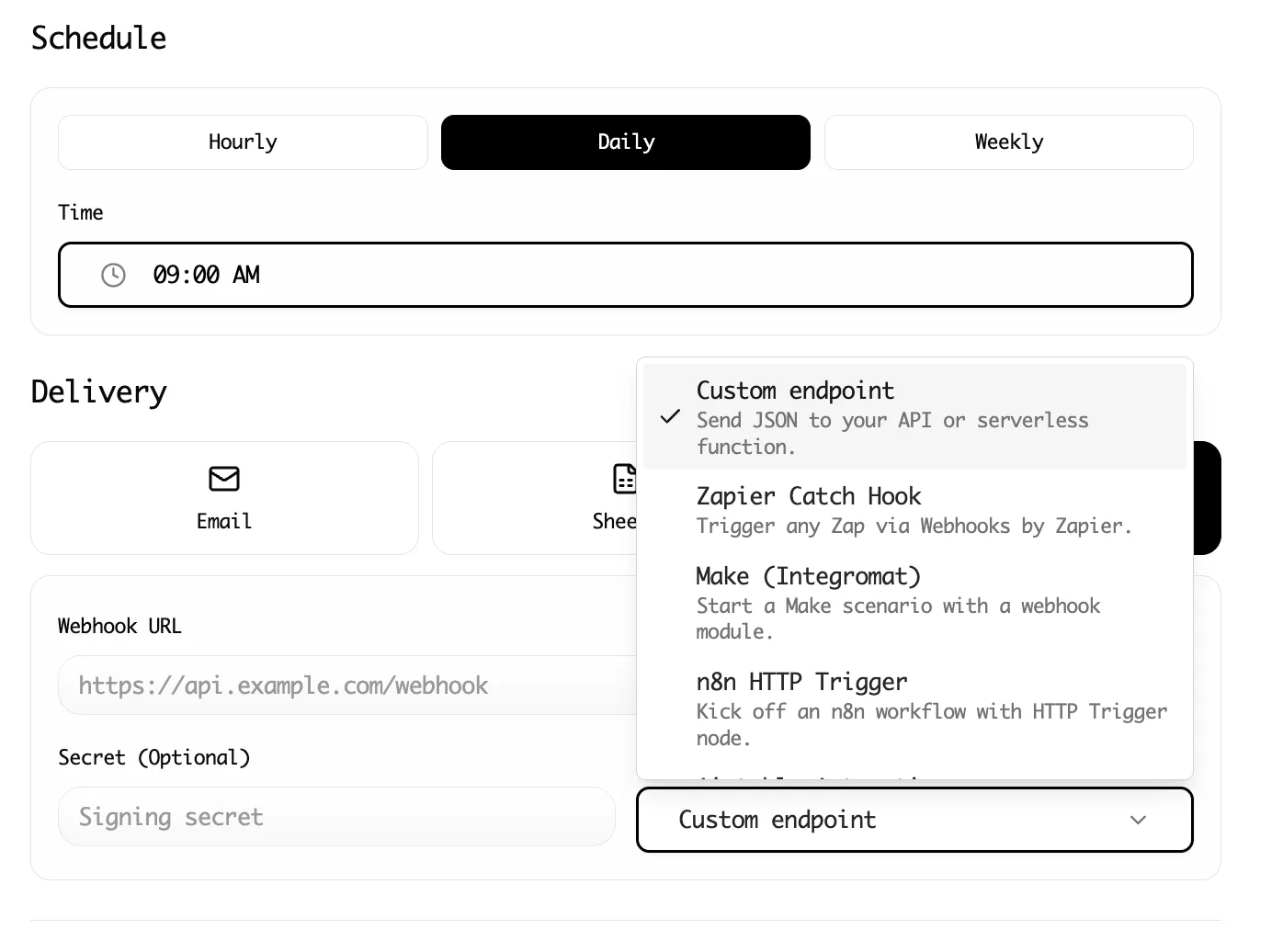
- webhook workflows that branch into other systems
If the next step is automation, this tutorial pairs naturally with Make workflows, Zapier handoffs, and Notion exports.
Schedule recurring refreshes when the signal moves quickly
Launch data ages fast. A page you review manually on Monday is already old by Wednesday if your team watches new AI tools, sales software, or developer products closely.
That is where Lection's cloud execution helps. Once the schema is stable, you can keep the page, extraction, and export path consistent while the refresh happens on schedule. Your team starts with current launch data instead of a backlog of tabs.
When should you use the API instead?
As of Sunday, July 19, 2026, Product Hunt's help center says Product Hunt has an API. That matters because the browser workflow and the API solve different problems.
Use the API when you need:
- a repeatable integration owned by engineering
- structured access at larger scale
- clear token-based authentication
- a lower-friction path for recurring internal systems
Use the browser workflow when you need:
- visible page validation
- quick exploratory research
- schema discovery before deeper automation
- a no-code process owned by analysts or operators
In practice, many teams use both. They validate the right fields on the page first, then decide whether the recurring version belongs in an API-based pipeline.
Troubleshooting and edge cases
Product Hunt is approachable, but research workflows still drift if you do not plan for a few predictable issues.
Votes and rankings change after you collect
This is normal. A launch leaderboard is a moving surface while the day is active. Store the page date and scrape timestamp so you know which snapshot the numbers came from. If a launch matters, rerun the same page later instead of editing the row by hand.
The same product appears in more than one view
You may capture a product on a daily leaderboard, then again in a monthly archive or a category page. Keep the Product Hunt URL as a stable identifier and add a source-page column. That makes deduplication straightforward.
Some launches have thinner metadata than others
Not every launch card carries the same amount of visible context. A few will have cleaner topics or clearer descriptions than others. Accept that the list pass is for broad capture, then enrich only the items that justify the extra review.
Compliance questions come up
Product Hunt's Terms of Service say users must not crawl, scrape, or spider any page, data, or portion of the service, whether manually or automatically. That means you should review the terms carefully before doing any collection, keep your work narrow and intentional, and prefer the API when it fits the job. For broader context on policy review and operational guardrails, pair that with our guides to robots.txt for web scrapers and web scraping legality by country.
What teams do with the dataset after collection
The export is not the goal. The decision is the goal.
Product teams use Product Hunt datasets to track emerging categories and watch how competitors frame launches. Investors and startup scouts use them to build shortlists for deeper diligence. Agencies use them to collect messaging examples, compare repeated launch patterns, and monitor new tools inside a client niche. Content teams use them to spot patterns before a category becomes crowded.
The common thread is not "more rows." It is having a list that can be filtered, revisited, and refreshed without restarting the research from scratch.
Conclusion
Product Hunt is useful because it compresses launch timing, positioning, category signals, and early engagement into a page that is easy to review and hard to operationalize manually. A clean export solves that second problem.
Lection keeps the workflow close to the live page, which makes Product Hunt research easier to validate, easier to enrich, and easier to route into the rest of your stack. That is the difference between an interesting browse session and a reusable launch-intelligence workflow.
Ready to start scraping? Install Lection and extract your first dataset in minutes.