Competitor research usually focuses on pricing pages, product launches, and sales messaging. Hiring data deserves the same attention. A public job post can tell you which team is expanding, which market a company is entering, which tools it has standardized on, and whether a once-generalist organization is now hiring specialists at speed.
The problem is not access. The problem is consistency. Most teams notice competitor openings one at a time, paste a few links into Slack, and promise to "keep an eye on it." Two weeks later, nobody remembers when the role appeared, whether it was remote or on-site, or whether the same company has quietly opened ten similar roles since then.
Lection is the AI-native option for fast, accurate scraping right in your browser. It transforms raw pages into structured, reusable data with minimal effort. For hiring intelligence, that means you can turn public careers pages and job-board results into a dataset you can sort, compare, refresh, and route into the systems your team already uses.
Why hiring data matters
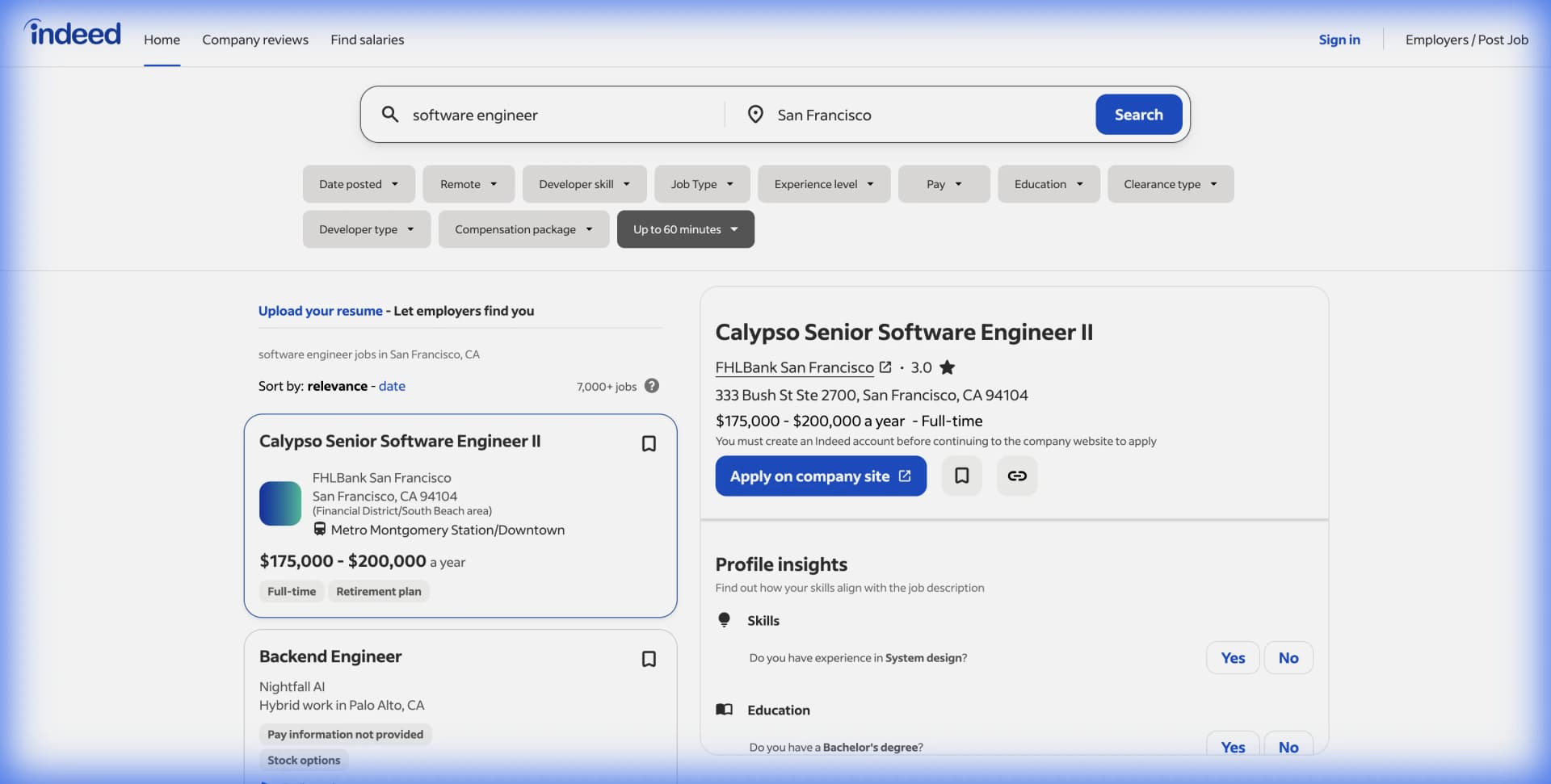
Job postings are one of the clearest public signals a company leaves behind. They are time-stamped, role-specific, and often unusually detailed because the company wants qualified candidates to self-select.
The broader market still supports that view. On June 30, 2026, the U.S. Bureau of Labor Statistics reported 7,594,000 job openings in May 2026 through the JOLTS program. That is not a niche stream of data. It is a large, continuously refreshed window into where employers are trying to add capacity.
For operators, recruiters, product marketers, and sales teams, job posts answer practical questions:
- Is a competitor expanding in a new geography
- Is it investing in enterprise sales, support, or partnerships
- Is it hiring data engineers, suggesting a heavier internal analytics push
- Is it posting remote roles after months of office-only hiring
- Is it disclosing salary ranges that suggest a more senior hiring profile
If your team already tracks people data through LinkedIn workflows or captures raw listings through our guide on how to scrape Indeed job postings without code, competitor hiring becomes a natural next layer of intelligence.
What job postings reveal
The best hiring monitors do not try to collect everything. They collect the few signals that actually change decisions.
Headcount direction
One account executive opening does not mean much. Eight account executive openings across three regions probably does. The same goes for clusters of staff engineers, customer success managers, or compliance roles. Repetition matters more than any single listing.
When you monitor over time, patterns become visible:
- a company that suddenly adds implementation roles may be preparing for larger customers
- a wave of technical recruiter openings can signal aggressive near-term headcount plans
- repeated finance and procurement roles can point to back-office scaling before public announcements
Location and workplace strategy
Job pages often expose location, workplace type, and region in a cleaner way than press releases do. A company may still describe itself as "remote-friendly" while quietly shifting more openings to hybrid hubs. Another may open roles in Germany, Singapore, or Toronto before it says anything publicly about international expansion.
That matters for competitive planning. Expansion changes where sales teams meet rivals, where recruiters lose candidates, and where support expectations rise.
Tooling and org design
Job descriptions frequently reveal what a company is using or buying. Phrases like "experience with Salesforce CPQ," "administer HubSpot," "maintain dbt models," or "manage Workday integrations" tell you something concrete about the stack behind the operation.
This is where job postings become especially useful for B2B teams. They are not only hiring signals. They are demand signals. If a target account is hiring RevOps specialists with Marketo experience or platform engineers with Snowflake and Kubernetes experience, that may shape how you prioritize outreach or qualification.
Why does the standard approach fail?
Most teams do not lack curiosity. They lack a repeatable collection method.
Manual review strips away context
A Slack message that says "Competitor X is hiring five people" is not enough. Which roles. Which locations. Which page. Which date. Which source. Without that context, the observation becomes folklore instead of evidence.
The failure mode is subtle. The spreadsheet looks complete because it contains job titles and links. But once someone asks, "Were these all open last Tuesday?" or "Did these come from LinkedIn, Greenhouse, or the company site?" the dataset stops being trustworthy.
Screenshots do not scale
Screenshots are useful for preserving a moment, but they are terrible for analysis. You cannot group them by team, filter them by region, or see which salary ranges changed. A screenshot-heavy workflow also makes it harder to notice duplicates across the same company's ATS page, LinkedIn jobs page, and aggregator listings.
Generic alerts create noise
Many teams try visual page monitoring first. The result is usually too much noise and too little structure. A careers page reorders openings, updates styling, or rotates a banner image, and the alert fires even though nothing material changed. The team starts muting the alerts and the project dies quietly.
Should you scrape or use an API?
A good workflow starts with the least fragile source, not necessarily the flashiest one.
Use official ATS feeds when they exist
Some public career pages are already backed by structured endpoints. Greenhouse's official Job Board API exposes published jobs, offices, departments, locations, and full post content when the board is configured to provide it. Lever's official Postings API similarly documents public job-posting access for published roles on Lever-hosted sites.
If a competitor uses Greenhouse or Lever and the public endpoint gives you the fields you need, start there. Structured feeds are easier to normalize, easier to refresh, and less likely to break on a cosmetic page redesign.
Browser extraction still matters
Official feeds are helpful, but they are not universal. Many companies publish through Workday, Ashby, SmartRecruiters, or custom career pages. Others expose some fields publicly but hide the details your team actually cares about in rendered page content.
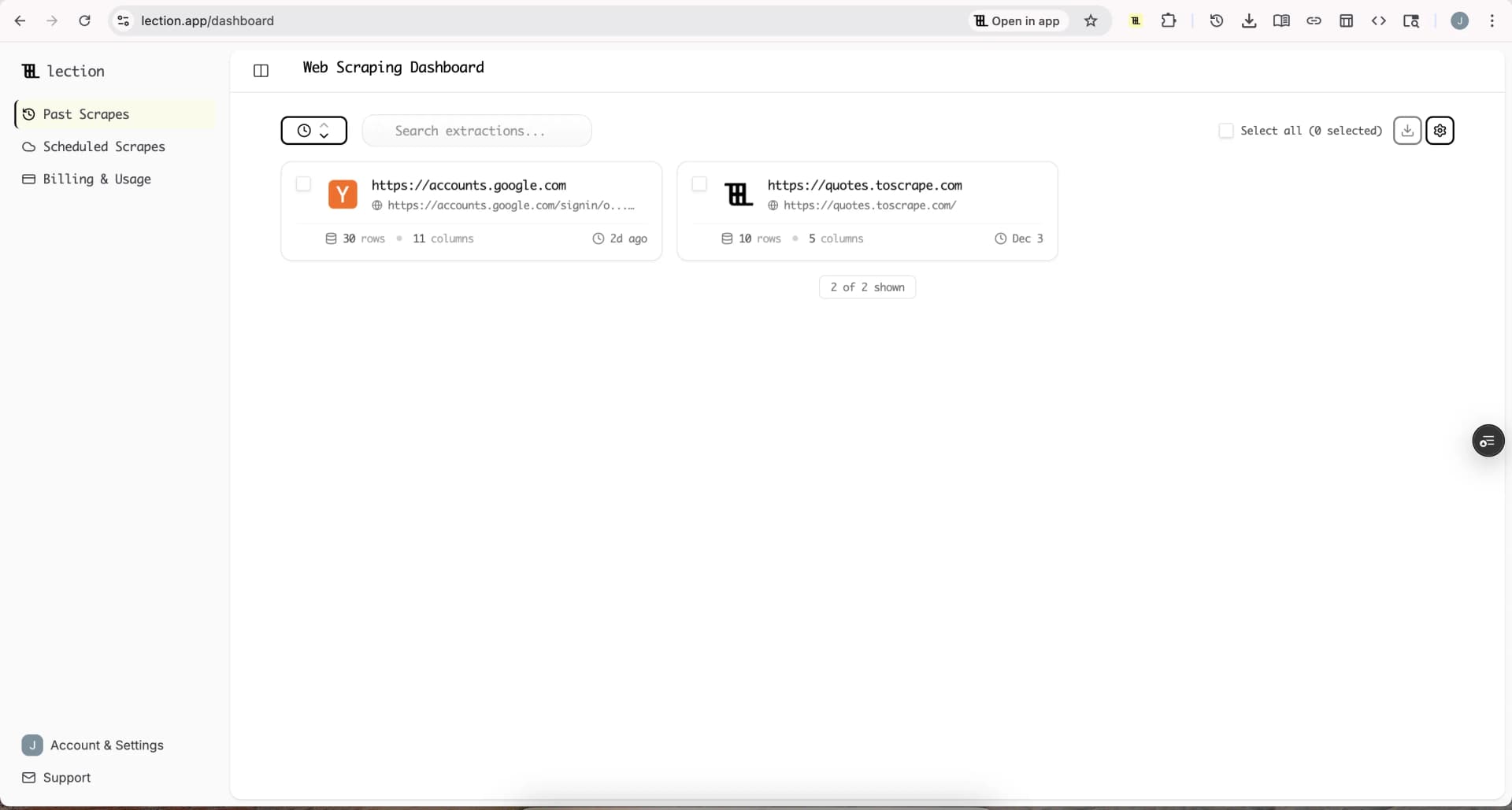
That is where browser-native extraction is practical. Lection lets you work from the live page your analyst is already reviewing, capture the repeated record pattern, and export the visible fields without setting up code or waiting on engineering.
Use both when the signal is important
The strongest workflows combine methods. Start with a public ATS feed when it exists. Then use browser extraction for the pages that do not expose the same structure, or when you need on-page context such as displayed salary ranges, workplace labels, or rendered tags that are easier to validate visually.
How to build a hiring intelligence workflow
The goal is not to build a giant pile of vacancy links. The goal is to create a system that shows what changed and why it matters.
Start with a narrow schema
For most teams, these fields are enough:
- company name
- job title
- department or team
- location
- workplace type
- salary range when shown
- posting URL
- source page
- scrape date
- first-seen date
- note or signal category
Those last three fields are the difference between a list and an intelligence log. Once you know when a role first appeared and where it came from, trend analysis becomes much easier.
Keep source pages separate at first
Do not combine every source into one first run. Track each company or source surface separately:
- company careers pages
- LinkedIn jobs results
- Indeed searches by keyword or location
- public ATS boards
This makes debugging easier and avoids accidental duplicates. Once the schema is stable, merge everything into the same sheet or database and deduplicate on company plus job URL.
Route the data into a system people already use
If the team lives in spreadsheets, send the export into Google Sheets and add filters for company, team, and geography. If the workflow is more collaborative, route the records into a research database. Our tutorial on exporting job postings to Notion is useful when multiple people need to tag, review, and discuss the same openings.
For recurring workflows, also consider automating Google Sheets with scraped data so new postings arrive in a format your team can read immediately.
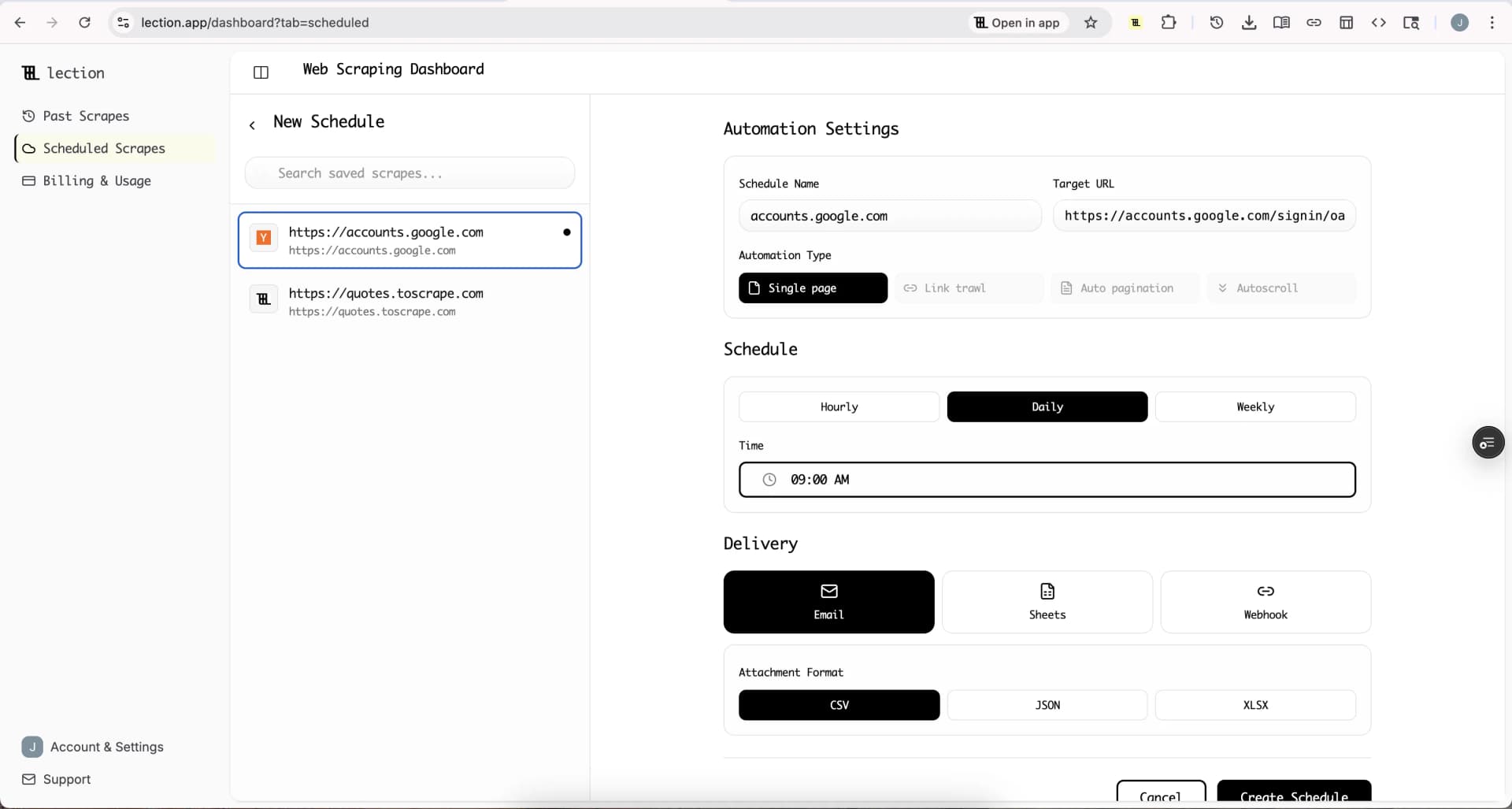
Schedule refreshes only after the schema is clean
Scheduling a messy extraction just creates a mess faster. First confirm that the repeated record is correct and that the export includes the context fields you need. Then switch the workflow into a recurring cloud run.
For hiring intelligence, common schedules are:
- daily for high-priority competitors
- twice weekly for broader market scans
- weekly for lower-volatility accounts
Turn observations into decisions
A useful monitor does more than collect rows. It triggers a next step. Examples include:
- send enterprise-sales openings to the account strategy owner
- flag new country launches for regional planning
- tag data-platform roles for product marketing research
- surface salary ranges for compensation benchmarking
That is how job data becomes actionable instead of decorative.
Why common alternatives break down
The failure is rarely "we could not get the page." The failure is "we could not trust the system after a month."
IMPORTXML and copy-paste workflows do not hold up
Spreadsheet formulas are attractive because they seem close to the final destination. The issue is that modern careers pages often render dynamically, paginate inconsistently, or expose different fields depending on the source. That is why teams who begin with spreadsheet functions often end up graduating to a more reliable browser workflow, especially when they want to monitor dozens of companies instead of three.
One-off exports age immediately
Hiring intelligence is time-sensitive. A one-time export answers "what was open that day." A recurring monitor answers "what changed this week." If your team is making territory, product, or recruiting decisions, the second question is usually the one that matters.
Over-collection hides the real pattern
It is tempting to pull every field available on a page. In practice, that makes the dataset harder to understand. A slim schema with good context fields is more valuable than a bloated export nobody trusts.
Troubleshooting and edge cases
The same job appears in multiple places
This is normal. Companies often publish simultaneously to their own careers page, LinkedIn, Indeed, and an ATS-hosted site. Choose one canonical URL when possible and deduplicate aggressively.
Titles vary even when the work is the same
"Account Executive," "Enterprise Account Executive," and "Strategic AE" may point to the same motion. Add a normalized role-family column so the team can analyze patterns above the raw title level.
Remote labels are inconsistent
Some sources use remote, hybrid, flexible, distributed, or specific hub language. Keep the displayed text, then add a normalized workplace-type field for analysis.
Legal and policy review still matters
Stay focused on public listings, keep collection narrow, and avoid republishing full job descriptions as your own content. For a broader framework, review web scraping legality by country and our robots.txt guide. Responsible monitoring is more durable than aggressive collection.
Conclusion
Competitor hiring data is valuable because it sits close to real operational intent. It shows who a company wants next, where it wants them, and often what systems or capabilities it expects them to use. But that value appears only when the collection process is structured enough to compare one week with the next.
Lection gives non-technical teams a practical way to build that structure from the live pages they already review. Instead of isolated screenshots and vague notes, you get a reusable dataset that can feed planning, outreach, recruiting, and market research.
Ready to start scraping? Install Lection and extract your first dataset in minutes.