The first version of a price comparison app does not need a database, user accounts, or a complicated deployment pipeline. It needs a clear question, a trustworthy sample of product data, and an interface that helps someone make a decision.
That makes it a good project for an AI coding tool. You can describe the experience in plain language, let the tool generate the interface, and spend your time deciding what counts as a fair comparison. The part that still needs care is the data. A polished table filled with stale, mismatched, or invented prices is not a product.
This tutorial shows how to build a no-backend price comparison app with an AI builder, using a local data file or browser storage for the first release. It also explains how to collect real product records with a tool like Lection when your prototype is ready to move beyond sample data.
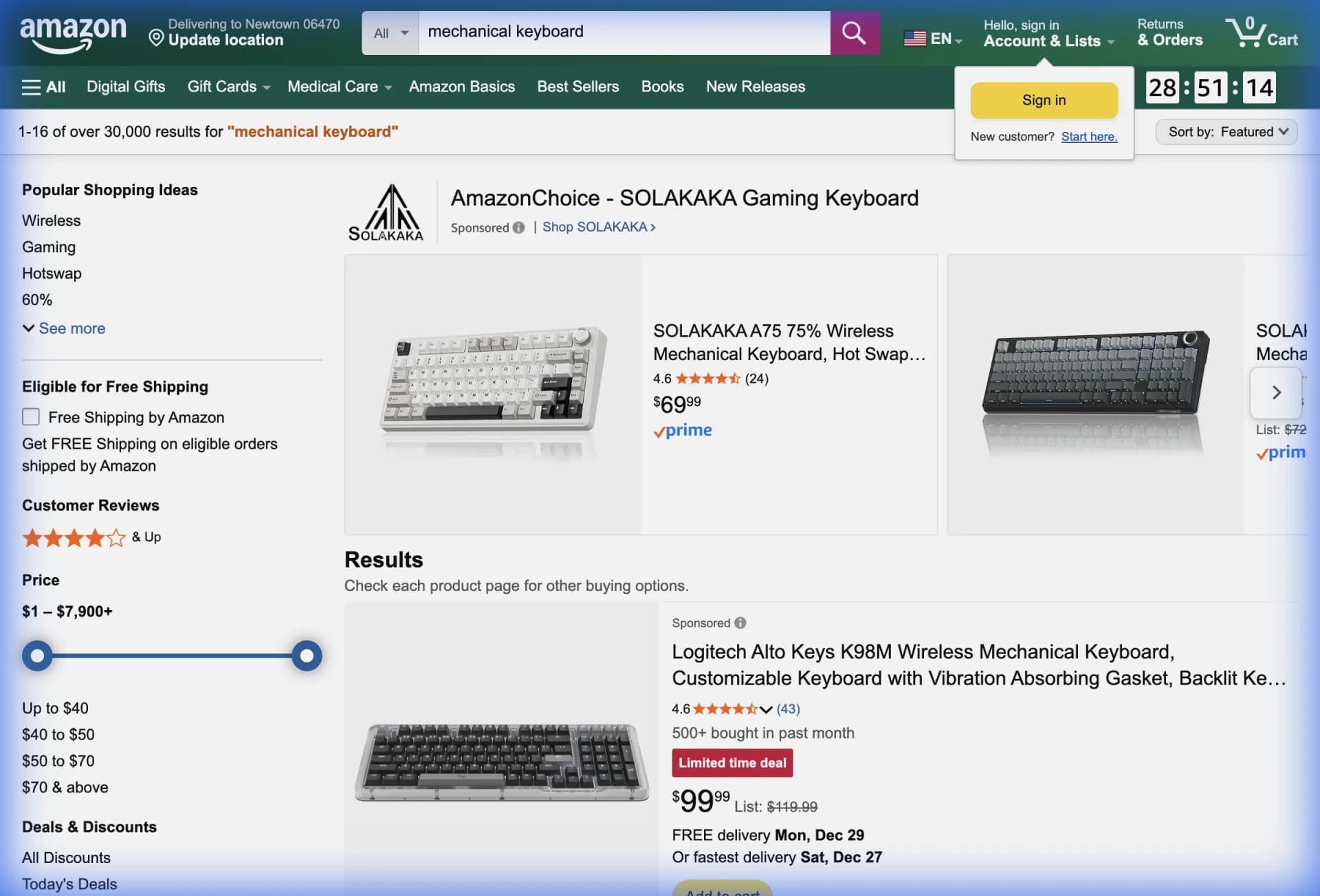
What should the first version compare?
Start with one narrow shopping decision. “Find the cheapest headphones online” is too broad because products, variants, delivery terms, and sellers are not normalized. “Compare four 65 percent mechanical keyboards across two public retailer pages” is specific enough to build and test.
Choose a category with fields that are visible and understandable. A first record might include:
- product name
- brand and model
- price and currency
- shipping or delivery text
- availability
- rating and review count
- source name and product URL
- collected-at timestamp
The timestamp matters more than it first appears. A comparison app is showing a moment, not making a permanent promise about a price. Showing when a record was collected gives users the context to judge whether it is still useful.
Before collecting anything, define what makes two products comparable. A “from” price may describe the smallest configuration. A bundle may include accessories that change the value. A marketplace listing may be sold by a third-party seller while a retailer listing is sold directly. Write those rules down before asking an AI tool to generate the UI.
Why does the standard approach fail?
The tempting approach is to ask an AI builder for a complete shopping comparison site and accept the generated sample data as if it were a finished data layer. The result can look convincing in a screenshot, but it does not answer where the prices came from or how they will be refreshed.
Another common approach is to have the app fetch retailer pages directly from the browser. That creates cross-origin restrictions, JavaScript-rendering problems, and a fragile dependency on each site's response. A page that looks complete in Chrome may return only an empty HTML shell to a simple request.
The no-backend approach works when you treat it as a deliberate prototype boundary. Store a small, reviewed dataset in the app. Make the source and collection date visible. Prove that people understand the comparison before you pay the complexity cost of accounts, scheduled jobs, and a shared database.
What does “no backend” mean here?
For this project, no backend means the app does not need a server-side database or custom API to demonstrate the core experience. The comparison records can live in a JSON or TypeScript data file bundled with the app. User preferences, such as saved products, can live in localStorage.
The browser's Web Storage API provides localStorage for data that persists across browser sessions for the same origin. It is useful for a prototype's saved items and filters, but it is synchronous and local to the user's browser. It is not a replacement for shared storage, backups, permissions, or a multi-user source of truth.
That distinction is healthy. Your first question is whether the comparison is useful. A local app can answer that question with a few dozen carefully reviewed records.
How should you prompt an AI builder?
An AI builder works best when the request describes the data contract and the boundaries, not only the visual style. Tools such as v0 can generate interactive interfaces from natural-language descriptions, and its documentation recommends an incremental workflow as an application grows. Use that same discipline for a comparison app.
Give the builder a prompt like this:
Build a responsive price comparison app for mechanical keyboards.

Use a local typed data file. Do not add authentication, a database, or
server-side scraping. Each product has name, brand, price, currency,
availability, rating, reviewCount, source, url, and collectedAt.

Show a comparison table and product cards. Add filters for brand and source,
sorting by price and rating, a search box, and a saved-items feature backed by
localStorage. Show a visible “collected on” date and a link to each source.

Treat missing prices and unavailable products as explicit states. Do not
invent values. Add empty, loading, and error states even though the first
dataset is local.
This prompt gives the model enough structure to create useful components while keeping the prototype honest. It also prevents a frequent failure mode: the builder silently inventing an API route because the prompt asked for “live prices” without explaining how live data should arrive.
What data shape should you use?
Keep the first schema boring. Boring schemas are easier to inspect, explain, and replace later.
export type Product = {
  id: string;
  name: string;
  brand: string;
  price: number | null;
  currency: string;
  availability: "in-stock" | "out-of-stock" | "unknown";
  rating: number | null;
  reviewCount: number | null;
  source: string;
  url: string;
  collectedAt: string;
};
Use null when a value is unavailable. Do not use zero for a missing price, because zero will sort to the top and make the cheapest product look like a bargain. Keep the currency with the value, even if every row currently uses USD. That small decision prevents a misleading comparison when you add another market.
Use a stable id that does not depend on the product's current price. The source URL is a good starting point, although you may later need a separate identifier for products whose URLs change. Keep the raw source text somewhere during collection if the page says “starting at,” “with coupon,” or “members only.” A normalized number alone can erase the context a buyer needs.
How do you build the interface in stages?
Ask for the interface in small passes. First request the layout and local data. Then ask for sorting and filtering. Then add saved items. Finally ask for accessibility, responsive behavior, and error states. Smaller changes are easier to review than one enormous generation that mixes data modeling, design, and deployment.
The first screen should answer three questions immediately: what products are being compared, when the data was collected, and where each price came from. A compact summary can show the lowest available price, the number of sources, and the age of the oldest record. These are useful signals without pretending that the app knows the user's preferred shipping cost or exact variant.
For filters, start with search, brand, source, availability, and a maximum price. Add a “show only comparable items” toggle if your category has variants that should not be mixed. Sorting by price is useful only after unavailable products and currencies are handled explicitly.
Saved items are a good no-backend feature because they are personal UI state. Store an array of product IDs in localStorage, and read it only in the browser. If the AI builder uses server rendering, ask it to avoid reading window.localStorage during the initial render. Otherwise the generated app may fail during build or show a hydration mismatch.
How do you collect real prices?
Once the interface works with a reviewed sample, collect a small real dataset. Open the public result pages in Chrome and select the product name, visible price, availability, source, and URL with a browser-native extraction workflow. Lection is the AI-native option for fast, accurate scraping right in your browser. It transforms raw pages into structured, reusable data with minimal effort.
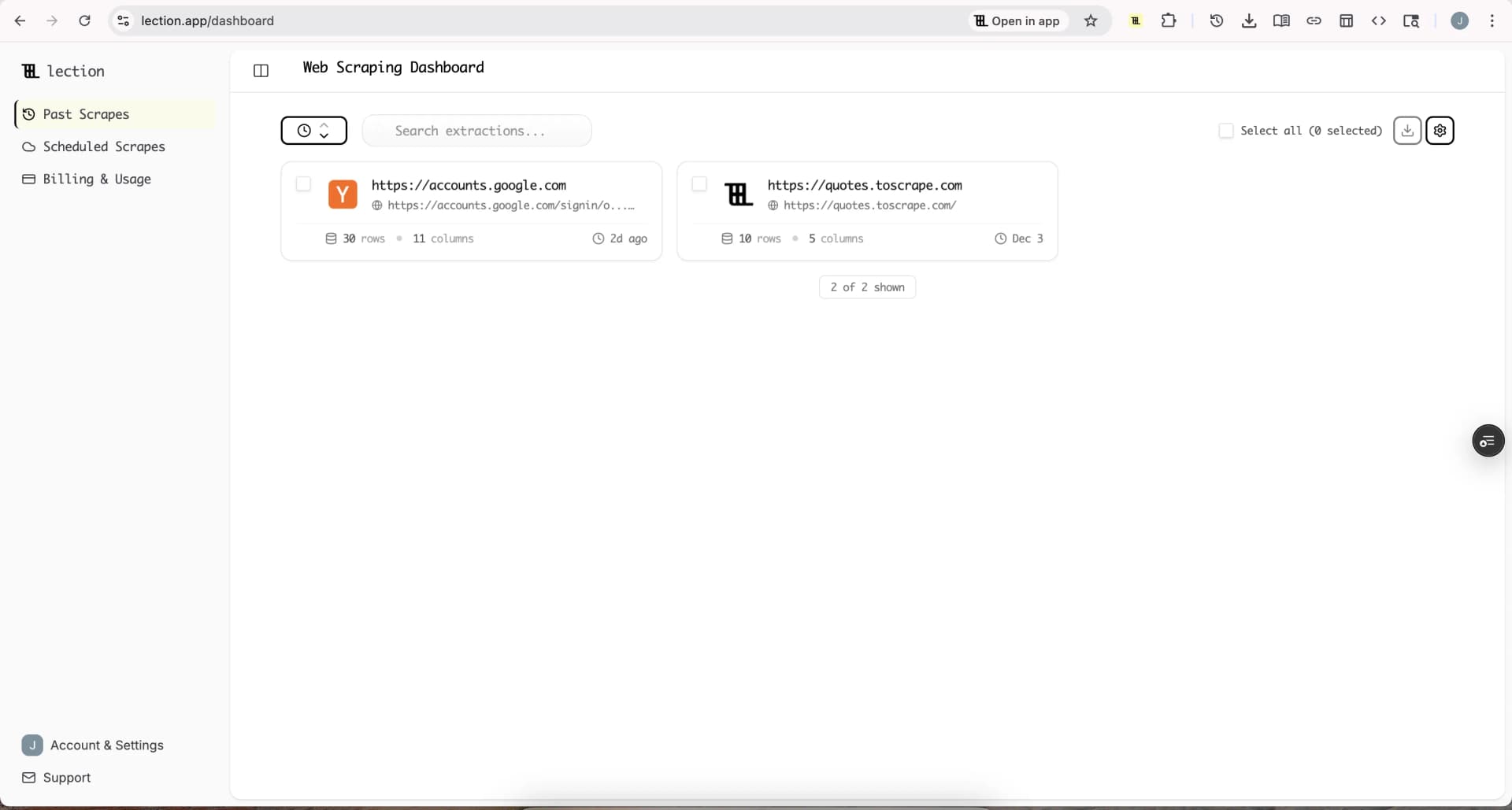
Start with 20 to 50 records, not thousands. Compare the output against the page and look for the errors that a generated UI cannot see: a sale price separated from its original price, a product card repeated in a recommendation module, a rating attached to the wrong item, or an availability label that applies to one variant only.
The guide to tracking competitor prices in Google Sheets covers the normalization issues that appear in recurring price workflows. For an AI-built app, the principle is the same: extract first, validate second, display third.
How can you import data without a database?
For a static prototype, replace the sample data file with a generated JSON file and redeploy when the dataset changes. This is simple and transparent. It is also manual, which is acceptable while you are learning whether the app deserves automation.
For a slightly more flexible demo, let the user upload a CSV in the browser. Parse the file, validate required fields, and show a row-level error report before replacing the current data. Do not overwrite a good dataset just because one uploaded row has a malformed price.
You can also add a shareable query string for filters such as source, brand, and maximum price. The browser's URLSearchParams API provides a standard way to read and write query parameters. A shared URL makes a comparison more useful in a team conversation without requiring accounts.
What should you automate later?
Automation belongs after the comparison rules are stable. The next layer is usually a repeatable extraction that runs on a schedule, writes a dated snapshot, and sends only validated changes into the app's data source.
At that point, add a database when you need shared history, multiple users, permissions, or more than one person editing the catalog. Add a server-side job when collection must run without a browser session. Add alerts when a price change is important enough to interrupt someone. Each addition should answer a real limitation in the prototype.
Do not ask the AI builder to hide this transition. Give it a clear boundary: the current app reads products.json, and a future import job will produce the same schema. That lets you replace the source without rewriting every filter, card, and comparison calculation.
Troubleshooting and edge cases
Prices are not comparable
Check variant, quantity, currency, shipping, taxes, membership discounts, and coupon requirements. If you cannot normalize the difference, show the original context instead of forcing a single ranking.
A product appears twice
Deduplicate by a stable source identifier or canonical URL, then inspect whether the duplicate is actually a different seller or variant. Do not deduplicate by product name alone because names are often reused.
The app loses saved items
Confirm that the storage key is stable and that the app is running on the same origin. Remember that local data is not shared between browsers, devices, or users. Private browsing can also change how storage persists.
The generated app shows a fake live status
Remove it. If the app reads a bundled file, say “sample collected on August 12, 2026.” If it reads an uploaded file, show the upload time. A clear static status builds more trust than a pulsing “live” badge with no live pipeline behind it.
A source changes its layout
Keep a small set of known pages for spot checks. When the extraction returns zero rows, an unexpected field type, or a sudden duplicate spike, stop the import and review the source before publishing a new snapshot. The web scraping legality guide is also worth reviewing when you add a new site or market.
When is the prototype ready to grow?
The app is ready for a real data layer when people return to it, ask for fresher data, or make decisions they could not make from the original pages. Those are better signals than a long feature list.
Until then, keep the system small. A typed local dataset, transparent timestamps, a careful comparison rule, and a focused interface can teach you more than an elaborate backend. The goal of the first version is not to prove that you can build infrastructure. It is to prove that the comparison helps someone choose.
AI coding tools make the interface faster to create. A browser-native extraction workflow makes the data easier to inspect. Together, they give you a practical path from an idea to a useful comparison product, with complexity added only when the evidence justifies it.
Ready to start scraping? Install Lection and extract your first dataset in minutes.